Partner Information Hub
Centralised dashboard for managing partner relationships.
Available since v1.5
The Partner Information Hub is an internal dashboard for managing partner relationships. It centralises partner profile data, members, families, documents, internal notes, and billing details into one workspace.
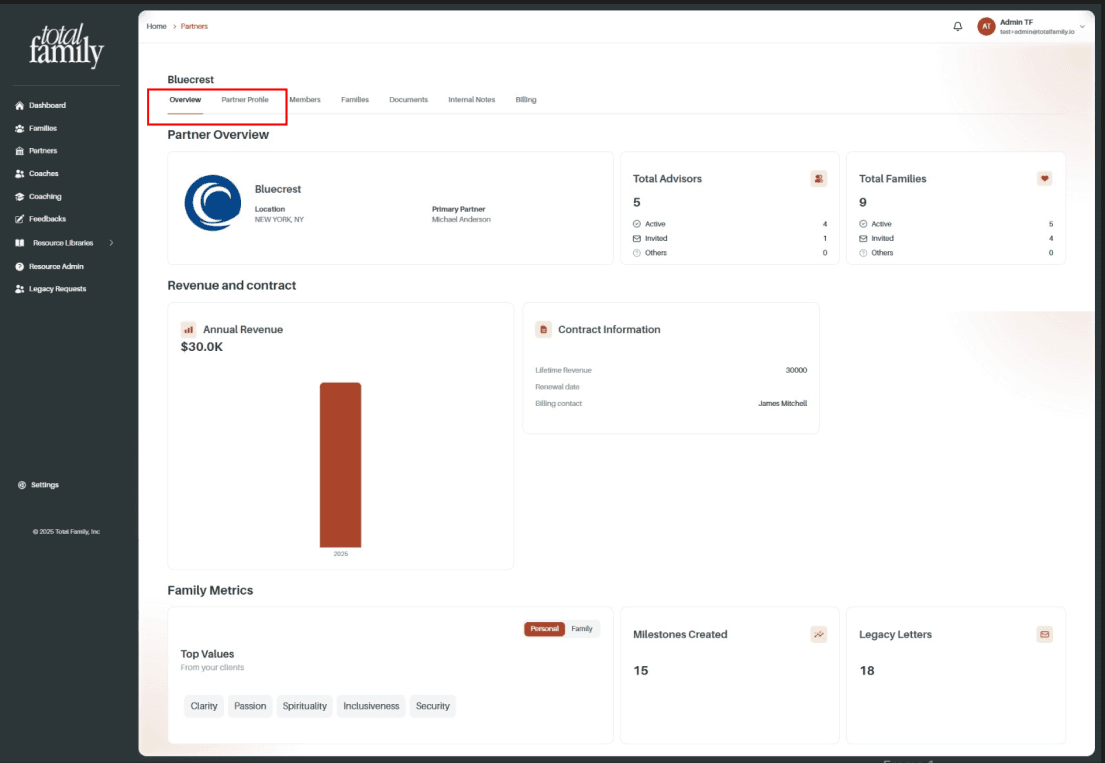
Table of Contents
Overview
The Partner Information Hub provides a comprehensive view of each partner relationship. From here, administrators can access all partner-related information in one centralised location.
Who Can Use It
- Admin
- Coach Admin
Main Tabs
The Partner Information Hub is organised into the following tabs:
- Overview
- Partner Profile
- Members
- Families
- Documents
- Internal Notes
- Billing
Overview Tab
The Overview tab provides a snapshot of key relationship, revenue, and engagement metrics for a partner.
Partner Overview
Shows:
- Partner Name
- Location
- Primary Partner contact
- Total Advisors
- Total Families
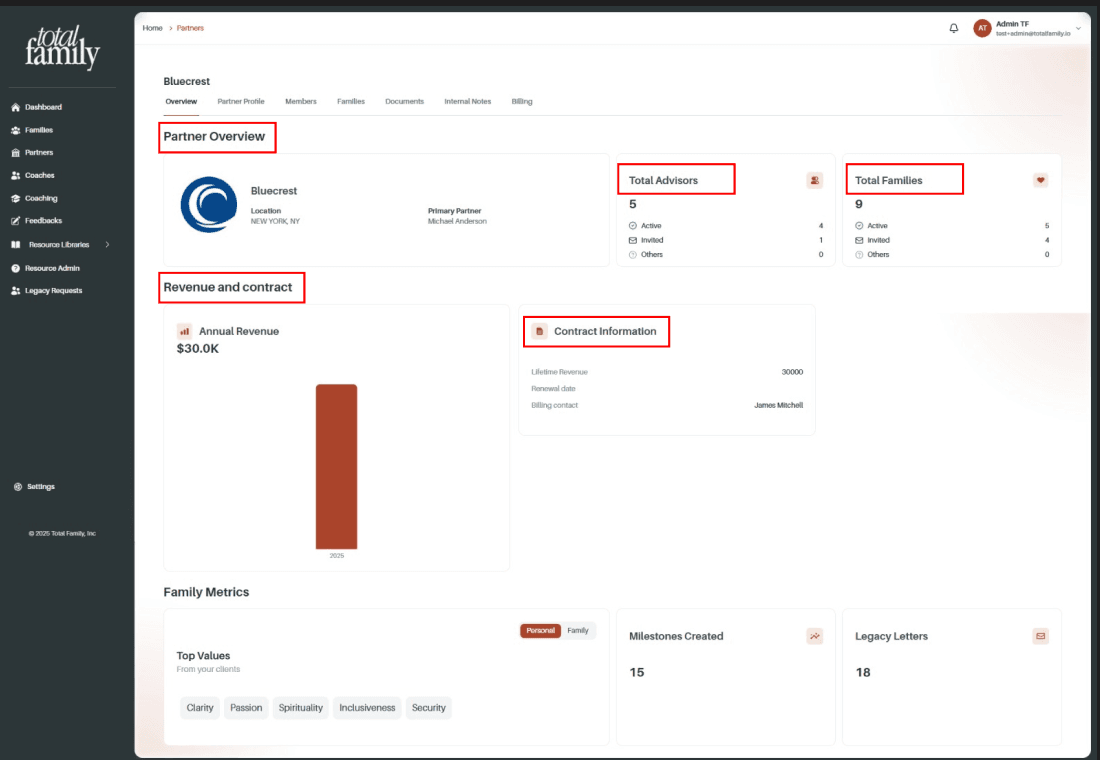
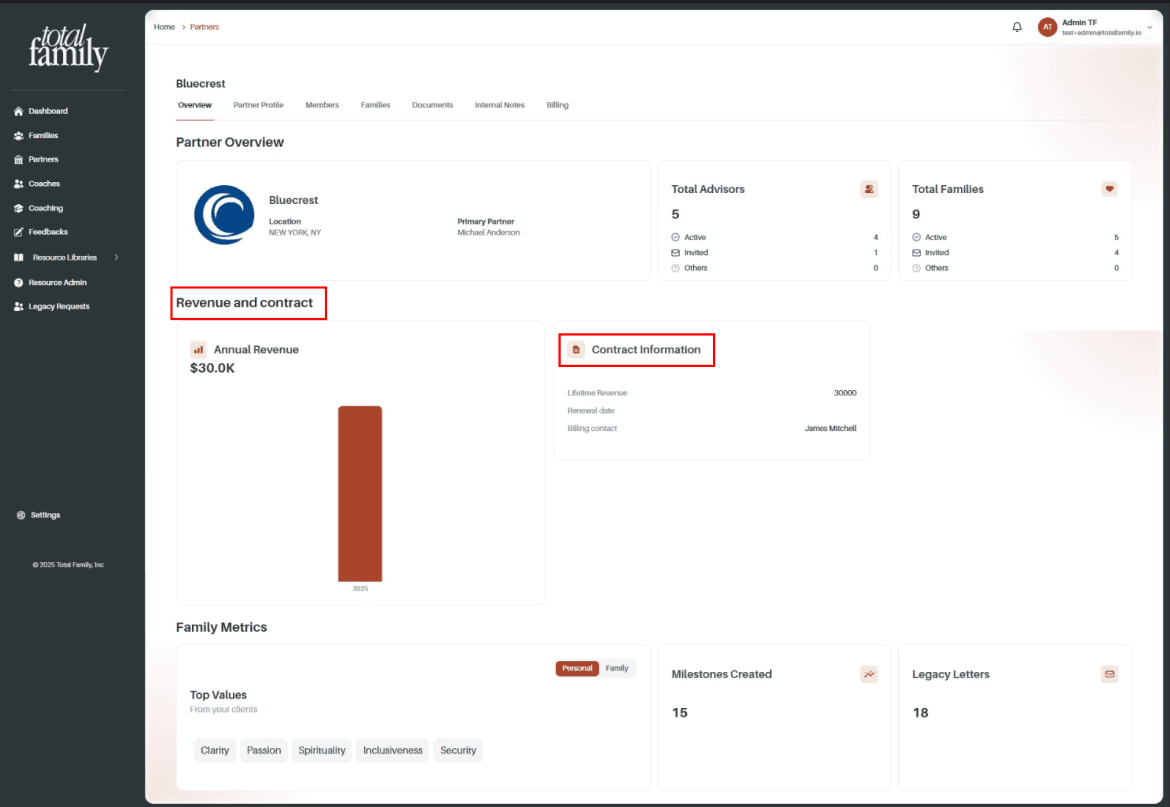
Revenue & Contract
Summarises:
- Annual and lifetime revenue
- Contract renewal date
- Billing contact details
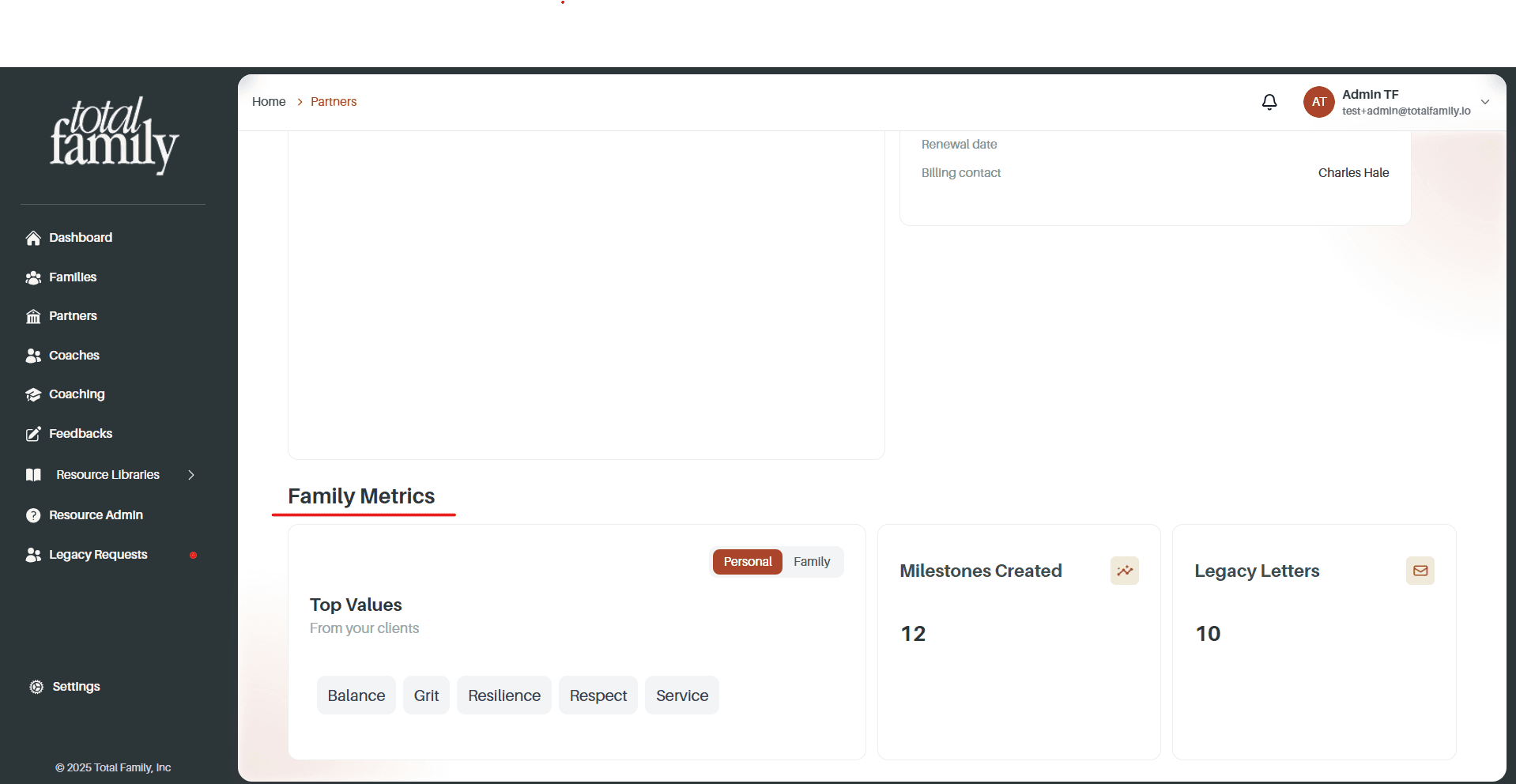
Family Metrics
Surfaces:
- Top family values (e.g. Innovation, Knowledge, Resourcefulness)
- Counts of milestones created
- Counts of legacy entries
Partner Profile Tab
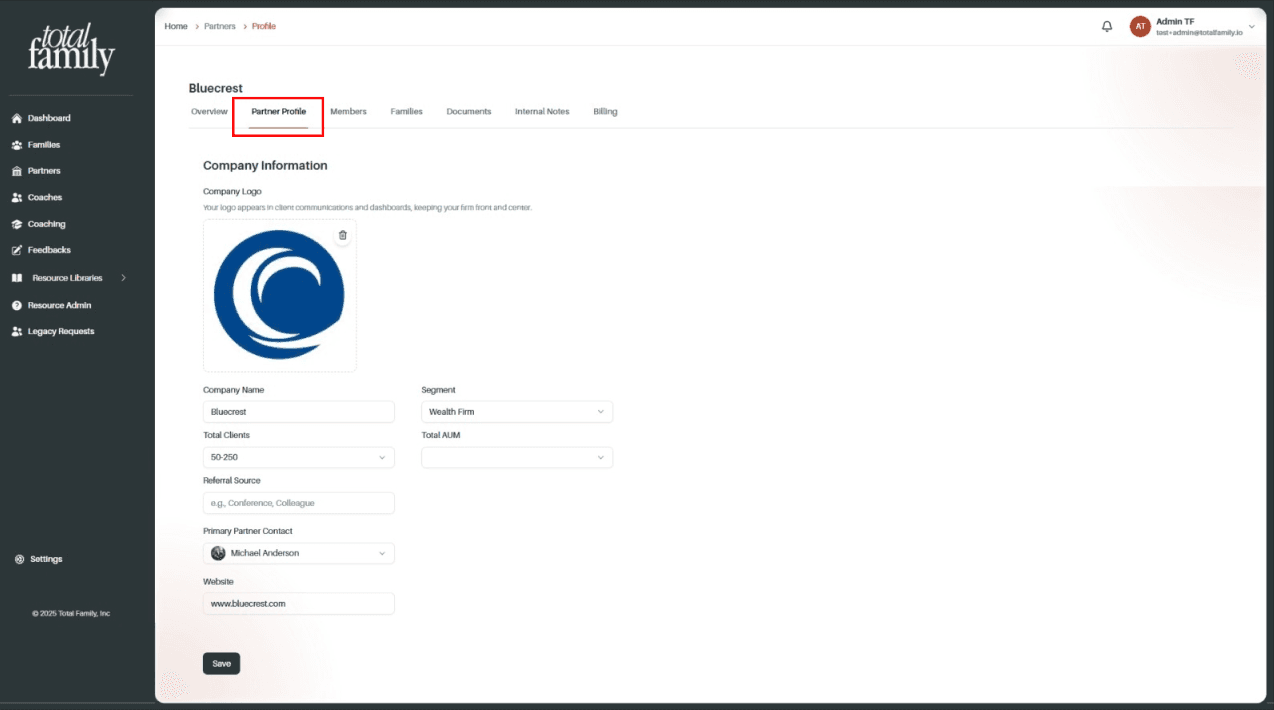
The Partner Profile tab provides a structured view of company information for each partner. It ensures all essential firm-level data is easy to access and edit.
Information includes:
- Firm details and profile
- Firm type
- Primary partner contact
- Additional firm metadata
Members Tab
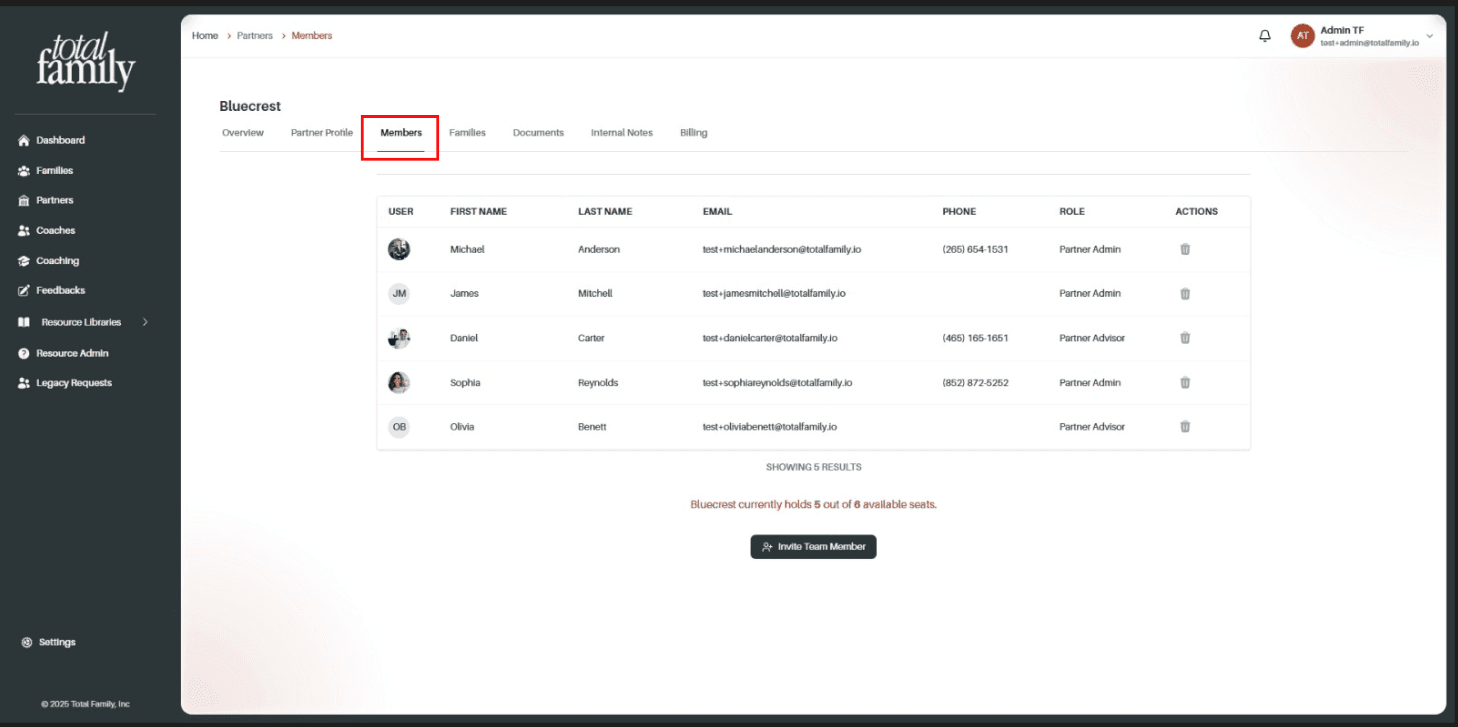
The Members tab is used to manage partner team members inside Total Family.
From here you can:
- View all partner users
- Invite new members
- Manage roles and access for the firm's team
Families Tab
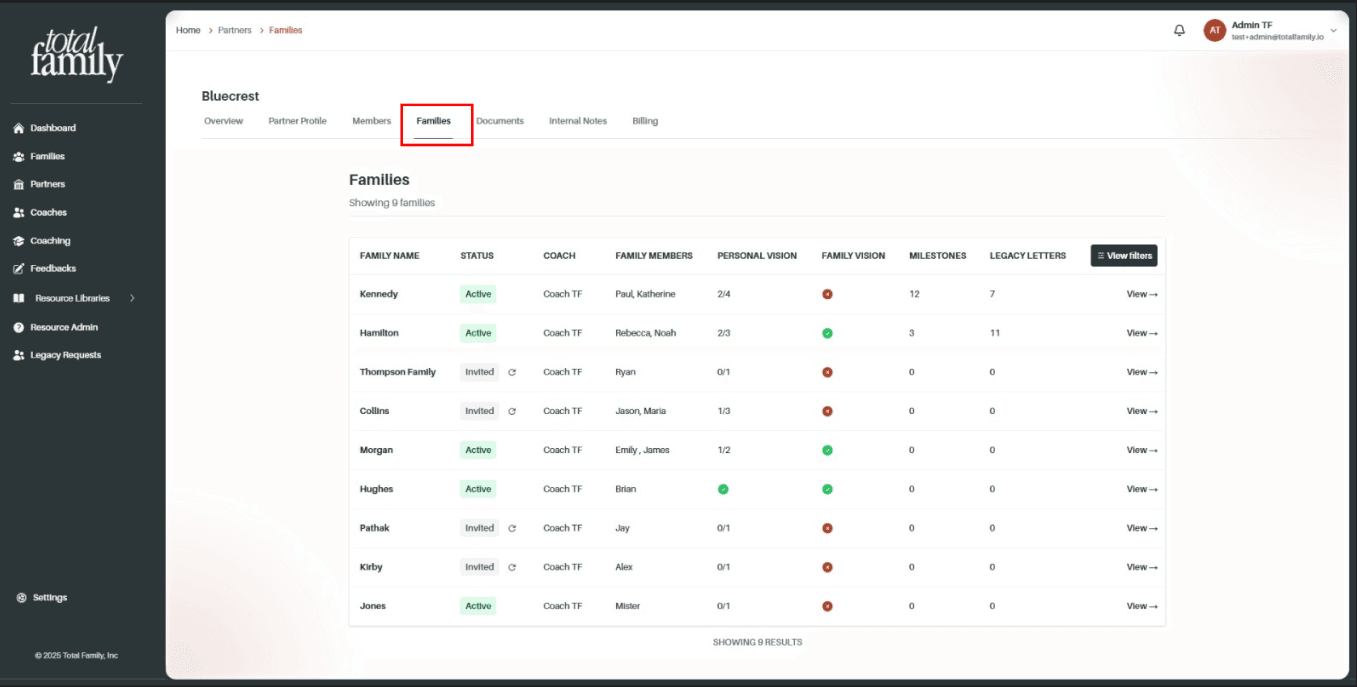
The Families tab gives a consolidated list of all families associated with a partner.
You can:
- See which families are connected to the partner
- Monitor engagement progress and coaching relationships
- Track vision development and milestone activities
Documents Tab
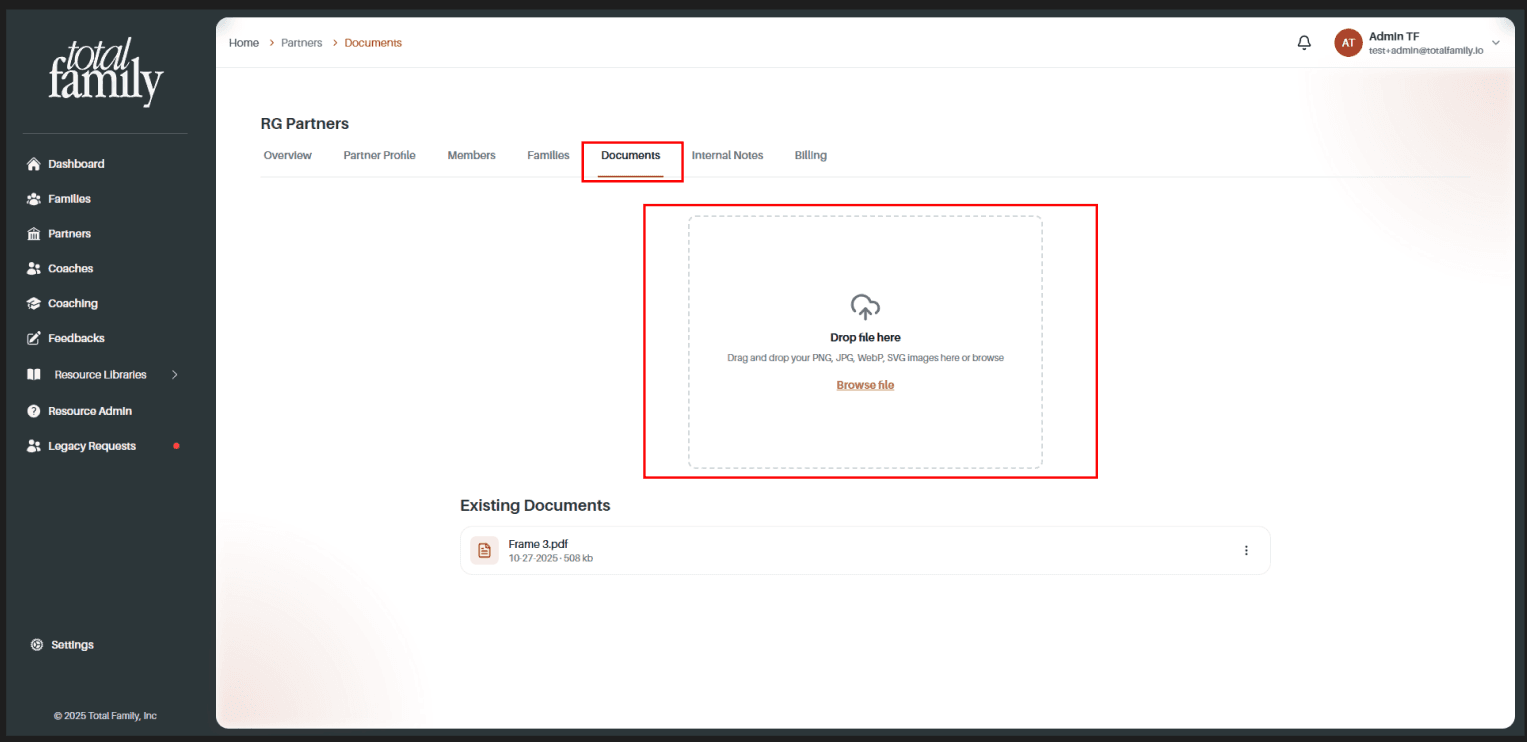
The Documents tab is the central place to store and manage partner-related files.
You can:
- Drag and drop files into the upload area, or
- Click "Browse File" to select files from your device
Internal Notes Tab
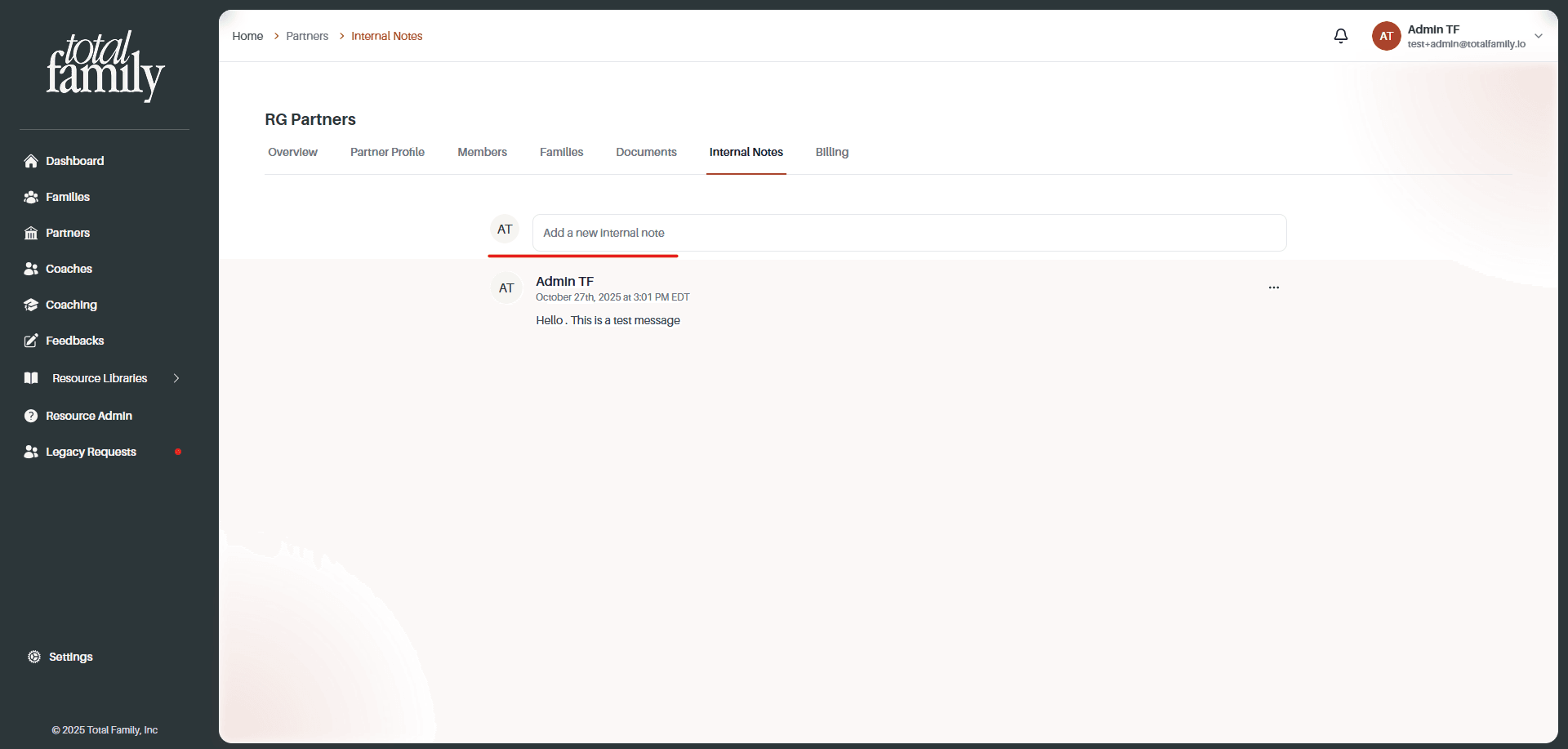
The Internal Notes tab is for private, internal-only comments about a partner.
You can:
- Click "Add new internal note"
- Enter your note
- Save it so your internal team has a shared log of context and updates
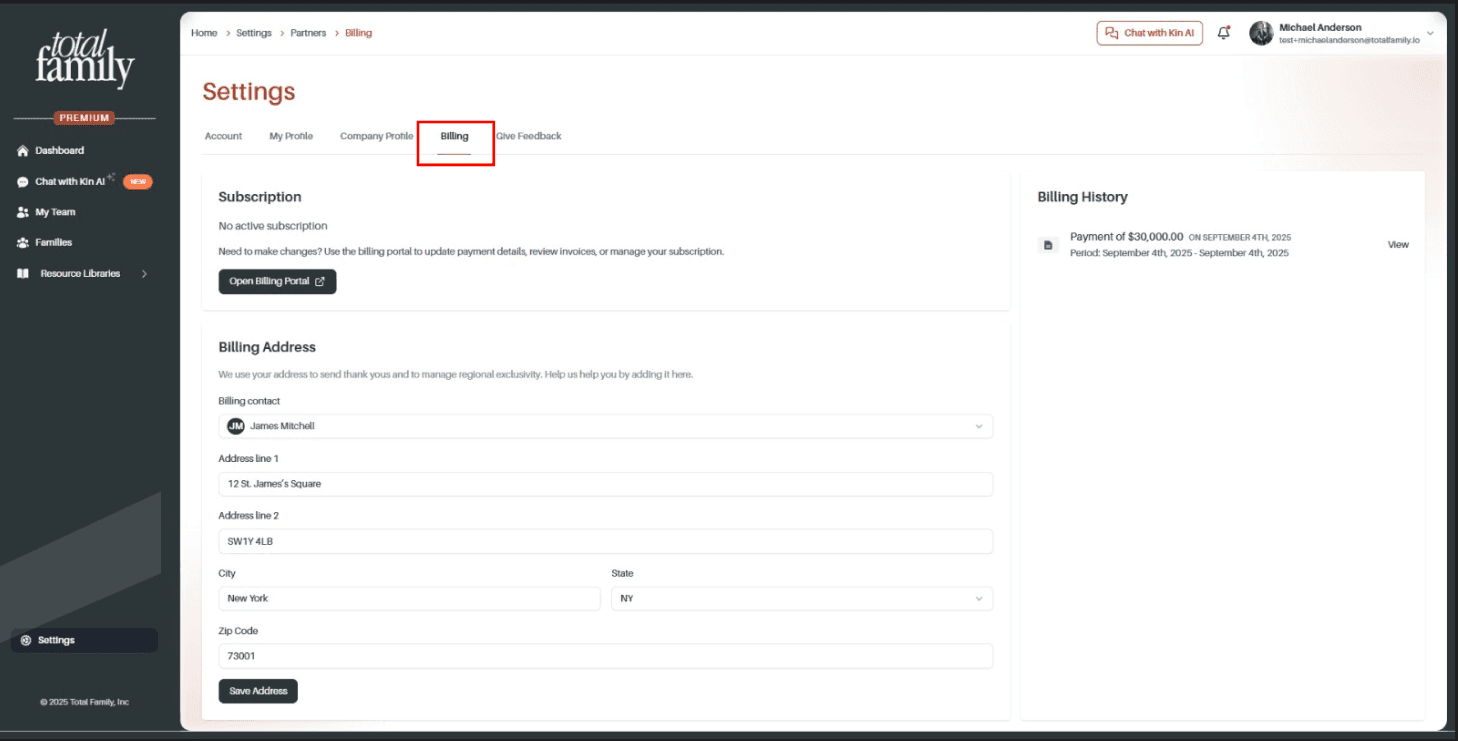
Billing Tab
The Billing tab centralises subscription and billing details for the partner.
You can:
- Add or edit the billing address
- View subscription details
- See renewal timelines and key billing info
- Save updates for future reference