Freemium Trial
90-day premium trial for partner firms.
Available since v1.5
The Freemium Trial offers partner firms a 90-day premium experience. During the trial, your firm is upgraded to Premium, and all families added by your firm also receive Premium access.

Table of Contents
- Overview
- Who Can Use It
- Seat Limits
- Starting the Free Trial
- Families During the Trial
- Trial Countdown and Subscription Options
- Cancelling the Trial
- Impact on Associated Families
Overview
Freemium is a 90-day premium trial for partner firms. During the trial:
- The partner firm is upgraded to Premium
- All families added by that firm also receive Premium access for the duration of the trial
- After the trial, the firm can choose to subscribe or stay on the free plan
- Families can later upgrade individually if the firm does not stay on Premium
Who Can Use It
- Partner firms that are not currently Premium
Seat Limits
During trial activation:
- The partner selects between 3 and 5 advisor seats
- Additional seats can be added later; billing is adjusted accordingly
No more than 5 members are supported under the Freemium version.
Starting the Free Trial
- Log in as a Partner Firm that is not yet Premium
- At the top of the screen, you will see a "Free Trial" prompt. You can either start the trial or close the prompt.
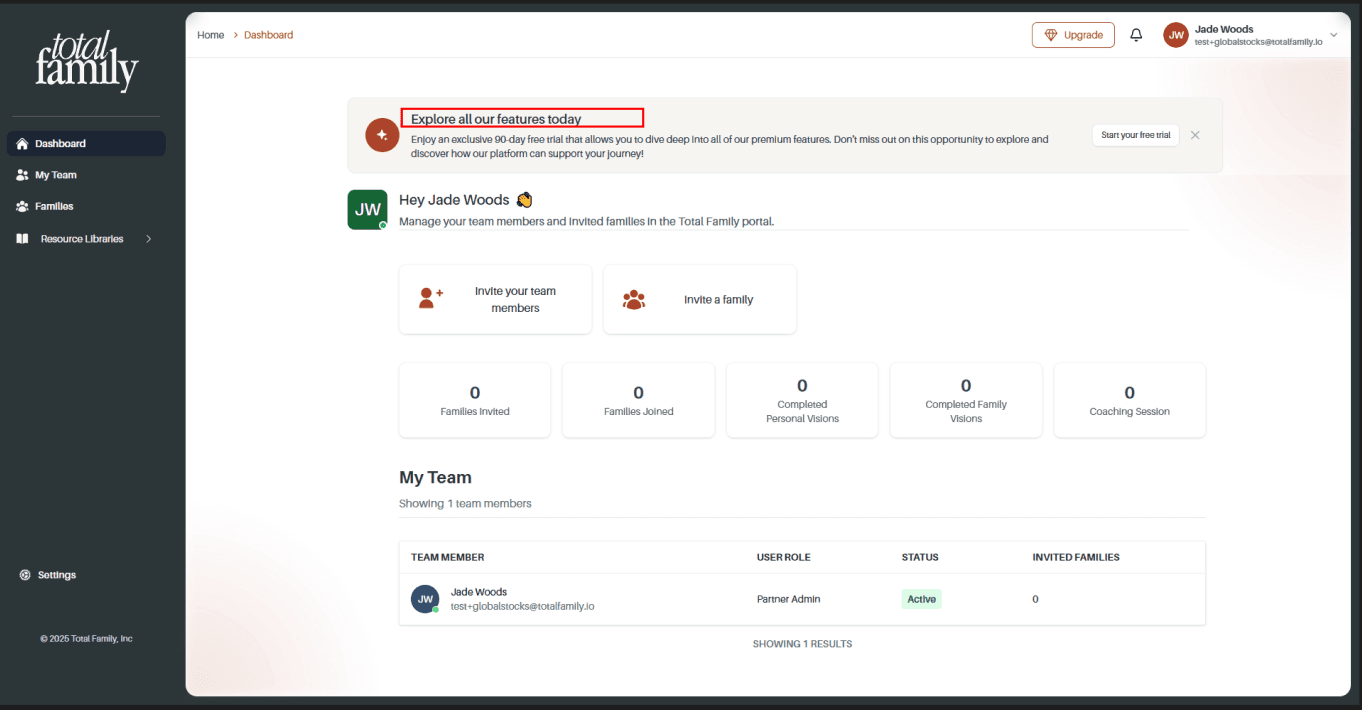
- Click "Start your free trial". You will see a page explaining the free trial with options to:
- Stay on the free plan, or
- Proceed with the free trial
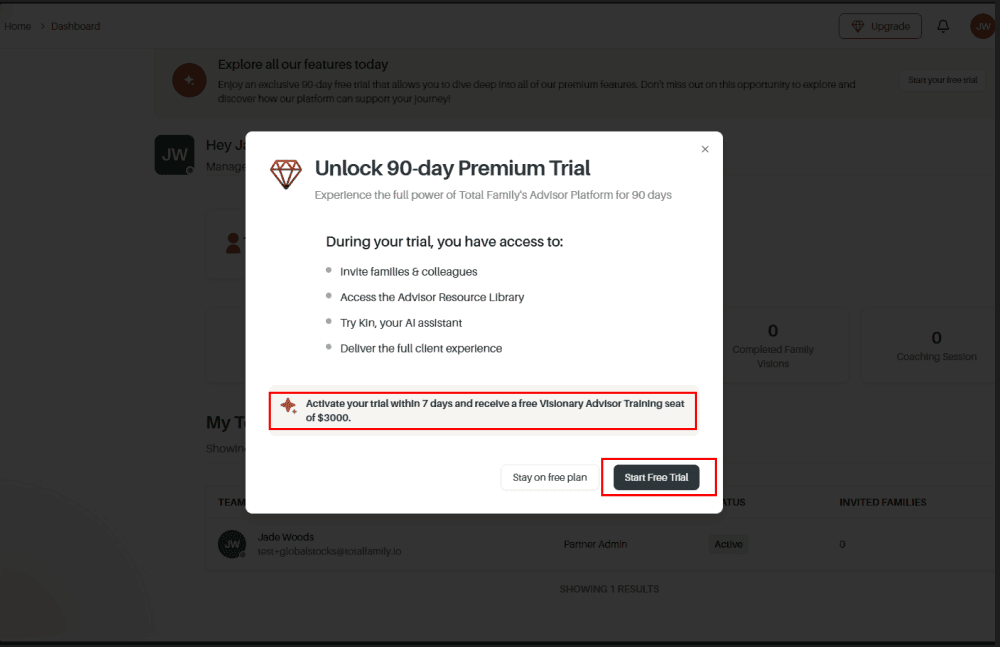
- Click "Free Trial" to move to the payment window.
- Set the number of seats (between 3 and 5)
- You can add more seats later; billing will be updated
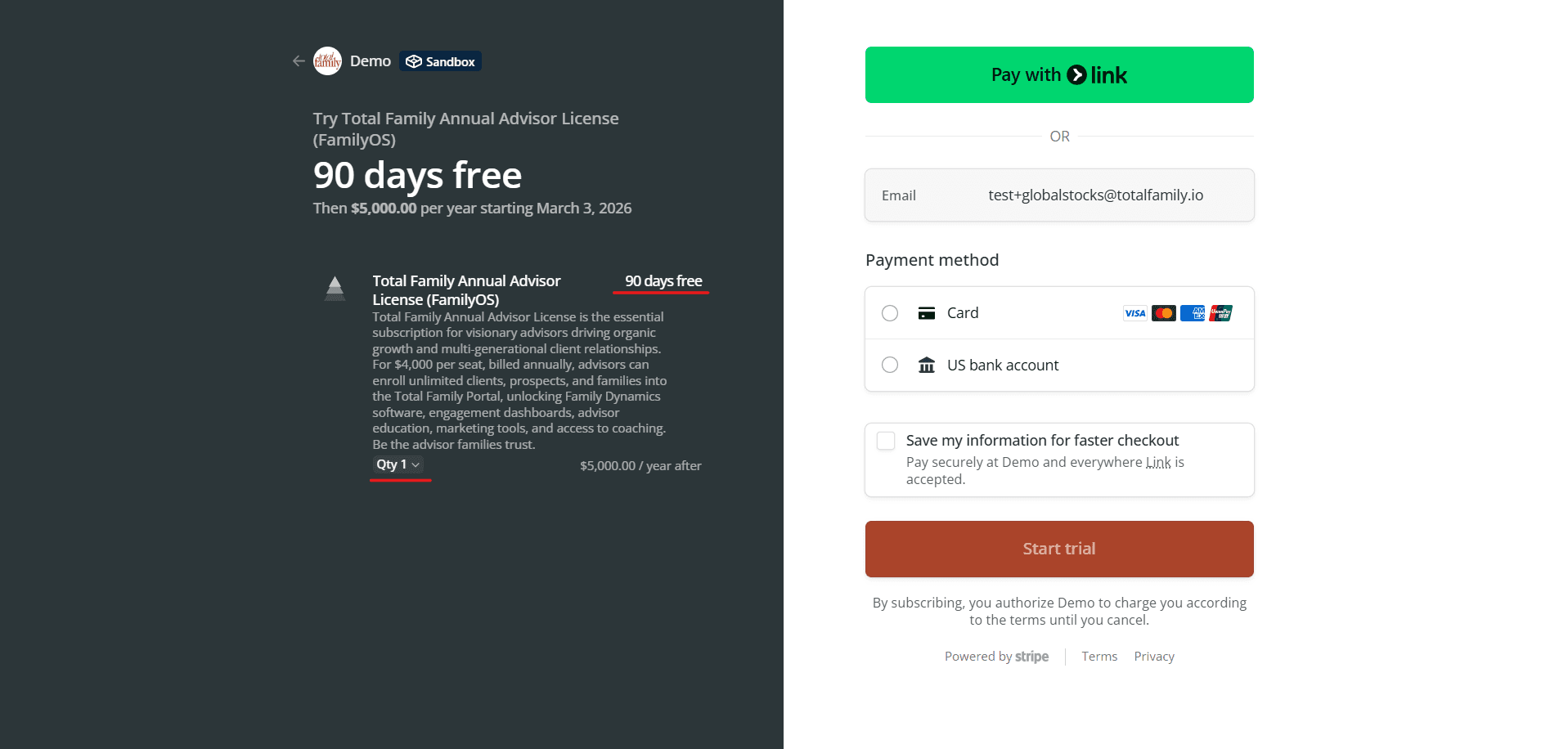
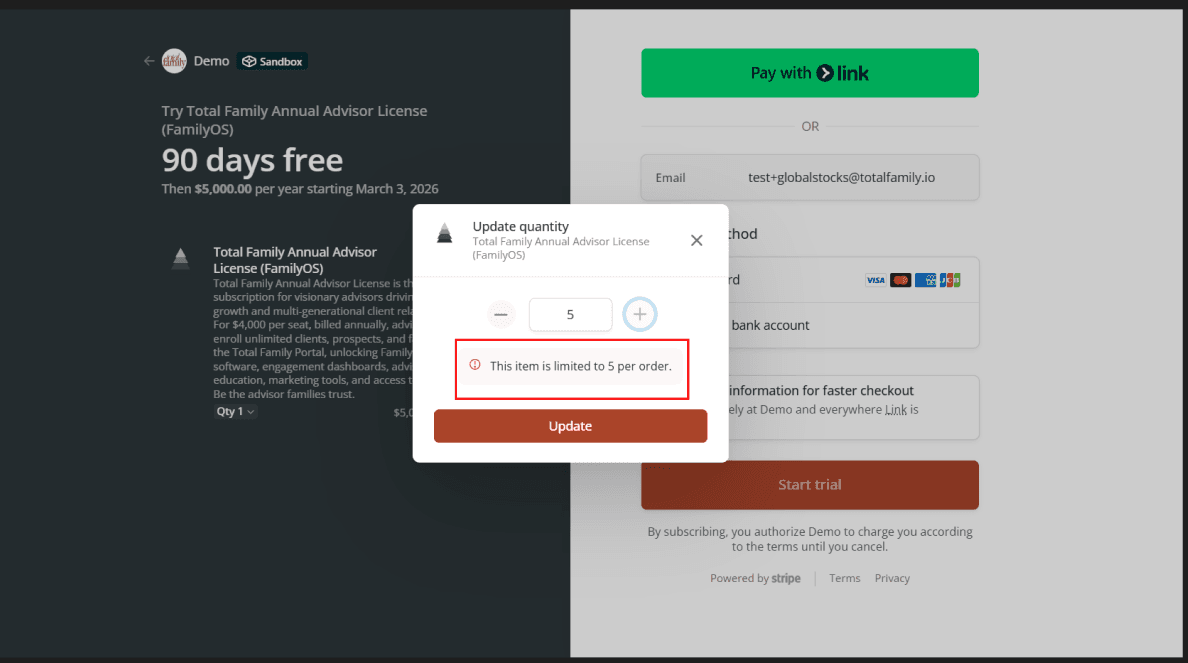
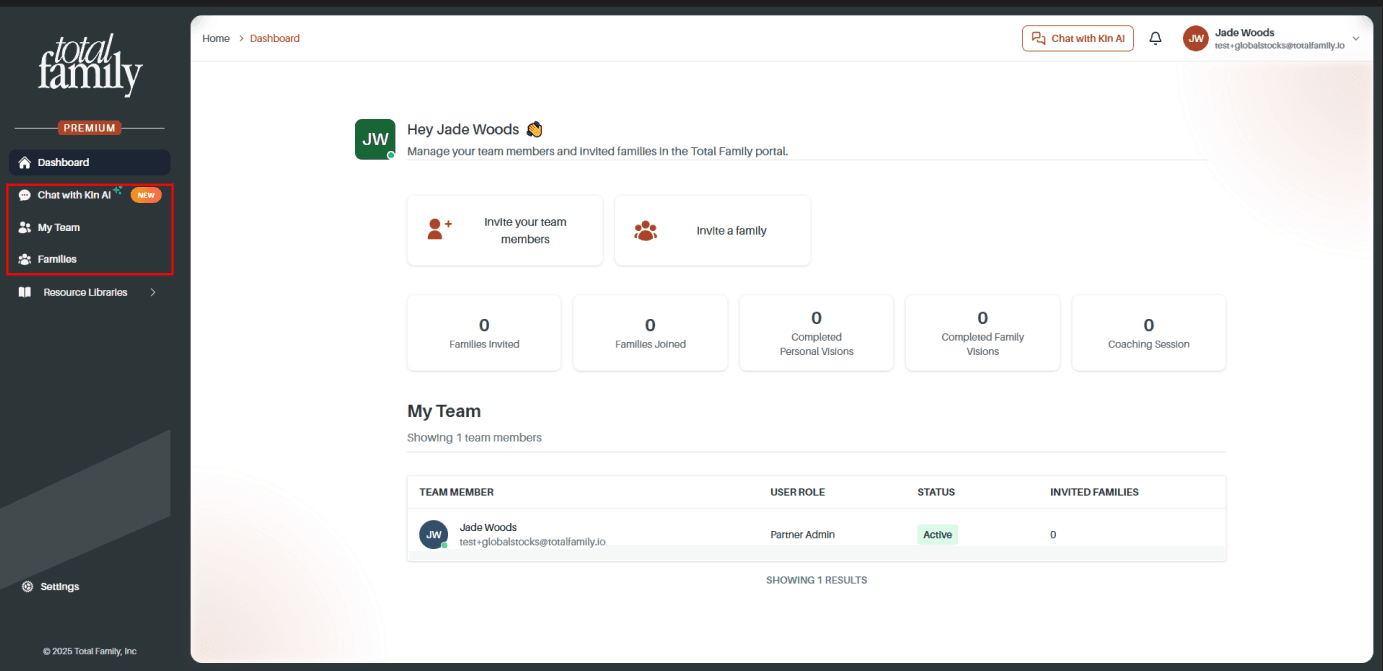
- Complete the payment method setup. Once done, your firm becomes Premium for the next 90 days and you see the Premium dashboard.
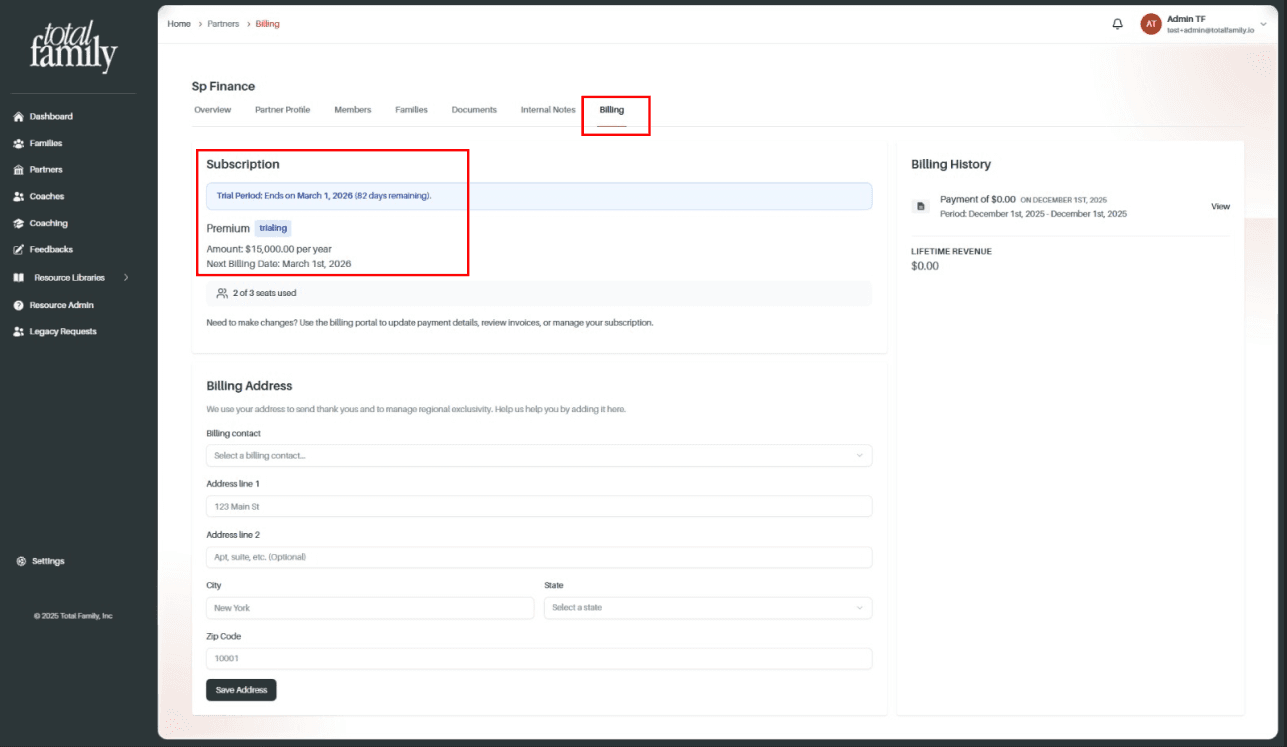
- Your subscription shows as trialing for 90 days with the following billing period displayed.
Families During the Trial
While your firm is on Freemium:
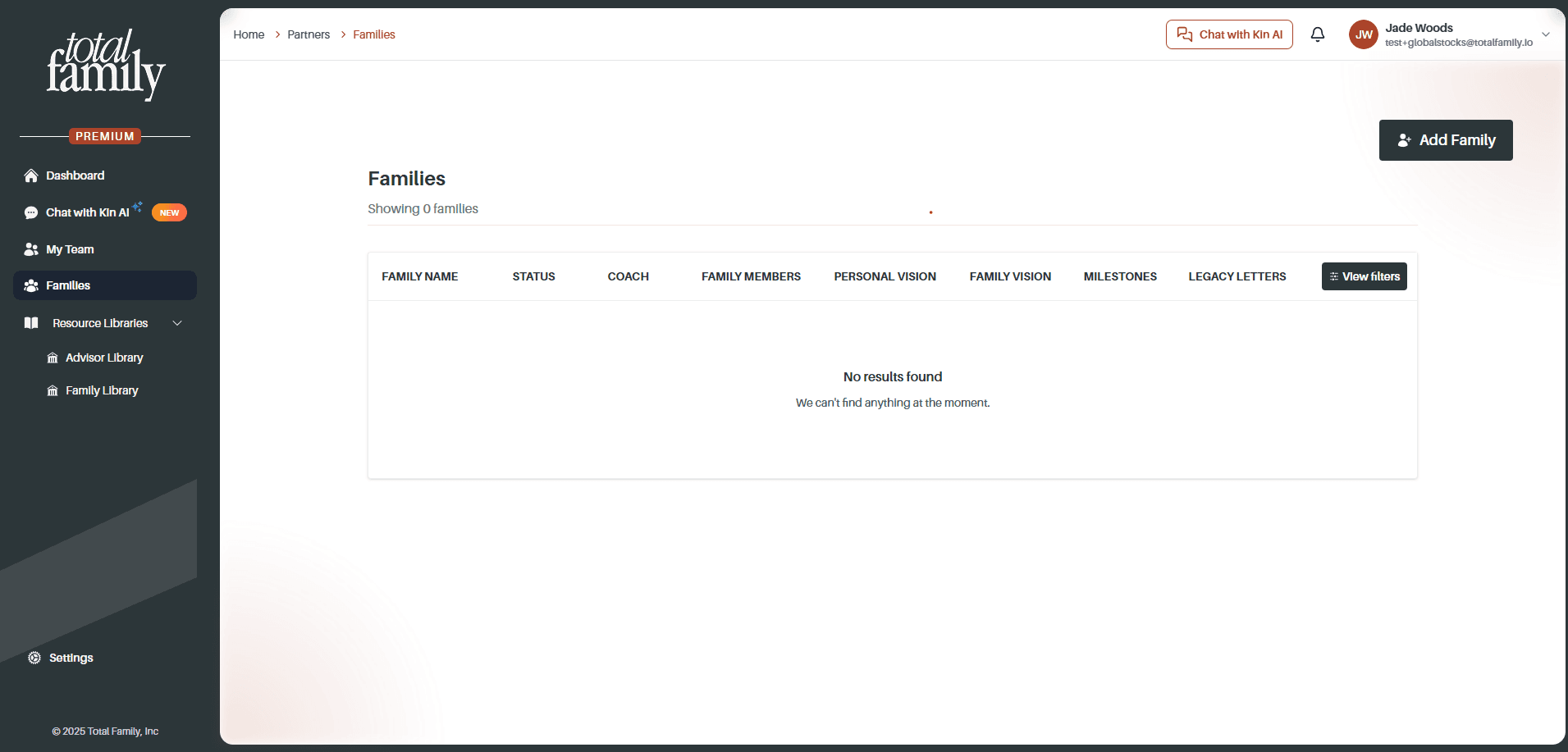
- You can invite and add families
- All families added by your firm receive Premium access until your firm's trial or premium status ends
Trial Countdown and Subscription Options
When 30 days or fewer remain in your free trial:
- A countdown indicator appears showing remaining days
- Clicking it redirects you to the Subscription page
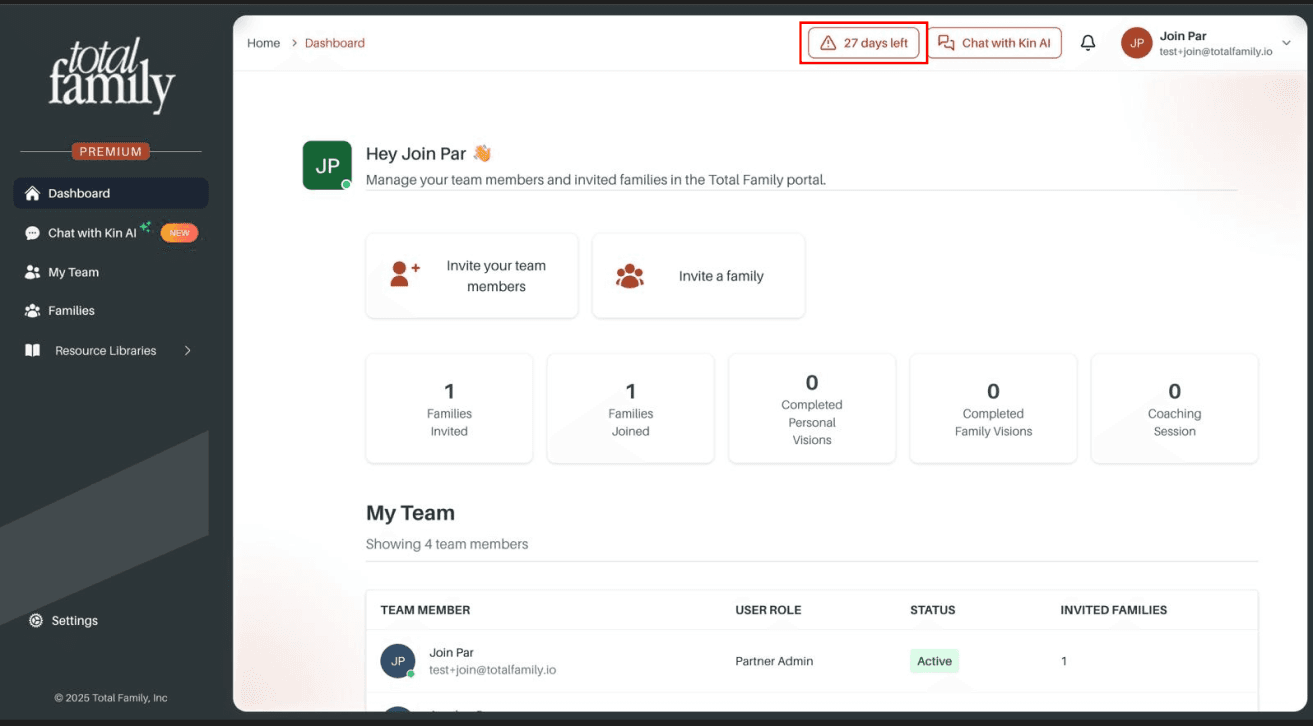
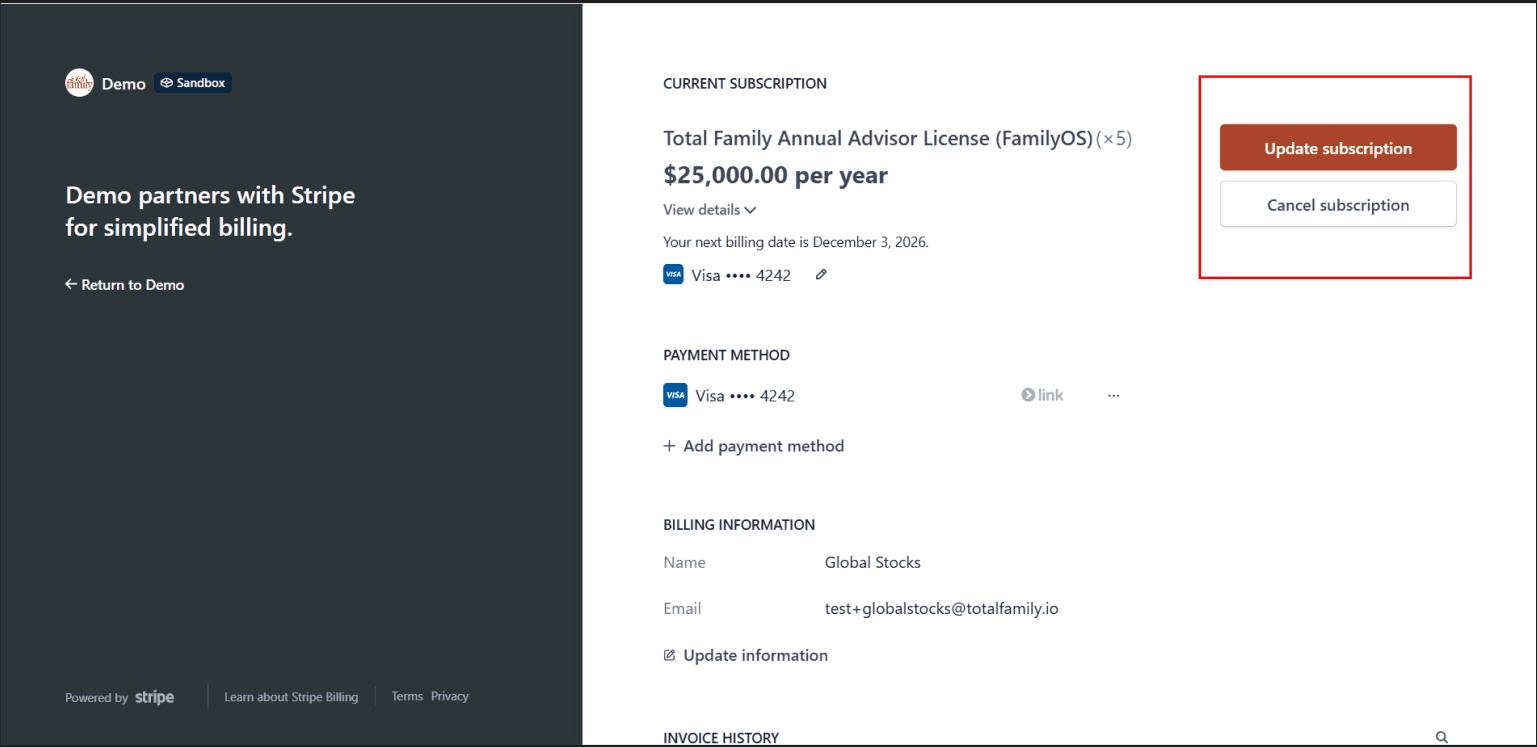
On the Subscription page you can:
- See the amount you will pay once the trial ends
- Choose to Subscribe or Cancel subscription
Cancelling the Trial
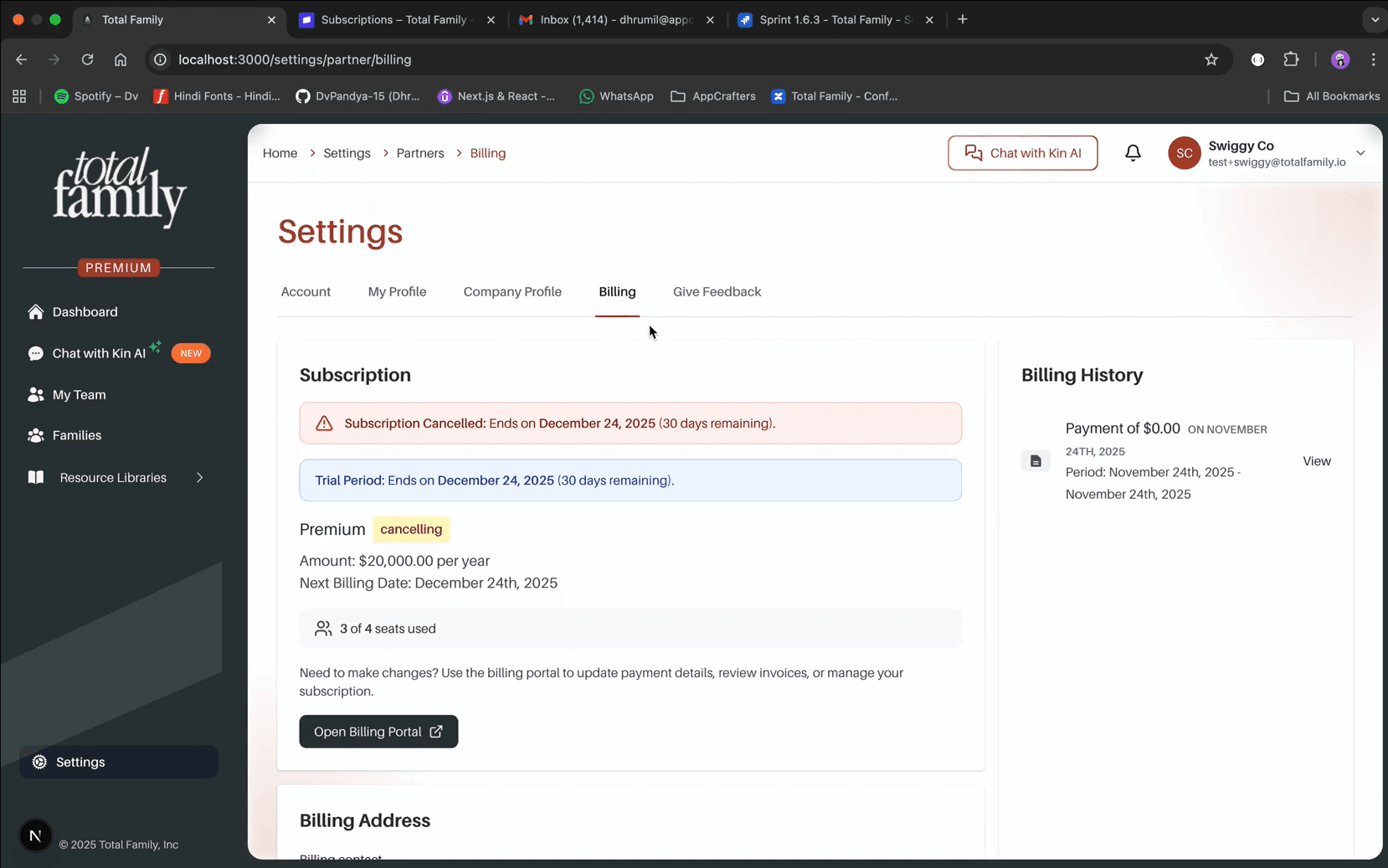
If you cancel the trial:
- It is not cancelled immediately
- The status shows "Cancelling" and the trial remains active until the 90-day period ends
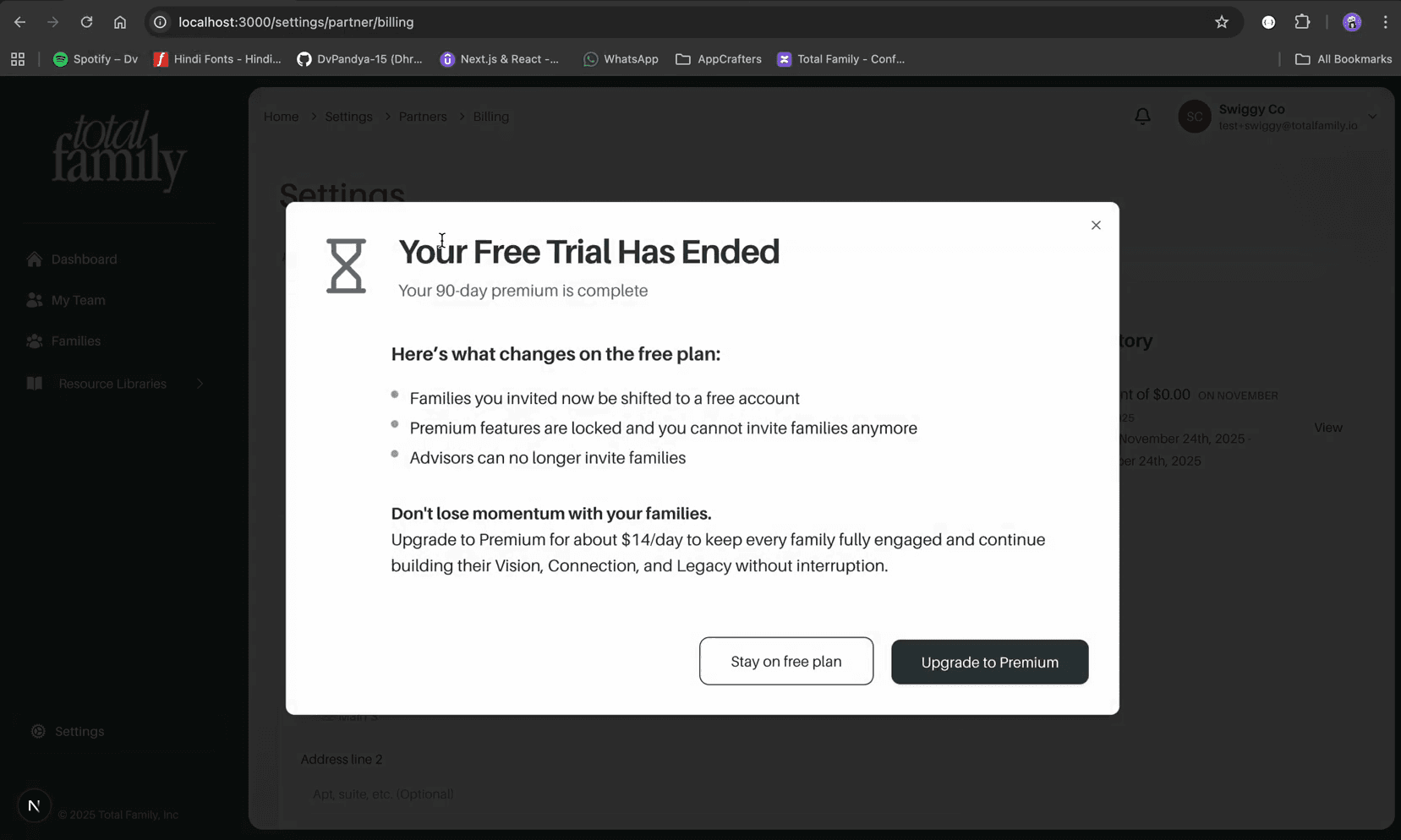
Once the trial ends, you can:
- Stay on the free plan, or
- Upgrade to Premium as a paid subscription
Impact on Associated Families
When the partner's Free Trial or Premium subscription ends:
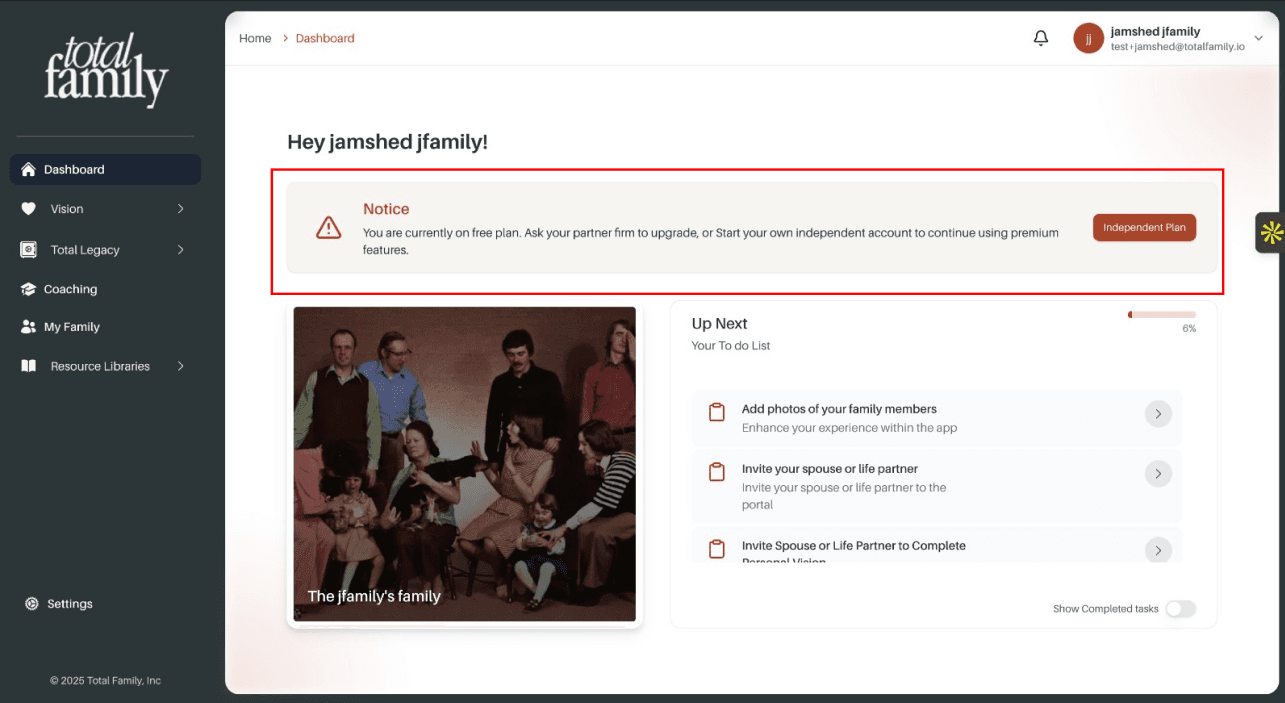
- Associated families lose firm-sponsored Premium access and become Non-Premium
- Families can:
- Ask their partner advisor to move the firm back to Premium, or
- Upgrade individually to Premium from their own account
When a family upgrades individually to Premium:
- An email notification is triggered confirming their Premium status