
Contact Support
How to contact support, and what to include so the first reply solves it.
There are two ways to contact support from inside Total Family, and they go to different places. Picking the right one gets you a faster answer.
Need Help, for Anything That Needs a Person
Use this when something is wrong, or you are stuck, or you need us to change something we have to change for you.
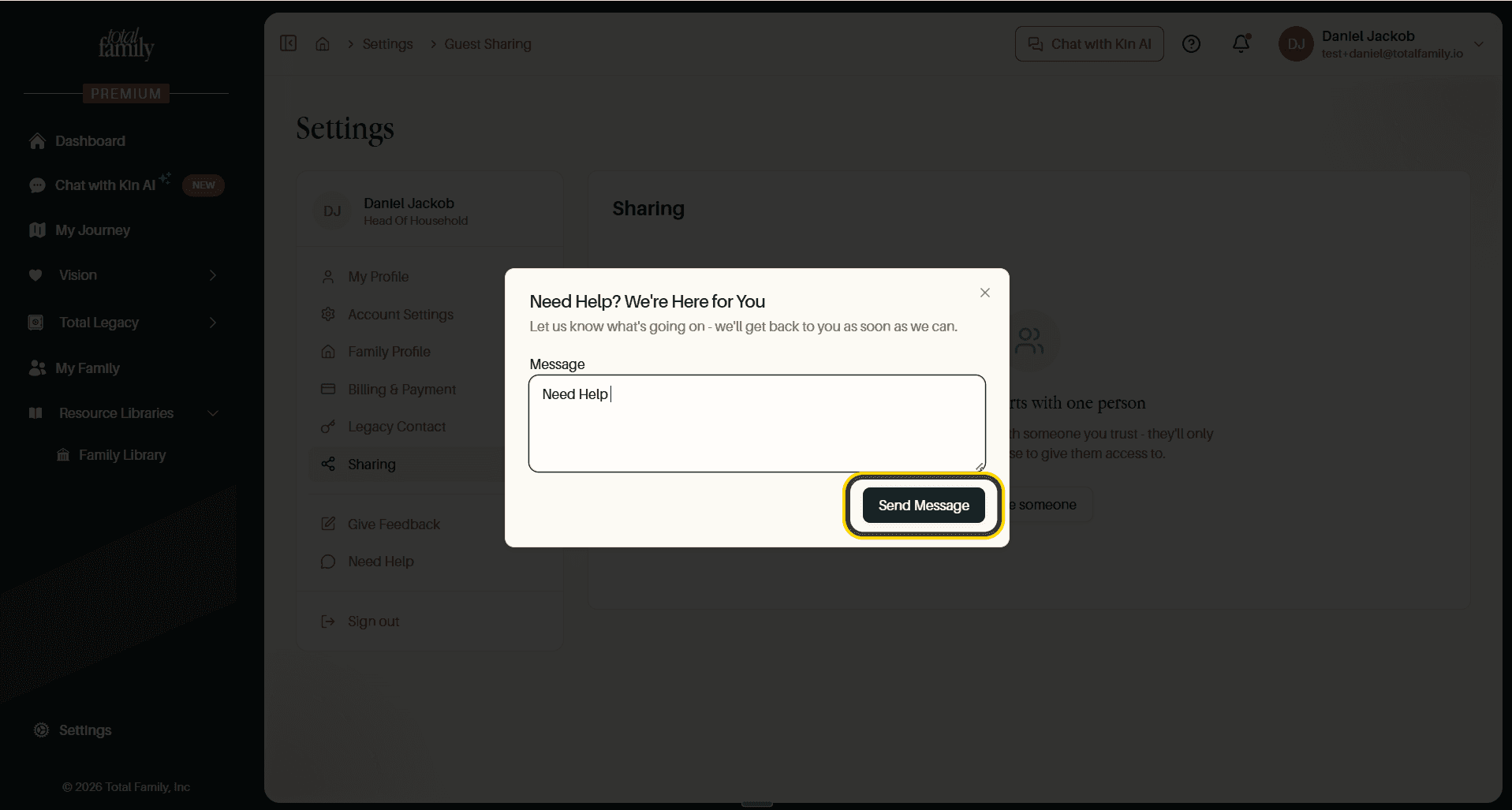
Write what is going on and select Send Message. We reply as soon as we can.
This is also the route for changing your email address, since that field is read-only on your profile.
Give Feedback, for Ideas and Observations
Use this when nothing is broken but something could be better.
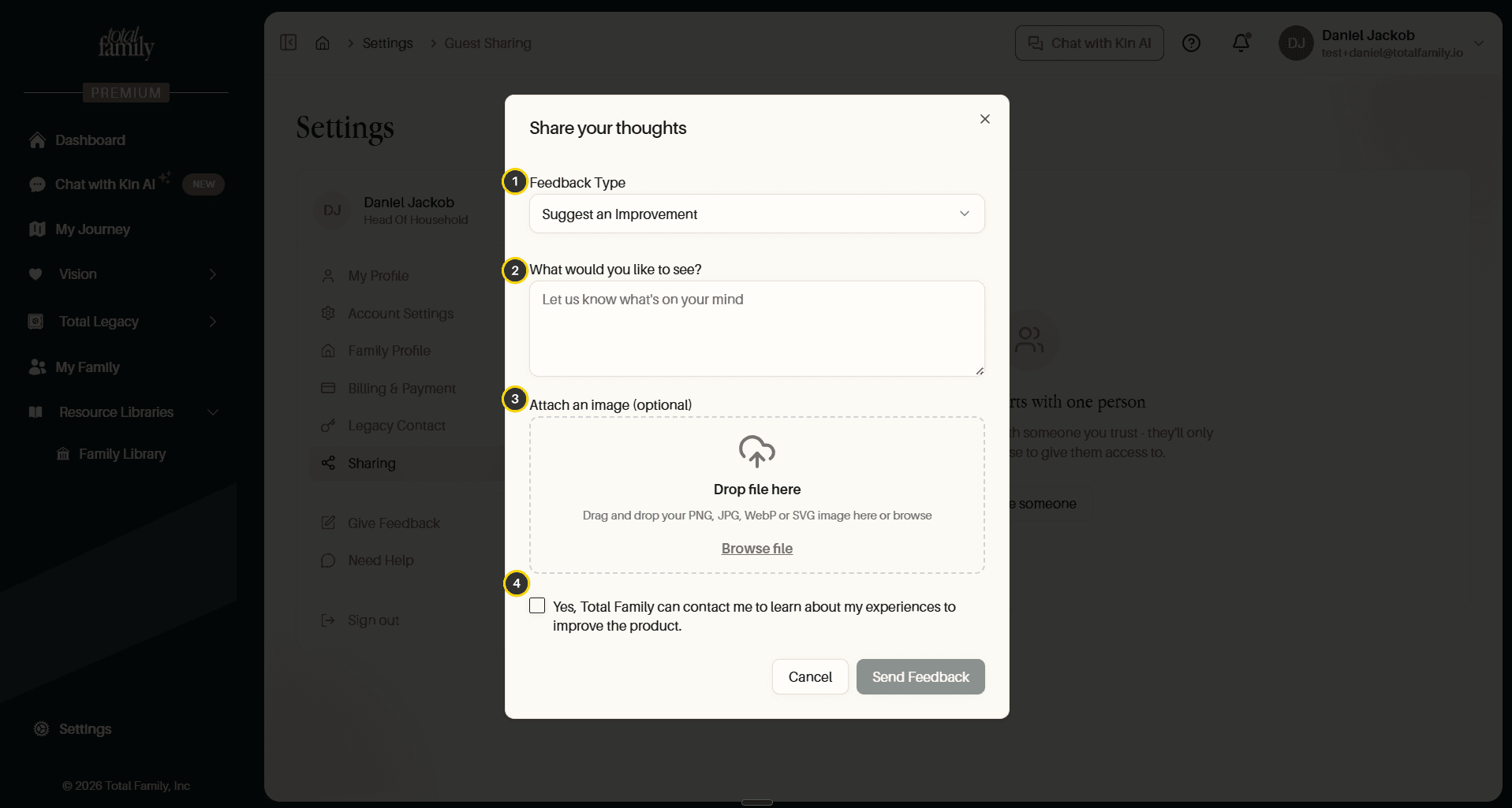
- Feedback Type, for example Suggest an Improvement.
- What would you like to see?, the feedback itself.
- Attach an image, optional. PNG, JPG, WebP, or SVG.
- Contact permission, tick this if you are happy for us to follow up.
Feedback goes straight to the team that builds the product.
Where to Find Both
Both sit in two places, and open the same forms either way:
- Settings, in the sidebar, as Give Feedback and Need Help.
- The help icon in the top bar, from any screen.
Partners have both in exactly the same places. See Partner Settings.
Write in From Inside the Product if You Can
A message sent through Need Help arrives with your account attached, so we already know who you are, which plan you are on, and what your household looks like. An email from an address we cannot match takes at least one extra exchange before anyone can start helping.
What to Include
The difference between a same-day answer and a week of back-and-forth is usually one paragraph. Tell us:
- What you were trying to do.
- What happened instead, in the product's own words if there was a message.
- Which screen you were on.
- A screenshot, if it shows the thing faster than describing it would.
You do not need to diagnose it. "I tried to save my vision and it spun forever on the values step" is a better message than a theory about why.
Reaching Us From Outside
If you cannot sign in at all, and so cannot use either form, write to us through the contact page on our website.
If you need access to the account of someone who has died, that is a separate process. See Access After a Death.