
Resource Libraries
Three content libraries and the Advisor Academy, where to find material for yourself and for the families you support.
Total Family ships three libraries of written material and a set of training courses. The Advisor Library is written for you; the Family Library is written for the households you support, so you can see exactly what they see; the Legacy Toolkit holds the practical documents you work from rather than articles you read. Advisor Academy is structured training rather than reference reading.
Open a Library
Resource Libraries sits in the dashboard sidebar and expands into the three libraries: Advisor Library, Family Library, and Legacy Toolkit.
Select any one to open it. All three use the same reader, so everything below applies to each.
Inside a Library
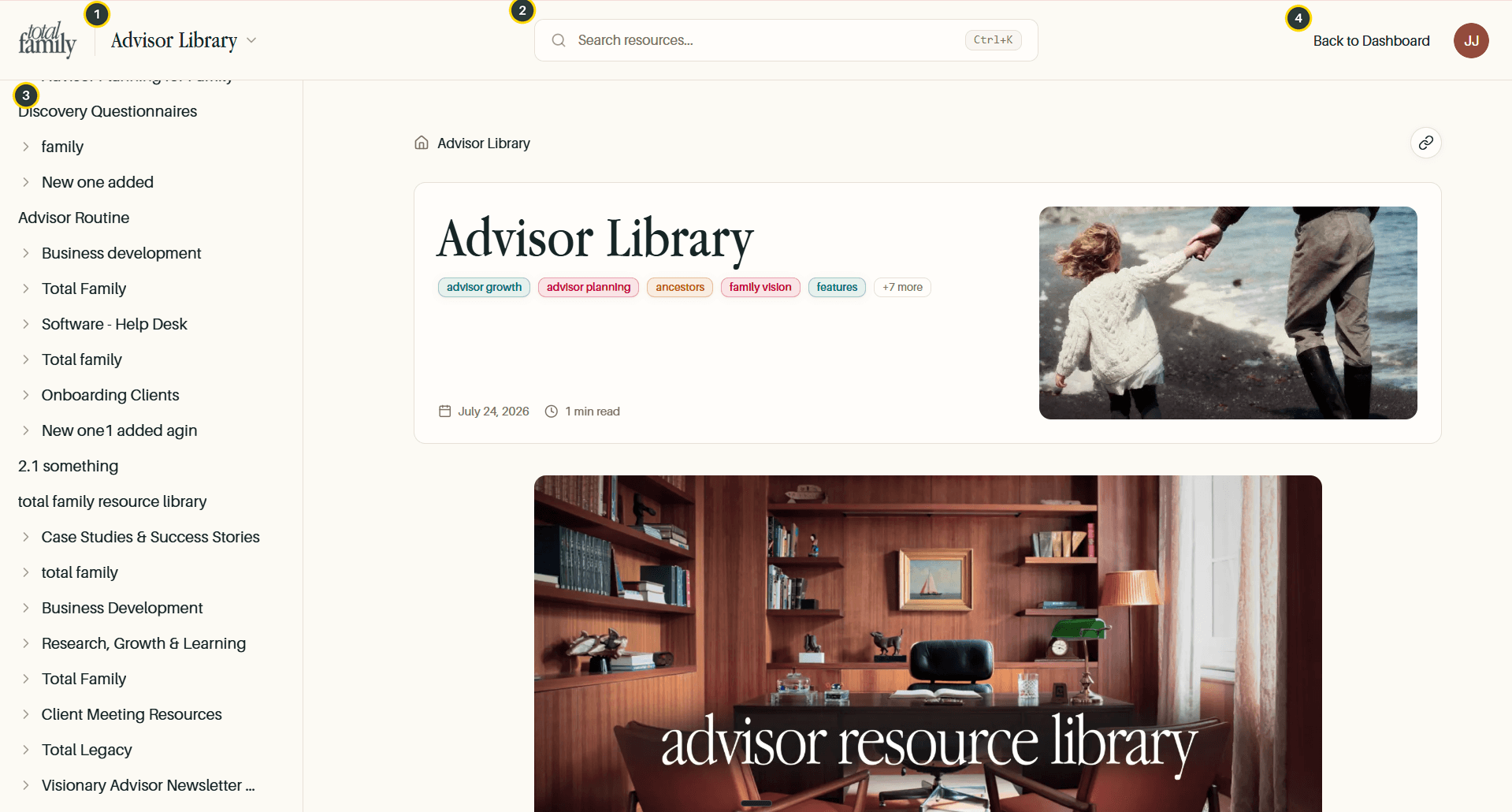
- Library switcher: the name at the top left is a dropdown, not a label. It moves you between libraries.
- Search: searches the content of every article. Ctrl+K opens it from anywhere.
- Category tree: every category in the library, expandable to the articles inside.
- Back to Dashboard: returns to the partner portal.
Each library opens on its own landing article, with tags and a reading time. Articles you open show a breadcrumb so you can see where in the tree you are.
Switch Between Libraries
The Family Library is the same reader with different content, material written for families rather than advisors.
Selecting the library name at the top left opens the switcher, which lists all three. You stay in the reader; only the content underneath changes.
Tip Reading the Family Library is worth doing before a client meeting. It is the same material the household has access to, so knowing what they have already been given saves you repeating it.
Search
Search looks across article content, not just titles.
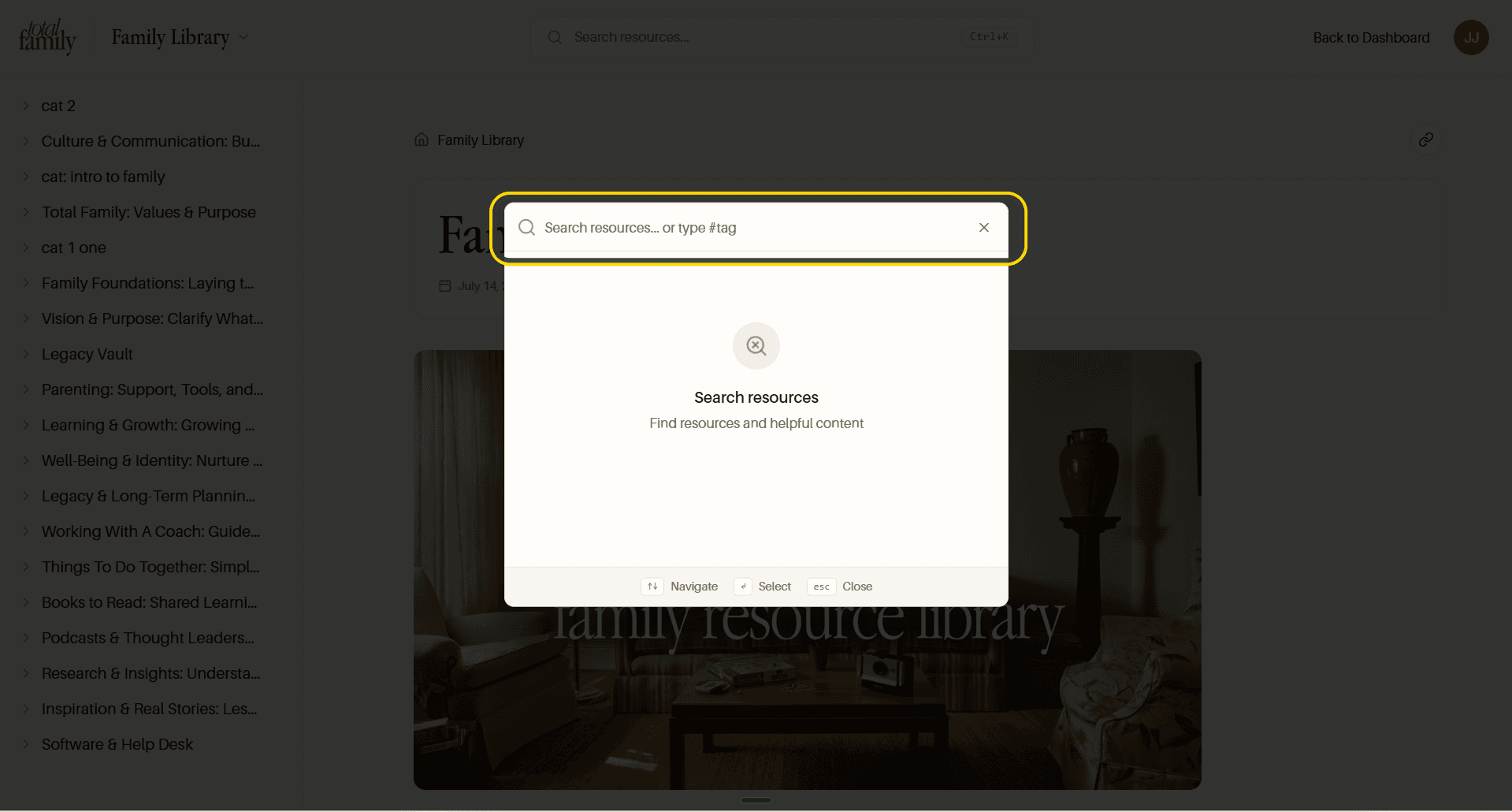
Results show the article and its full path, so you can tell which library and category each one comes from, useful when the same topic appears in both.
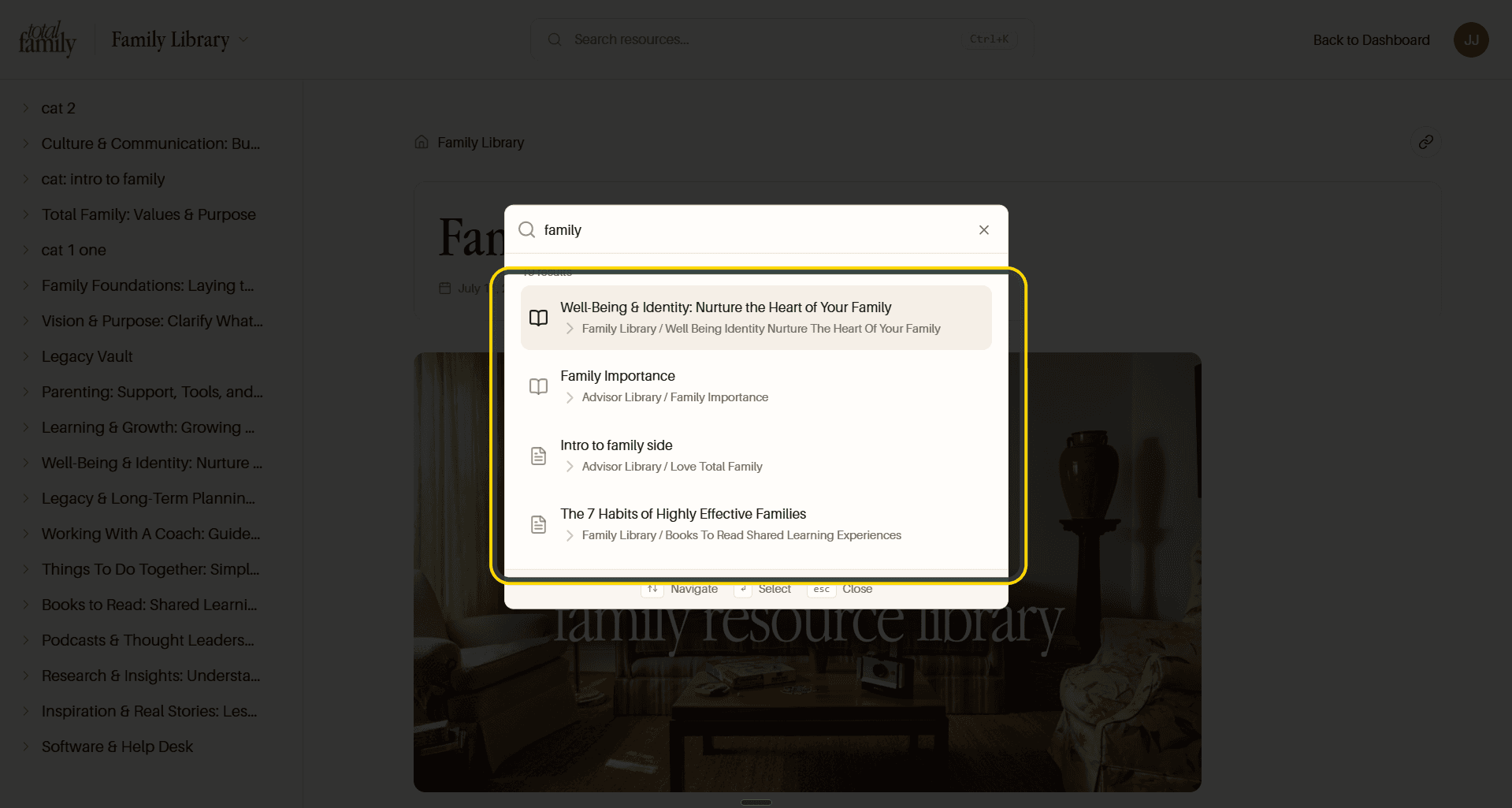
Searching family returns results from both the Family Library and the Advisor Library. Navigate with the arrow keys, open with Enter, close with Esc.
Search by Tag
Articles are tagged as well as categorised, and tags cut across the category tree.
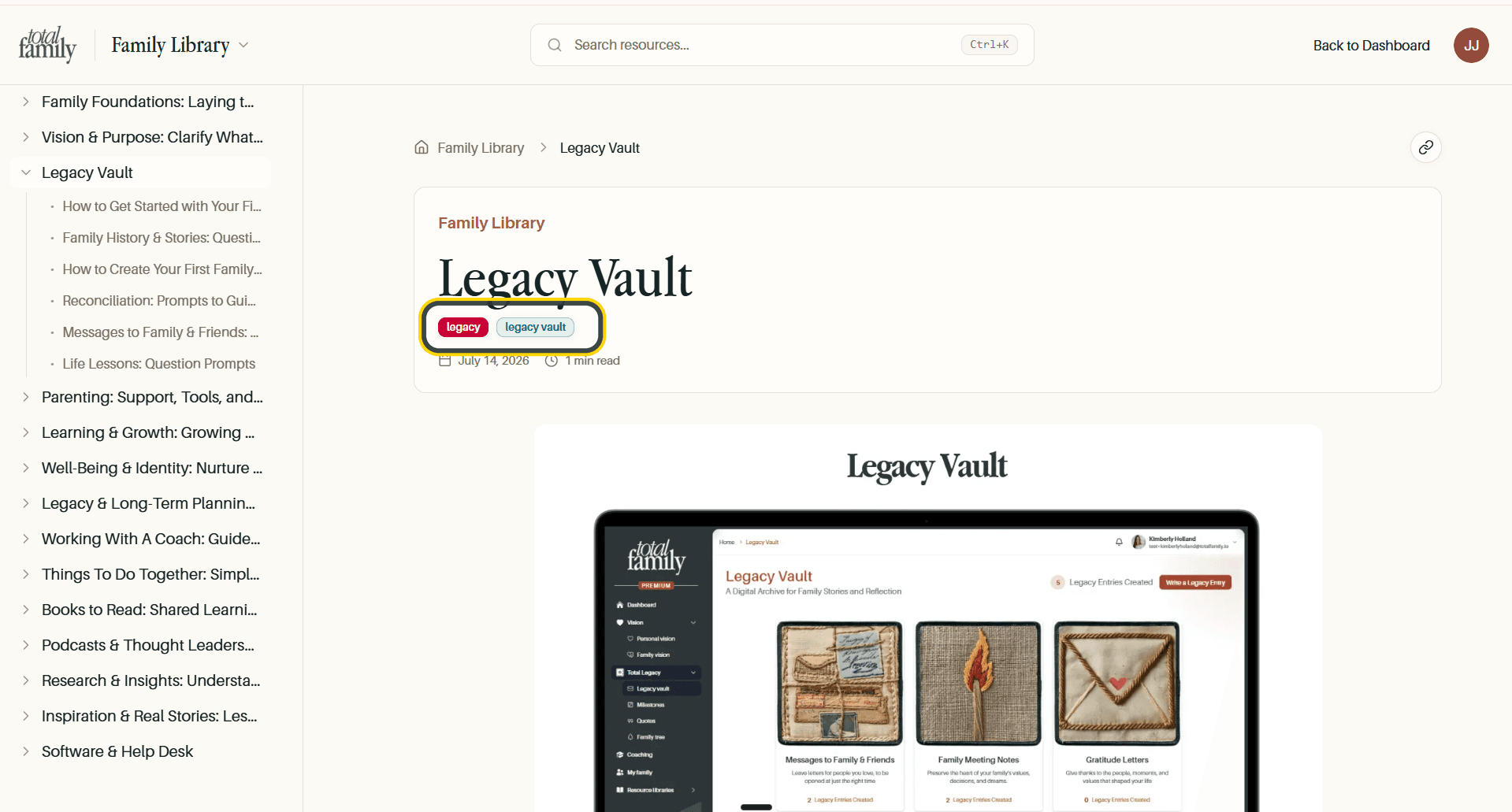
Typing # in the search box switches to tag mode.
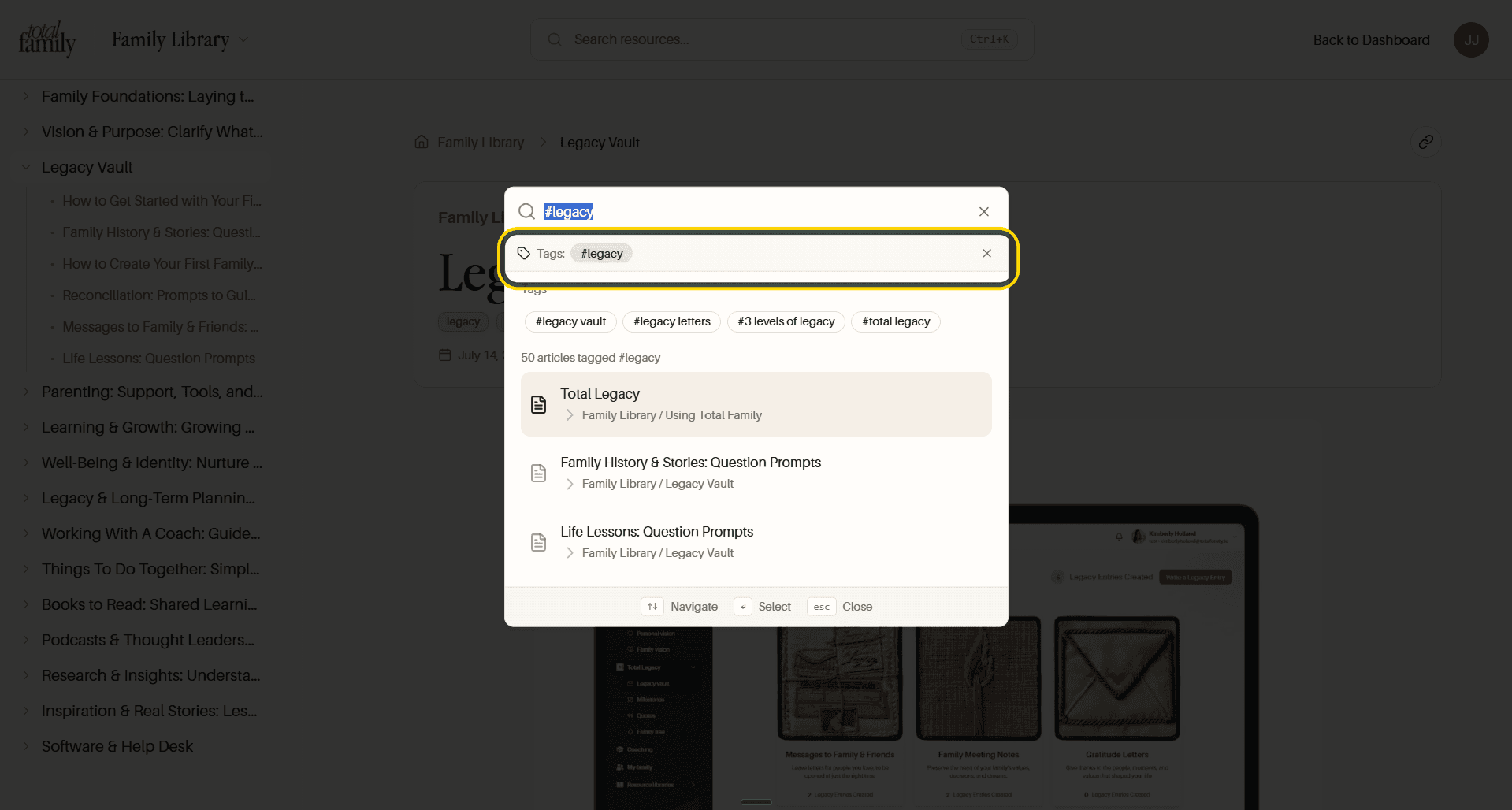
Entering #legacy shows every related tag: #legacy vault, #legacy letters, #3 levels of legacy, and #total legacy, alongside the count of articles carrying it. Tags are the faster route when you know the subject but not where it was filed.
The Legacy Toolkit
The Legacy Toolkit is the third entry in the switcher, and it is a different kind of thing from the other two. Where the libraries hold articles to read, the toolkit holds the material you actually use with a client.
It has its own tree on the left rather than sharing one with the libraries, so what you see here is only toolkit material.
The difference that matters in practice is attachments. A toolkit entry can carry a file, shown under an Attachment heading at the foot of the article, with a download control beside it. That is the point of the section: something you can take into a meeting rather than a page you have to read on screen.
Longer entries are structured like a working document rather than an article, with sections such as family governance and mission, asset inventory, and advisory team alignment, and a How to Use This Toolkit section that tells you where to start.
Everything else in the reader behaves the same way. Search covers the toolkit alongside the two libraries, and the copy-link control works on a toolkit entry just as it does on an article.
Share an Article
The link icon at the top right of any article copies its URL, confirming with a Copied! message.
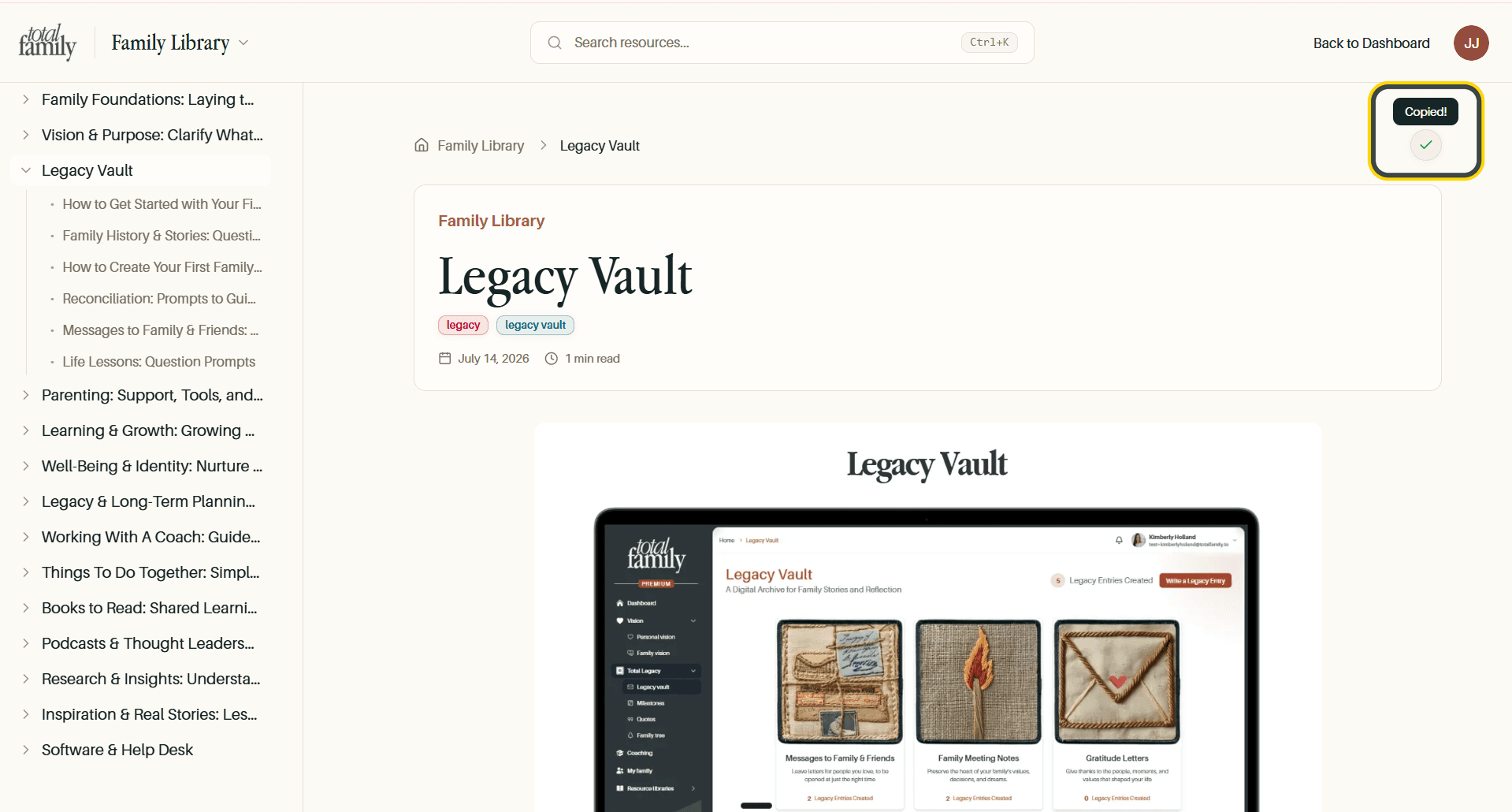
Handy for sending a specific piece to a colleague or a family rather than telling them where to look for it.
Advisor Academy
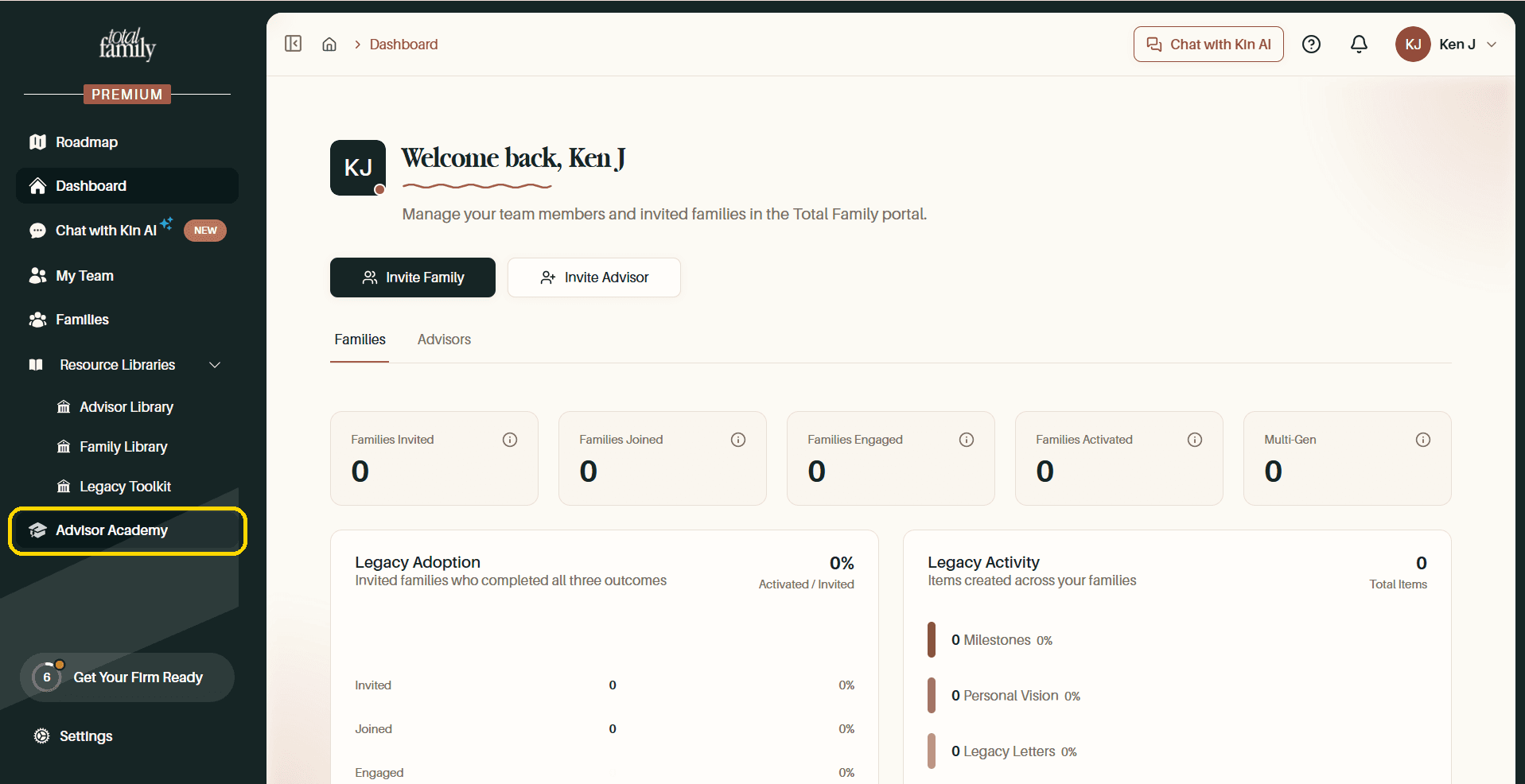
Advisor Academy is separate from the libraries, structured courses rather than reference articles. It sits below Resource Libraries in the sidebar.
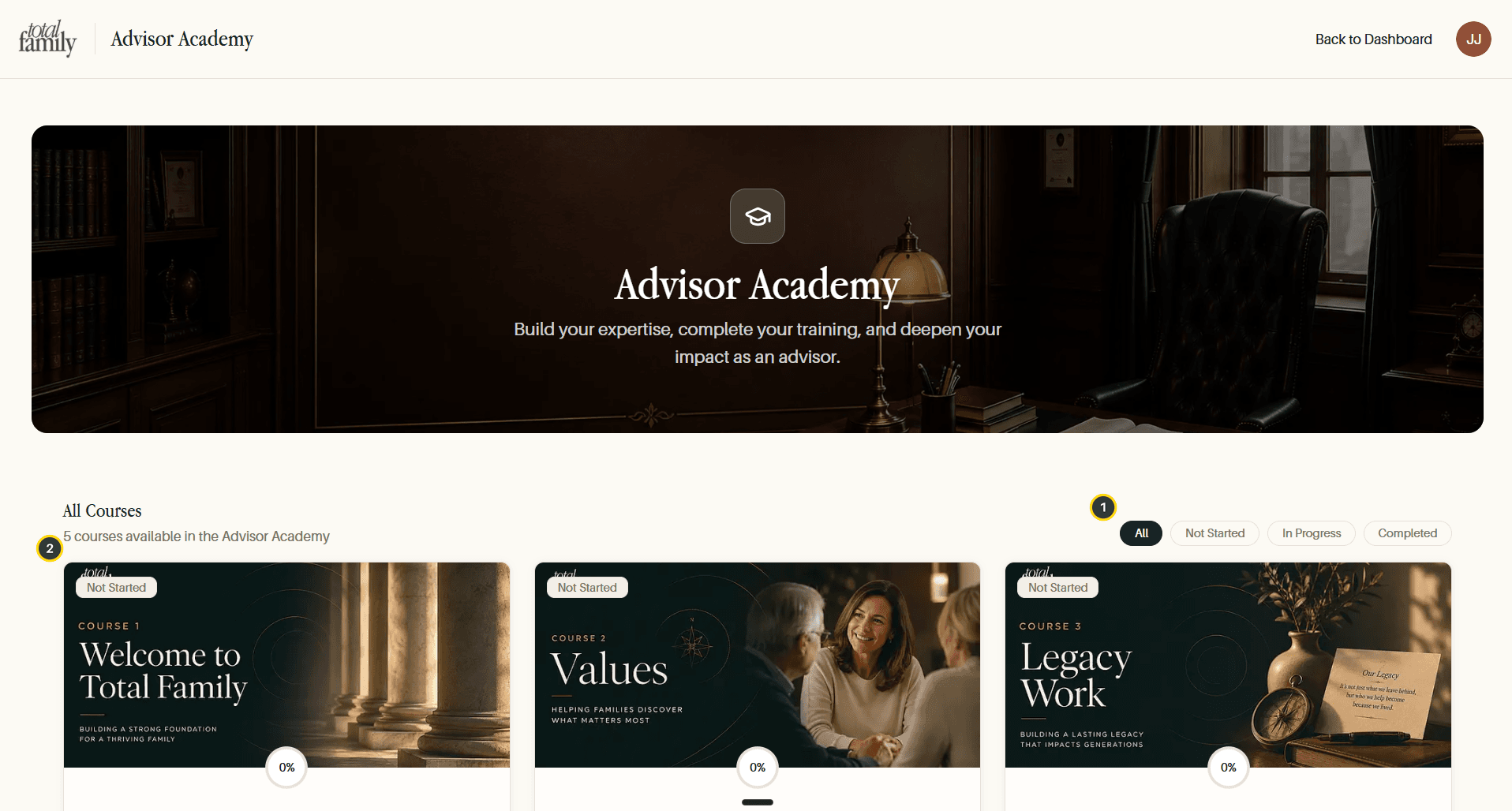
- Progress filters: All, Not Started, In Progress, Completed.
- Course cards: each numbered and ordered, showing a status badge and a completion percentage.
Courses run in sequence: Welcome to Total Family, Values, Legacy Work, and on. Each tracks your progress, so you can leave one part-finished and pick it up later.