
Managing Your Plan
Renewals, promo codes running out, changing your card, and what happens when a payment fails.
Where Do I Manage My Subscription?
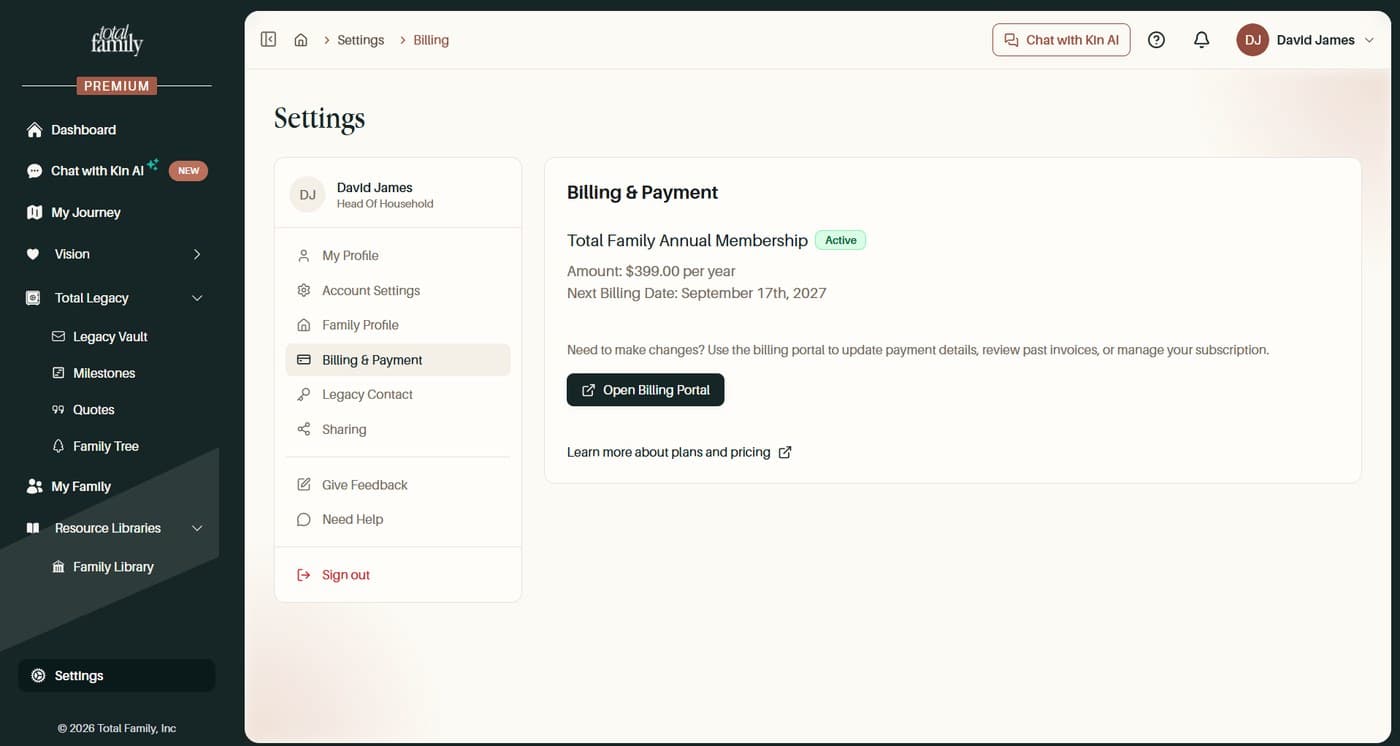
Settings, then Billing & Payment, then Open Billing Portal.
The panel in Total Family shows your plan with an Active badge, the amount, and your next billing date. Open Billing Portal is where you actually make changes: update your card, review past invoices, or manage the subscription itself.
Does My Subscription Renew Automatically?
Yes. There is nothing you need to do to stay on Premium.
Your subscription renews each year on your billing date, charged to the card on file. You do not have to re-purchase or re-confirm anything.
You will be told before it happens. We email you ahead of an upcoming renewal, and separately if the card on file is about to expire, so a yearly charge should never arrive as a surprise.
What to check, and when
- Open Settings, then Billing & Payment.
- Note your next billing date.
- If your card expires before that date, update it in the Billing Portal.
If you do not want it to renew, you need to cancel before that date. See Cancelling and refunds.
I Upgraded With a Promo Code. What Happens When It Runs Out?
You start paying the normal annual price from the date shown at checkout.
A code covering the full first year shows Total due today: $0.00 and then the annual price, starting next year. Your card is charged on that date automatically.
If you do not want to continue, cancel before that date. See Cancelling and refunds.
How Do I Update My Card?
In the Billing Portal.
Open Settings, then Billing & Payment, then Open Billing Portal. Your payment method lives there alongside your invoices.
Do this before your next billing date if your card is expiring. A card that expires between renewals is one of the most common causes of a failed renewal.
What Happens if My Renewal Payment Fails?
You will get an email, the payment is retried automatically, and your access is not cut off the moment it fails.
There is no need to panic or to pay again manually. The card is tried again on its own, and a failed attempt does not immediately remove Premium.
Sort it out rather than waiting it out, though. A payment that keeps failing will eventually stop your subscription, so if the card has expired or changed:
- Open Settings, then Billing & Payment.
- Select Open Billing Portal.
- Update the card, and check your plan shows as Active.
The failure email also links straight to the page where you can update the card, which is usually the quickest route.
If your plan still does not show as Active after updating, contact support.
Can I Change Plans, or Add Heads of Household?
You can upgrade at any time. You cannot downgrade part way through a year.
Moving from Free to Premium works whenever you are ready, and takes effect as soon as payment is confirmed. See Upgrading to Premium.
Going the other way is different, because Premium is paid annually and up front. You have already paid for the year, so there is no mid-year drop back to Free and no partial refund of the remainder. What you do instead is cancel, which stops the renewal and leaves you on Premium until the period you have paid for runs out. See Cancelling and refunds.
Heads of household are not a plan change at all. One Premium membership already covers up to two, so a couple do not need two subscriptions and there is nothing to add.