
Paying for Total Family
Payment methods, how checkout works, promo codes, invoices, and receipts.
What Payment Methods Can I Use?
Card, Apple Pay, or Link.
Checkout is handled by our payment provider. You can pay by card, or use the Apple Pay and Link buttons at the top of the payment page, which skip the card fields entirely. Your email is filled in from your Total Family account.
Total Family never sees or stores your card details.
Your invoice is emailed to you each time one is issued, so you do not have to go and fetch it.
Firms on a custom enterprise agreement are the exception. Their billing is arranged with us directly rather than through the checkout above, and their billing page says so and points them at us.
How Am I Billed, and How Often?
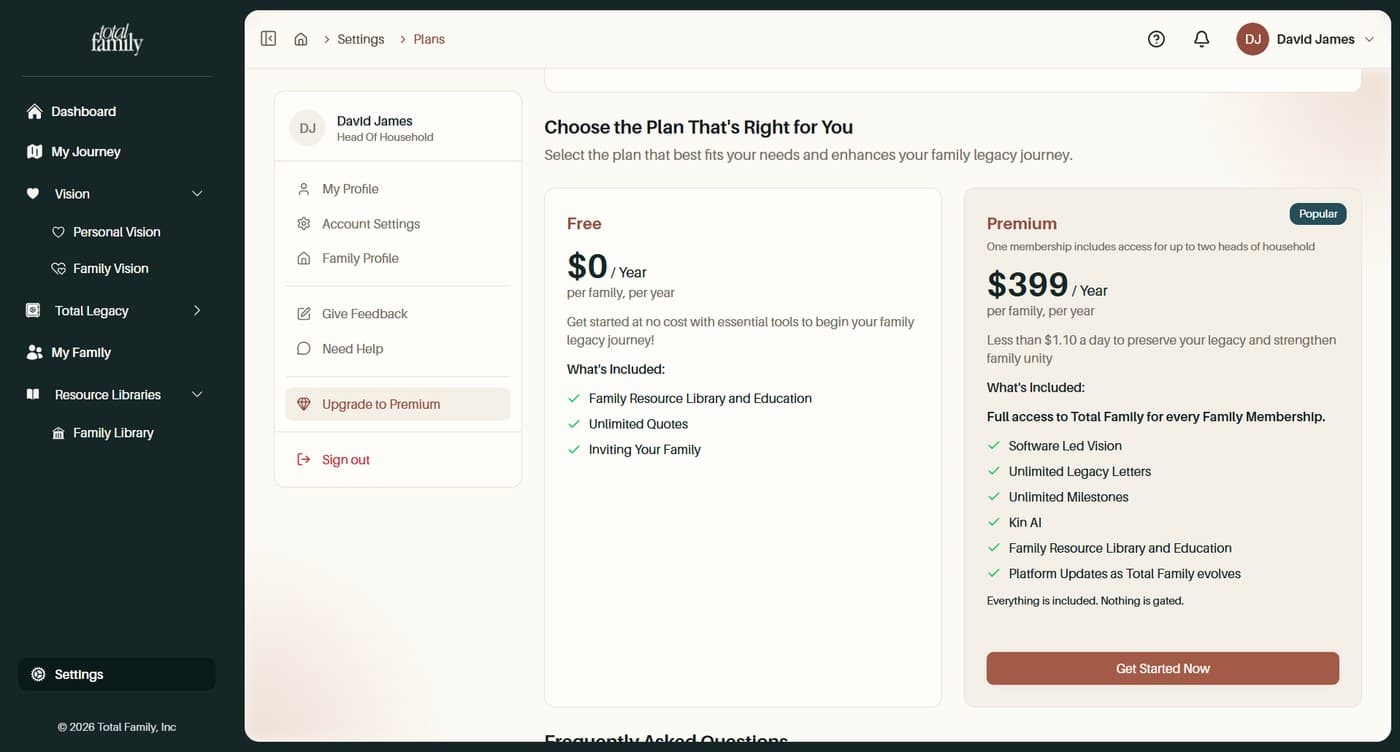
Once a year, per family. There is no monthly option.
Billing is for the household rather than per person, so you pay one amount for the family however many of you are using it. One Premium membership covers up to two heads of household.
Everything is annual. If you are looking for a monthly plan, there is not one.
Settings, then Plans, shows both side by side with what each includes.
Firms are billed differently, on seats. See Billing for advisory firms.
How Do I Pay for the First Time?
Settings, then Plans, then Get Started Now.
Upgrading to Premium walks through the whole thing with screenshots: reaching the plans page, choosing Premium, reviewing the order, and paying.
Your account becomes Premium as soon as payment is confirmed. There is no separate activation step.
Can I Use a Promo Code?
Yes, on the checkout page before you pay.
Enter it in the Have a promo code? field and select Apply.
A valid code shows a green Promo code applied successfully! message, and the Subtotal, Discount, and Grand Total lines update straight away. A code covering the full cost brings the Grand Total to $0.00.
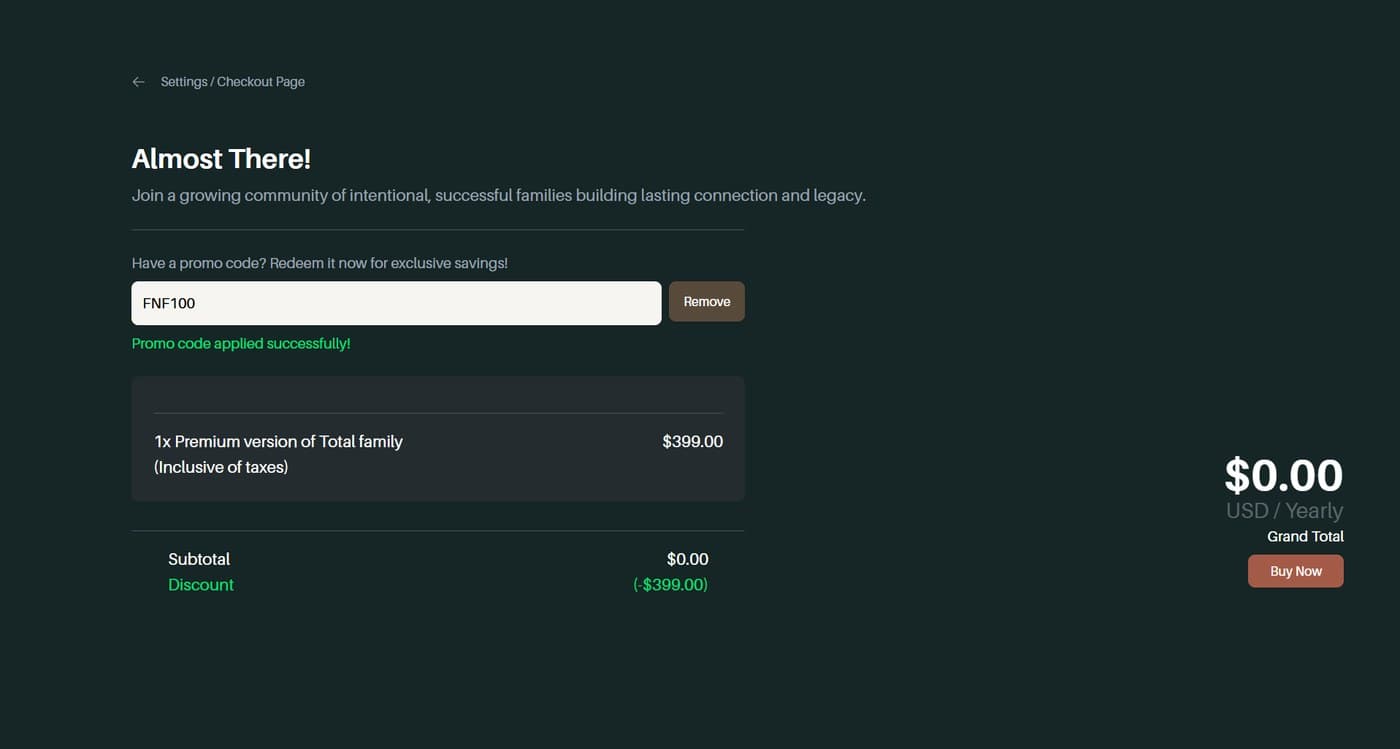
If it is rejected, you will see a red Failed to validate promo code. message under the field and the Grand Total stays at full price.
- Check for typos, particularly a letter O against a zero.
- Check the code has not expired. An expired code gives no other warning.
- Watch the discount line. It reads
($0.00)until a valid code applies, so that line tells you whether it was accepted.
If a code should be valid, sort it out before you pay rather than paying full price and asking afterwards. Contact support with the code and where you got it.
Will I Be Charged Today if My Promo Code Covers the Full Cost?
Usually not.
At checkout, a code covering a full year shows:
- Total due today: $0.00
- Then the annual price, starting next year
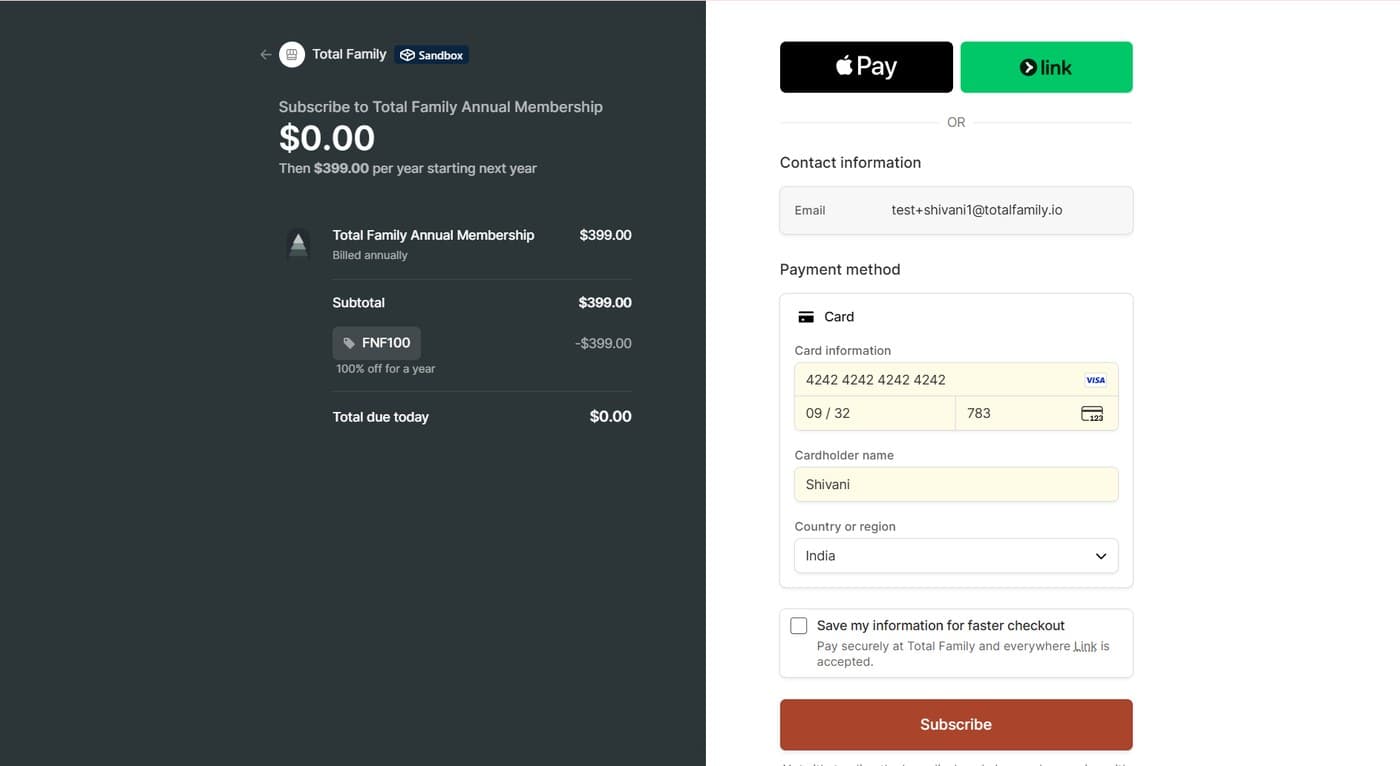
Your Premium access begins immediately, and your card is charged at the start of the next billing year once the promo period ends. The checkout screen states the exact date. It is worth noting it somewhere, because that first real charge is a common surprise.
Where Are My Invoices and Receipts?
In the Billing Portal.
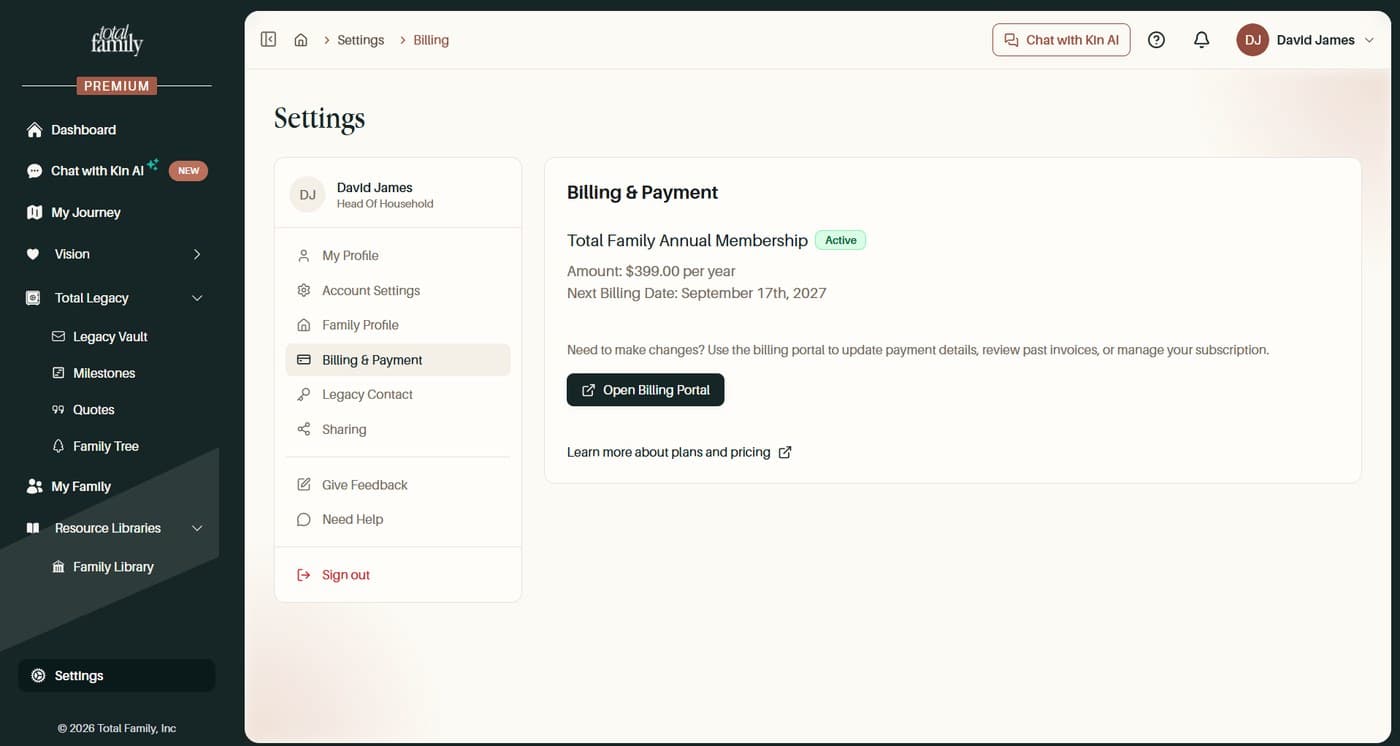
Open Settings, then Billing & Payment, then Open Billing Portal. Past invoices live there, alongside your card and subscription.
Firms also get a Billing History list in partner settings, with View on each payment.
Invoices are also emailed to you as they are issued, to the address on your account, so you do not have to come back and fetch one. If a credit note is raised, that is emailed too.
Which Currency Am I Charged In?
Australian dollars.
Total Family bills in AUD. If your card is held in another currency, your bank converts the amount at its own rate on the day, so what leaves your account may differ slightly from the figure shown at checkout. Any conversion fee is your bank's rather than ours.
Do You Store My Card Details?
No. Payment is handled by our payment provider, and Total Family never sees or stores your card number.