
Billing for Advisory Firms
How firm billing works: the trial, seats, and what Premium unlocks for your practice.
Firms are billed differently from families. A family buys one membership for a household; a firm buys seats on an annual licence, starting with a trial.
What Does Premium Unlock for a Firm?
The ability to run the platform as a practice.
A firm on the free plan is limited. Premium unlocks:
- Inviting unlimited client families. This is the one that matters most: a free firm account cannot bring households on at scale.
- Adding colleagues to your team.
- A fully white-labelled client experience, so your families see your brand.
- Chat with Kin, and unlimited legacy letters and milestones for the families you invite.
How Does the Trial Work?
30 days, with the full platform.
Start Free Trial sits in your dashboard top bar and on the dashboard itself. It opens a summary of what the trial includes before you commit to anything.
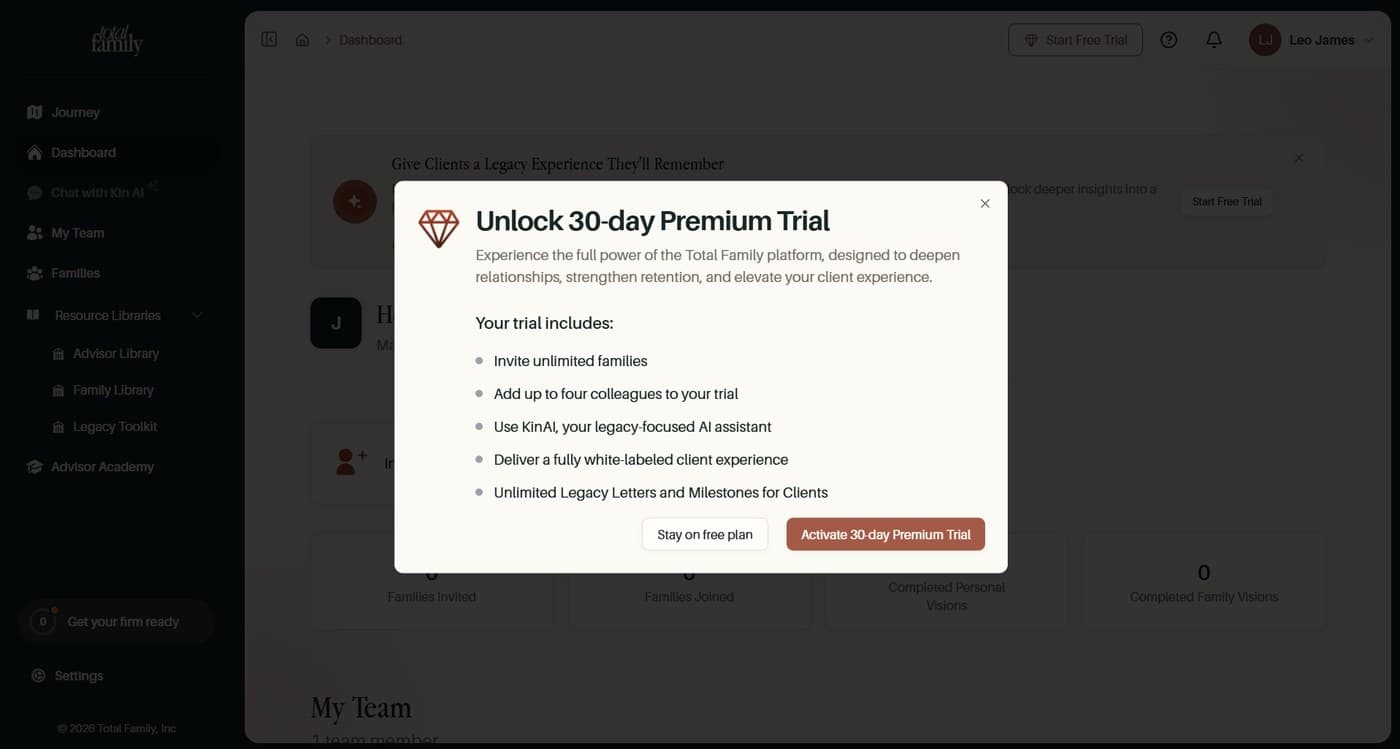
Activating takes you to the payment provider, and a card is held, but you are not charged on the day. The page states the exact date billing would begin.
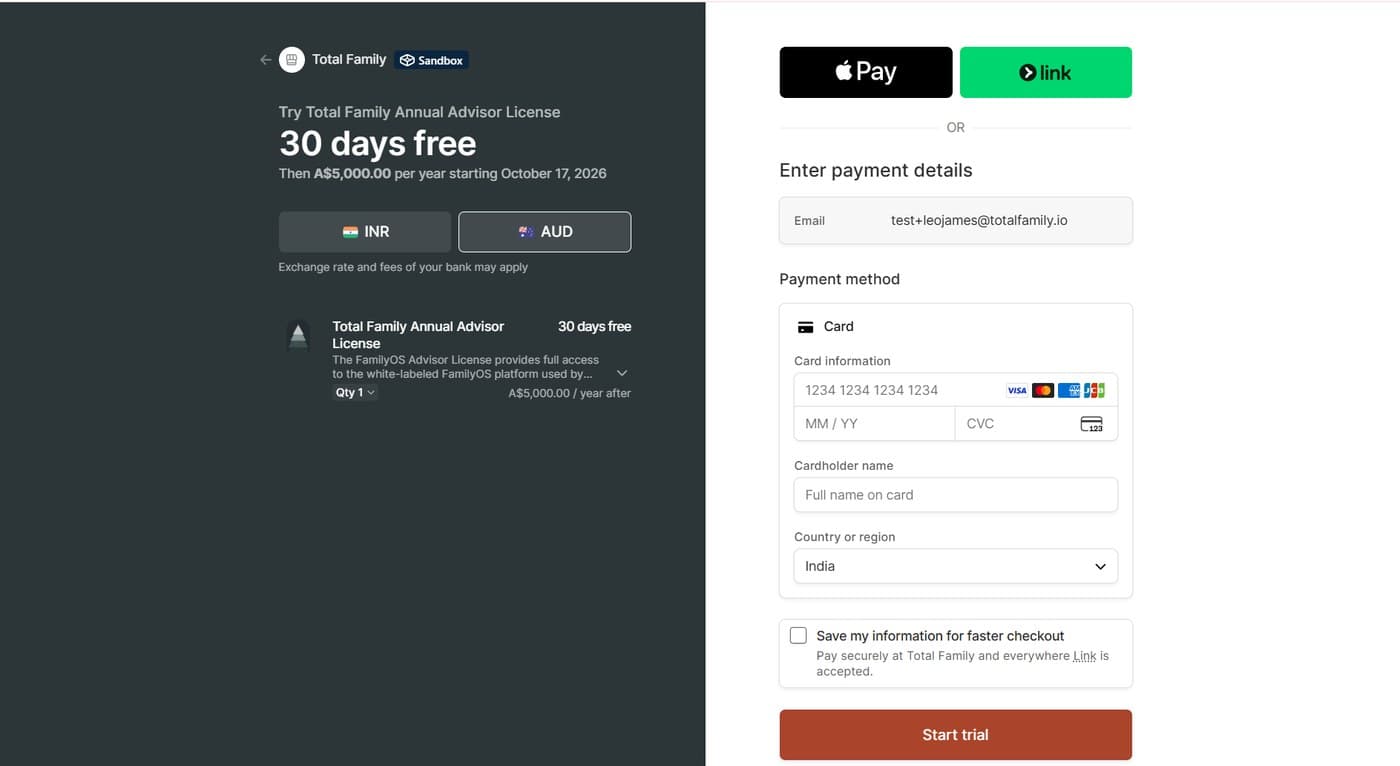
Upgrade to Premium walks through it.
What Arrives by Email
A welcome email lands when the trial starts, setting out what you have access to. After that you get a short check-in roughly every week, and a reminder as the thirty days run down, so the end of the trial does not arrive unannounced.
How Are Seats Billed?
Each colleague you invite takes a seat.
Your trial covers up to 5 seats, which is you plus four colleagues, and adding advisors within that allowance stays free while the trial runs.
Seats are priced individually, so the annual total is the per-seat price multiplied by the number you buy. You can adjust the quantity at checkout.
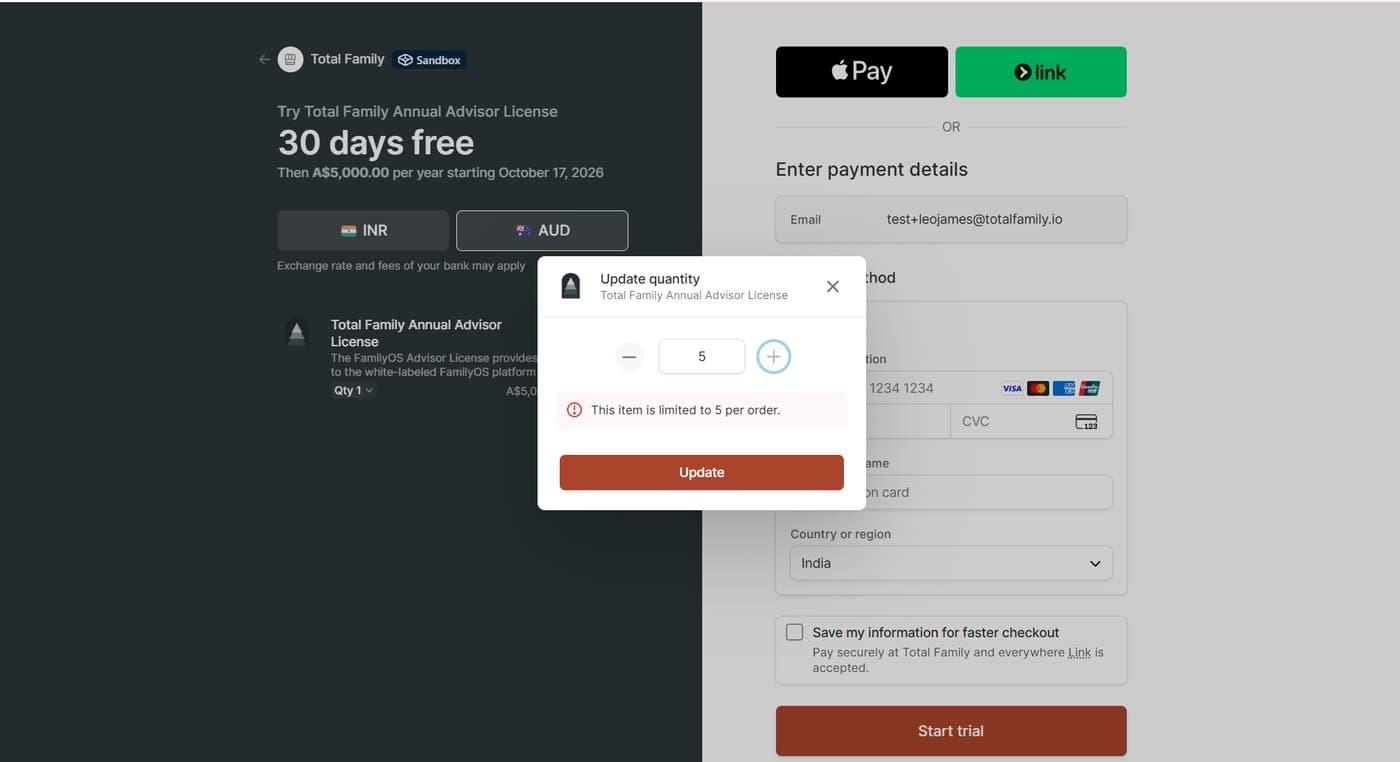
A single order is limited to five seats. If your firm needs more than that, contact support rather than placing several orders.
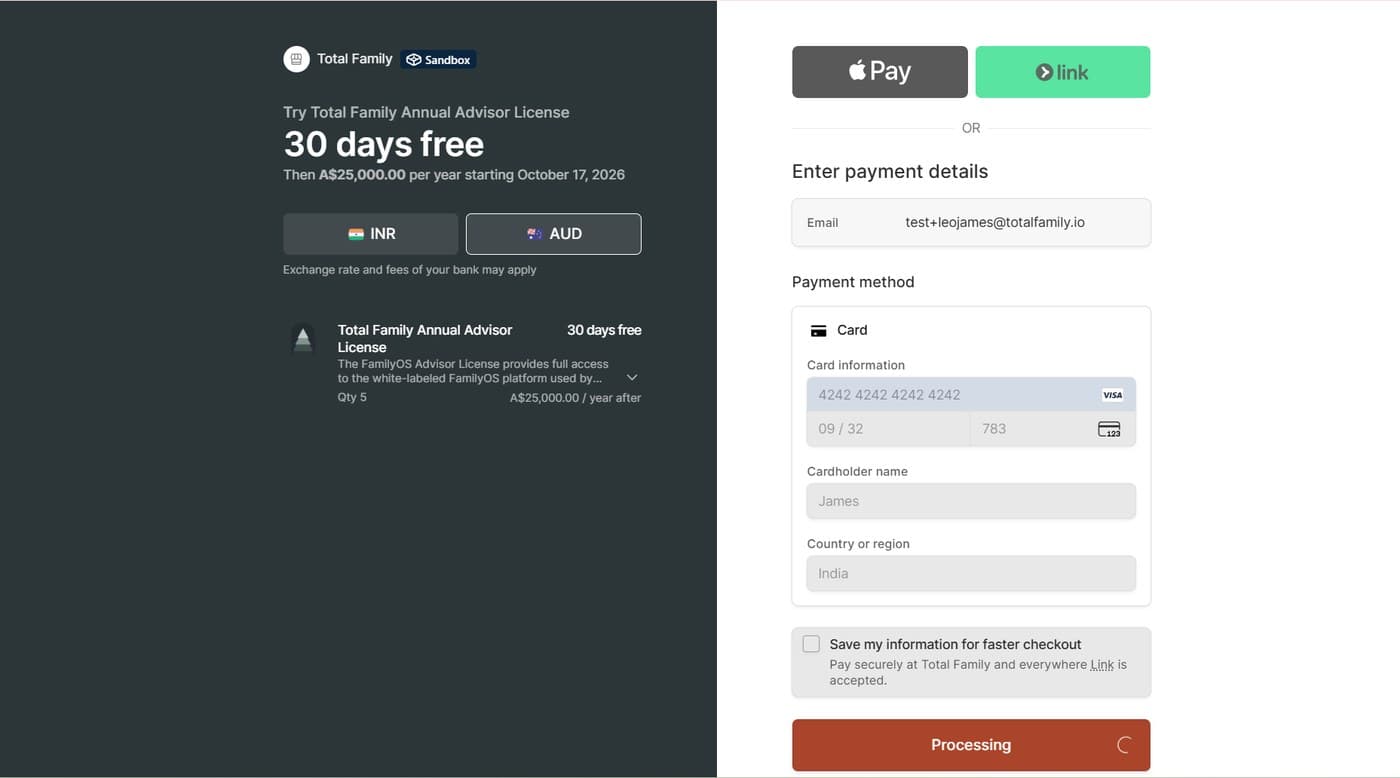
Buy more seats is a different action. It upgrades you to a paid plan and bills immediately, ending the trial's free ride. Total Family confirms before sending an invitation that would add a seat.
Seats added during the trial are included in your first billing cycle after the trial ends, not charged at the time.
Can I Reduce My Seat Count?
No. Seats cannot be reduced once bought.
Your seat count only goes up. Removing a colleague from My Team frees the seat for someone else to use, but it does not reduce what you are billed for or refund the difference.
Buy seats as you need them rather than in advance. There is no way to correct an over-purchase afterwards.
What Happens When the 30 Days End?
Your card is charged for the annual licence, including any seats added during the trial, on the date the dialog told you.
You are emailed a reminder a week before the trial ends, so there is time to decide rather than being caught by the charge.
If you do not continue, your firm returns to the free plan. Nothing your families have written is deleted, and their households drop to the family free plan. See If your advisor stops paying for what your clients experience.
Can I Start the Trial Again?
No. The trial is once per firm.
Once your firm has used its 30 days, there is no way to start another. If the trial ended and you did not continue, coming back means going straight onto a paid plan.
Use the trial when you are ready to actually put client families on the platform, rather than to look around.
How Do I Know the Trial Started?
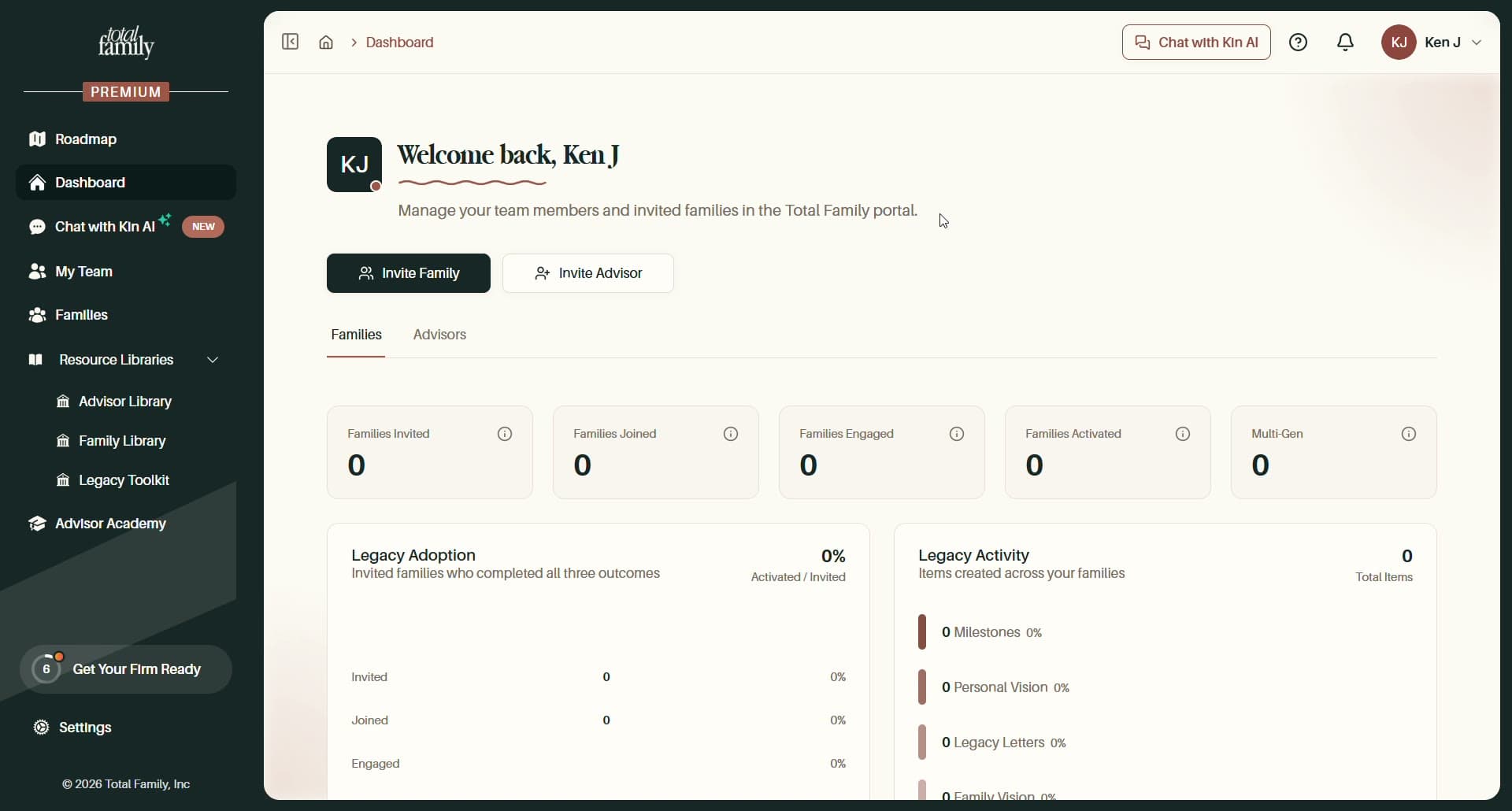
The Start Free Trial button disappears and a PREMIUM badge appears.
Your sidebar carries the badge, Chat with Kin AI joins the menu, and the dashboard banner is replaced by your actual firm figures.
Where Is Firm Billing Managed?
Partner settings, then Billing & Payment.
That page carries your trial period and days remaining, your plan and annual amount, seats used, Buy more seats, Open Billing Portal, and a Billing History list with View on each payment. Partner settings covers the page in full.
Do My Client Families Pay Anything?
No. A household you invite gets Premium through your firm's plan and sees no billing screens at all.