
Free vs Premium
What the free plan covers, and what Premium adds.
Total Family starts every household on a free account. You can set your family up, invite everyone, and start collecting quotes without paying anything. The vision work is what sits behind Premium.
Billing is per family, per year, not per person. One Premium membership covers the household, including up to two heads of household.
What Each Plan Covers
| Free | Premium | |
|---|---|---|
| Inviting your family | Yes | Yes |
| Quotes | Unlimited | Unlimited |
| Family Resource Library and education | Yes | Yes |
| Personal and Family Vision | No | Yes |
| Legacy Letters | No | Unlimited |
| Milestones | No | Unlimited |
| Chat with Kin | No | Yes |
| New features as they ship | No | Yes |
The current price is shown on the plans page in Settings, and again at checkout before you pay.
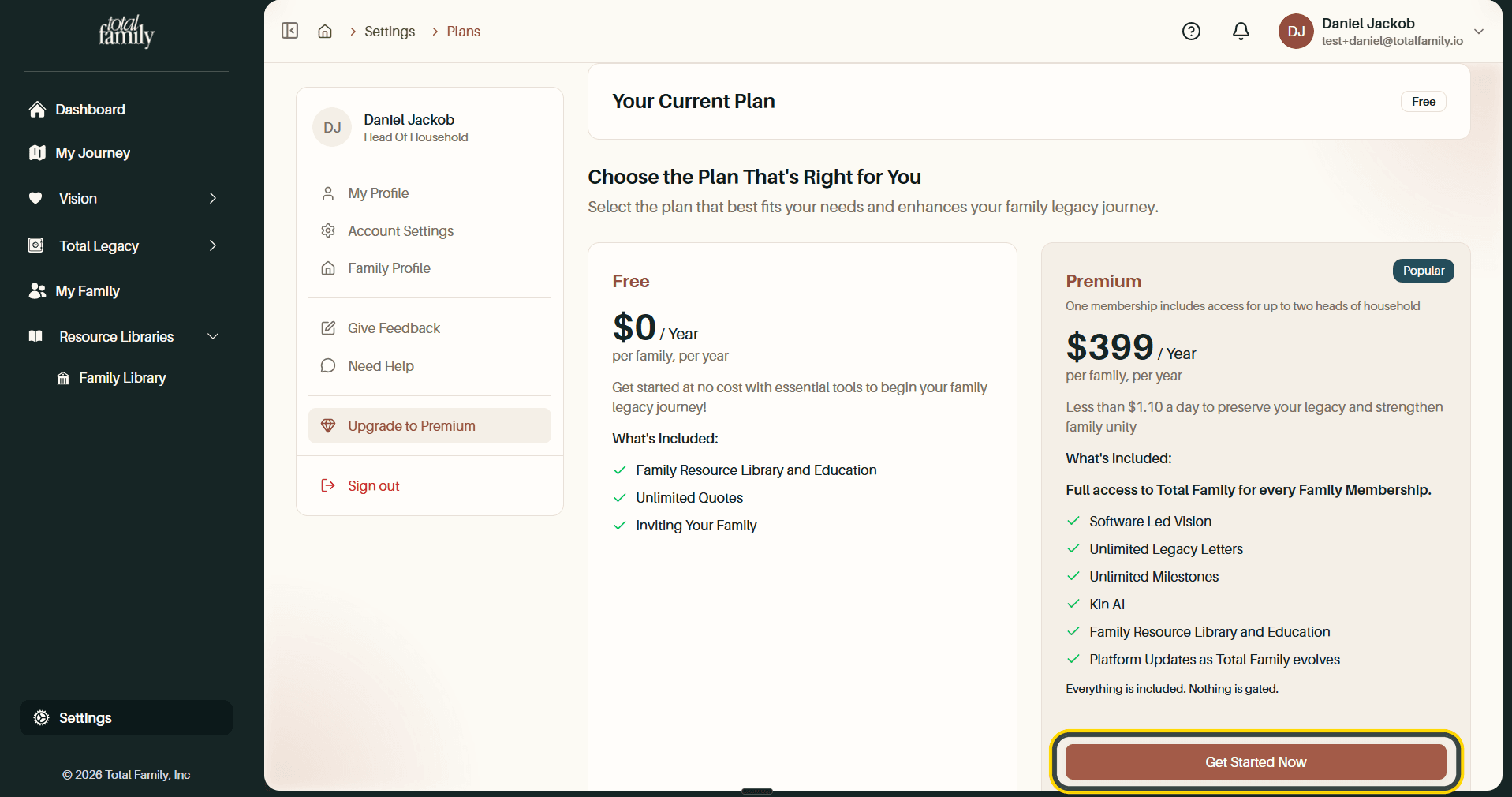
Where You Will Meet the Upgrade Prompt
You will not hit a paywall while setting your family up. It appears when you start your Personal Vision, which is the first Premium feature most families reach.
Upgrading From Free to Premium walks through the whole flow: the prompt, choosing the plan, checkout, and confirming Premium is active.
What Stays Open on the Free Plan
Free is a usable plan rather than a locked shell. Quotes and My Journey are always reachable, and on My Journey only the individual Premium tasks are locked. You can keep collecting quotes and see the path ahead of you without paying.
If an Advisor Pays for You
Some families are invited by a financial advisor or wealth firm that covers the membership. Your household is Premium for as long as their arrangement runs, and you will not see billing screens for it.
If that arrangement ends, your family drops to the free plan. Everything you have written stays, and the free pages stay open.
If You Cancel
Cancelling returns you to the free plan at the end of the period you have paid for. Your material is not deleted.
Billing and Payment also stays in Settings permanently once a family has been Premium, so your past plans and invoices remain available to you.
Next
Your First Week shows where the vision work sits in the wider path, so you can decide when upgrading makes sense.