
Canceling and Refunds
How to cancel, what happens to your material, refunds, and coming back later.
How Do I Cancel My Subscription?
In the Billing Portal.
Canceling for an advisory firm? See How Do I Cancel My Firm's Plan?
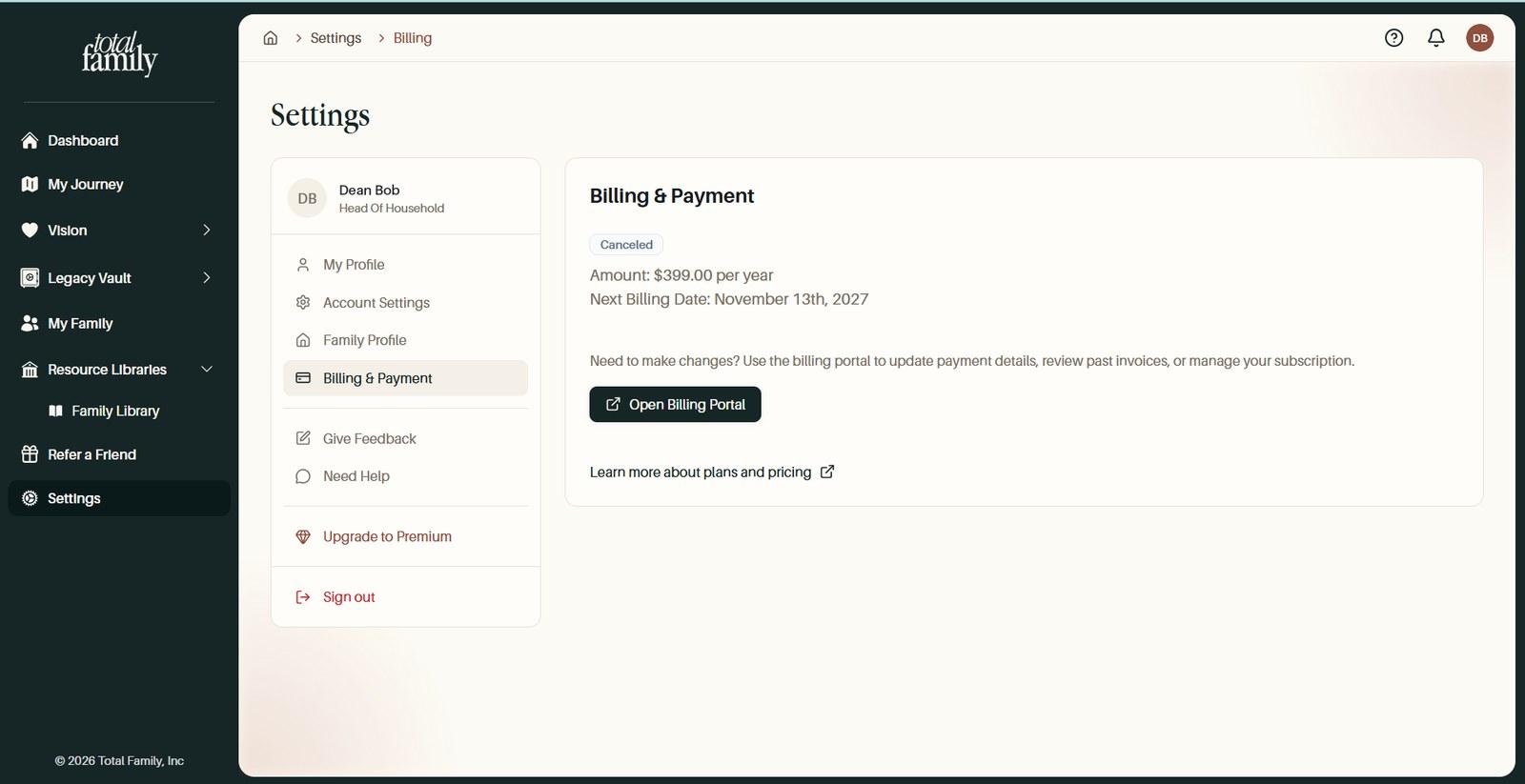
Open Settings, then Billing & Payment, then Open Billing Portal. Managing and canceling the subscription happens there, alongside your card and invoices.
Your subscription renews automatically, so canceling is how you stop it.
Once you have canceled, your plan shows a Canceled badge on Billing & Payment. You keep Premium until the end of the period you have already paid for.
What Happens to Everything I Have Written?
Nothing is deleted.
Canceling returns your household to the free plan at the end of the period you have paid for. Your visions, Legacy Letters, milestones, and quotes all stay.
Billing & Payment also stays visible permanently once a family has been Premium, so your past plans and invoices remain available to you after canceling.
What you lose is access to the Premium features, not the material itself.
Do I Keep Access Until the End of the Period I Paid For?
Yes. Canceling returns you to the free plan at the end of the paid period rather than immediately.
The Canceled badge on your plan is how you can tell the cancellation registered.
Can I Get a Refund?
There is no automatic refund for the rest of the year, but contact us and we will look at it.
Refunds are handled one at a time by our team rather than by a button in your account. There is no self-serve way to request one.
Contact Support with your payment confirmation and what happened, and we will tell you where you stand.
Can I Come Back Later?
Yes, and everything is waiting for you.
Your material is not deleted when you cancel, so upgrading again restores access to it. The upgrade works the same as the first time: Settings, then Plans.
How Do I Delete My Account Entirely?
Not from inside Total Family yet.
Canceling a subscription and deleting an account are different things. Canceling stops the billing and keeps everything you have written. Deleting is not something you can do yourself at the moment.
If you need your account removed, contact support and tell us what you need. Because your household is shared, deleting one person's account affects material other family members can see, so it is worth a conversation rather than a button.
Still stuck?
If this did not solve it, our team can pick it up from here, or email support@totalfamily.io.
Contact support