
Firm Roadmap
The guided path from setting your firm up to families actively using Total Family.
Getting a firm running on Total Family is not one task, it is about twenty, spread across your firm, your advisors, and your client families. The Firm Roadmap is where those live, in the order they make sense, with a date against each stage.
It is the first item in your sidebar for a reason. If you are not sure what to do next, the answer is there.
What You Are Looking At
Legacy Ready Date is the date the whole roadmap is aimed at, when your firm is set up and families are actually using the platform. Every phase has its own date working back from it.
On Track tells you whether you are keeping pace with those dates. It sits at the top for the whole roadmap and again on each phase, so you can see which part has slipped rather than only that something has.
Completed Tasks is a single percentage across all three phases. It moves slowly at first, because the early phases have the most tasks.
The Three Phases
Each phase has to be worked through before the next makes sense, which is why they run left to right. Selecting a phase along the top switches the list below to that phase's tasks.
1. Firm Readiness
Your firm, ready to be seen. Your profile, your logo, and the operational setup behind it, so advisors and families meet a finished brand rather than a half-filled account.
Seven tasks in three groups: Firm Set-Up, Admin Set-Up, and Advisor Onboarding. Each group carries its own count, so you can see which part is holding the phase up.
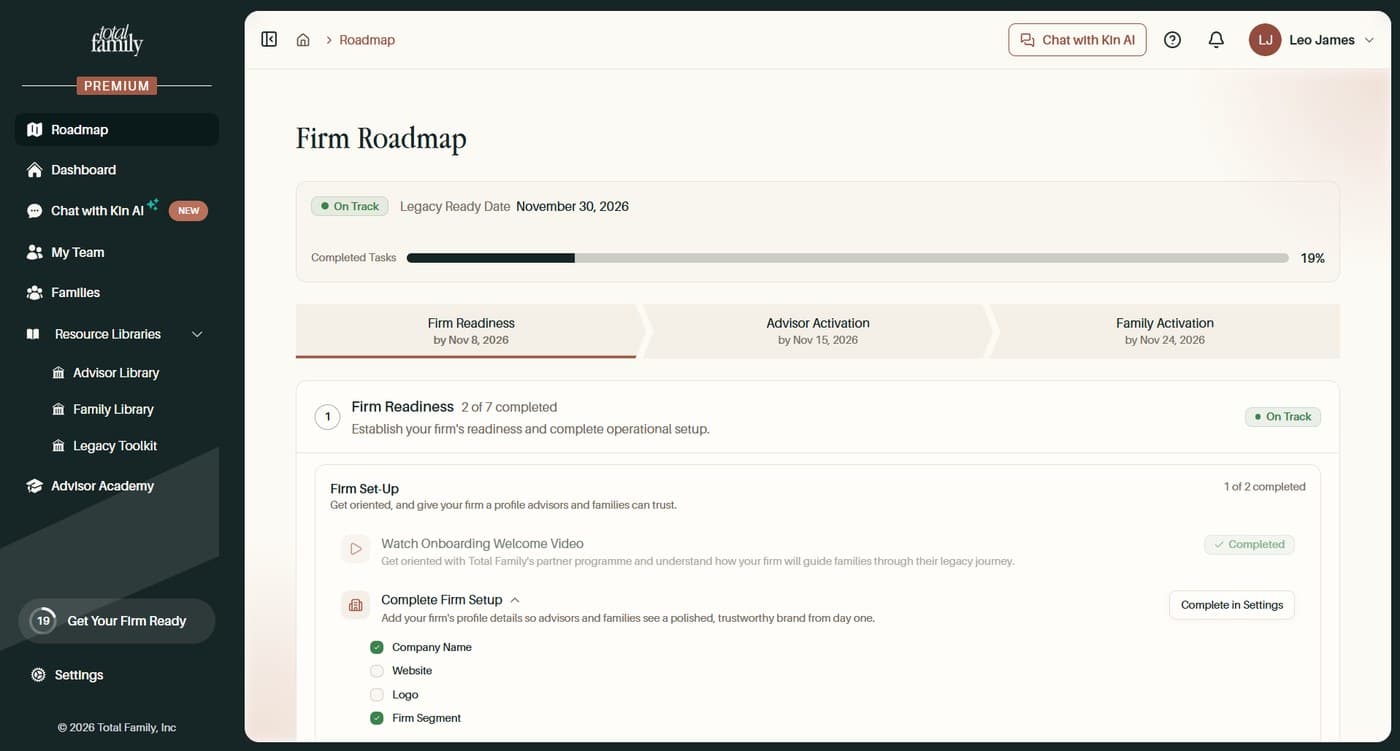
Work through Firm Readiness takes all seven in order.
2. Advisor Activation
Your advisors, ready to run the conversation. Each advisor works through their own set, so this phase is repeated per person rather than done once by the firm.
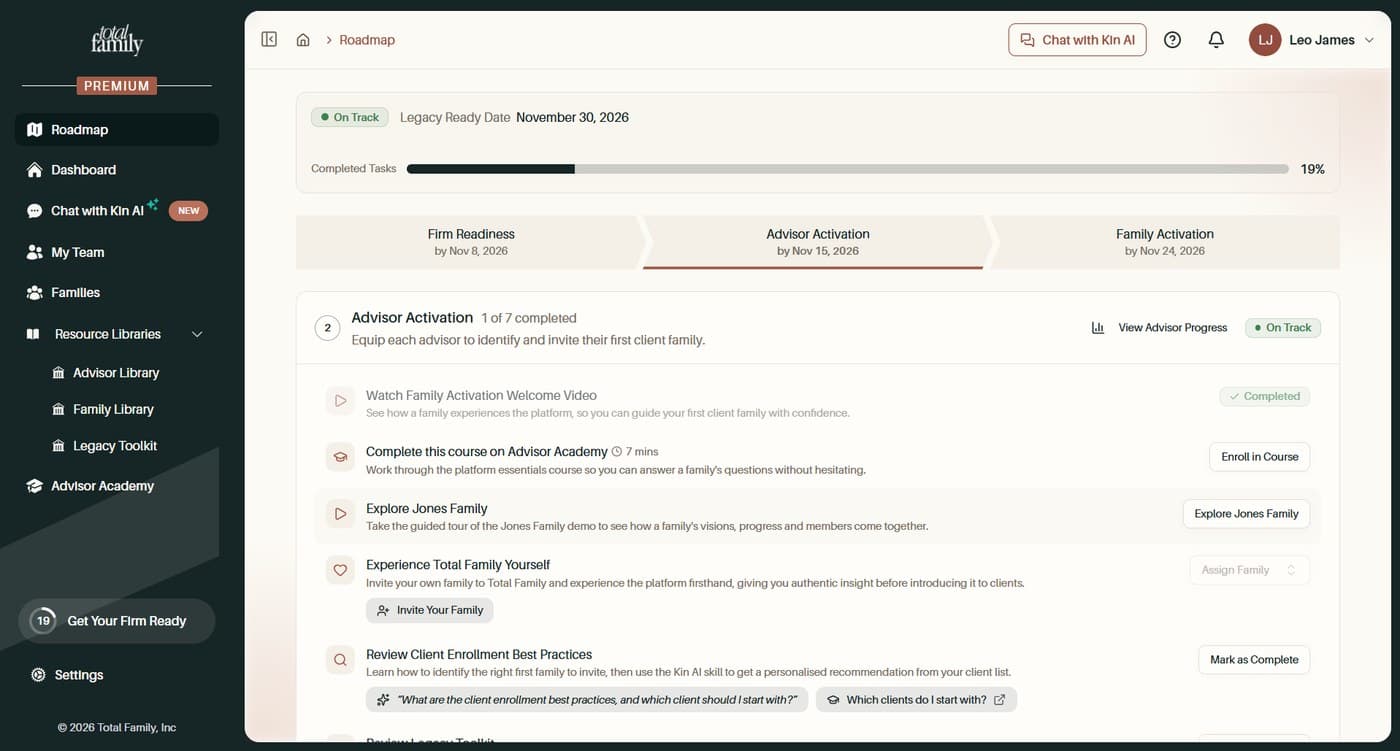
Seven tasks, a mix of watching, learning, and doing. Work through Advisor Activation takes them one at a time.
View Advisor Progress on the phase header breaks the figures down per person, so you can see who has finished and who has not started.
3. Family Activation
Your first families, actually using it. Not an accepted invitation, but a household that has produced something.
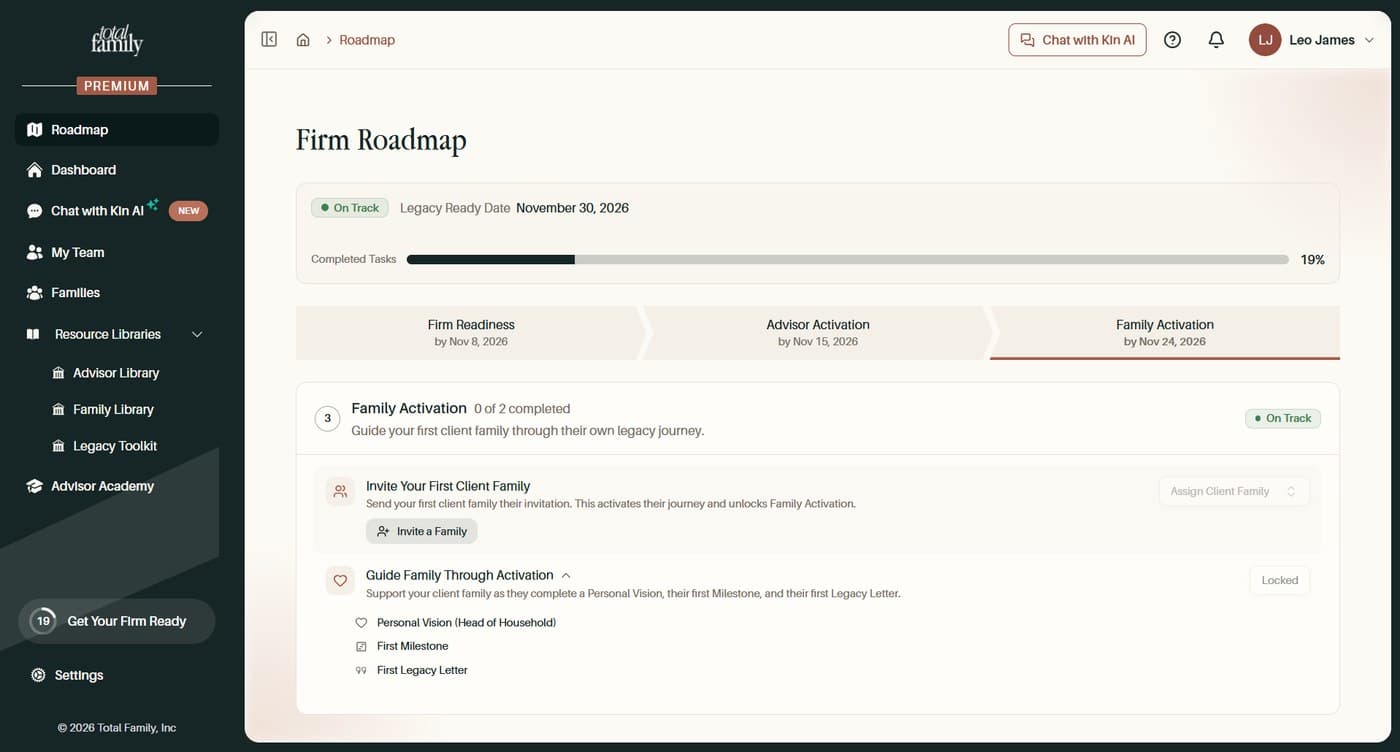
Two tasks, and the second depends on the first:
- Invite Your First Client Family, then assign them to the task.
- Guide Family Through Activation, which stays Locked until a family has been assigned. It expands into the three things that count as activated: a Personal Vision for the head of household, a first Milestone, and a first Legacy Letter.
That lock is deliberate. There is nothing to guide until a household is attached. Work through Family Activation covers both, including the assignment step that is easy to miss.
The Shapes a Task Takes
Across the whole roadmap, the control on the right tells you what kind of task you are looking at, and in particular whether finishing the work is enough or whether you have to tell the roadmap yourself.
| Control | What it means | Completes when |
|---|---|---|
| Watch Video | A clip plays in place | You choose Mark as Complete from the arrow beside it |
| Complete in Settings | You are taken to the screen where the work happens | You save it there |
| Enroll in Course | Opens the Advisor Academy | The Academy reports your progress back on its own |
| Mark as Complete | Nothing to submit, such as reading a guide | You confirm it yourself |
| Assign Client Family | A selector rather than a button | You pick the household |
The two that trip people up are at opposite ends. Watch Video does not complete when the video ends, and Assign Client Family does not complete when you send an invitation. Both need one more action from you.
Some tasks also expand into a checklist, as Complete Firm Setup does, showing the individual fields behind them. Others arrive already complete, as Activate Free Trial does, because the thing they describe happened elsewhere.
Get Your Firm Ready
The Get Your Firm Ready button above Settings carries a number, which is how many tasks are waiting for you. It stays visible on every screen, so the roadmap is one click away wherever you are.
On a firm that has just started it reads zero, and climbs as you work through the phases.
Common Questions
Do I Have to Do the Phases in Order?
Nothing stops you jumping ahead, but the order reflects dependency rather than preference. Advisors cannot meaningfully activate before the firm has a profile, and families cannot be invited before advisors know what they are inviting them to.
What Happens if a Date Passes?
The status changes from On Track, on the phase that has slipped and on the roadmap overall. Nothing is locked or lost. The dates are there to keep the work moving, not to expire anything.
Does Every Advisor See the Same Roadmap?
The roadmap is your firm's. Advisor Activation tasks are per advisor, so each person completes their own, and View Advisor Progress is where you see how that is going across the team.
Do Client Families See Any of This?
No. The roadmap is internal to your firm. Families see their own journey, which is a separate thing entirely.