
Your First Families
From your first invitation to a household that is actually using it.
The firm account is the easy part. Getting a household to finish a vision is the bit that takes intent.
Here is a sensible order for the first few weeks.
Before You Invite Anyone
Do the work yourself first. Set up your own family account and write your own Personal Vision. It takes an evening, and it is the difference between describing the exercise and having done it. Clients ask what it is like.
Spend an hour in the Advisor Academy. Courses run in sequence, starting with Welcome to Total Family, then Values, then Legacy Work. Each tracks progress, so you can leave one part-finished.
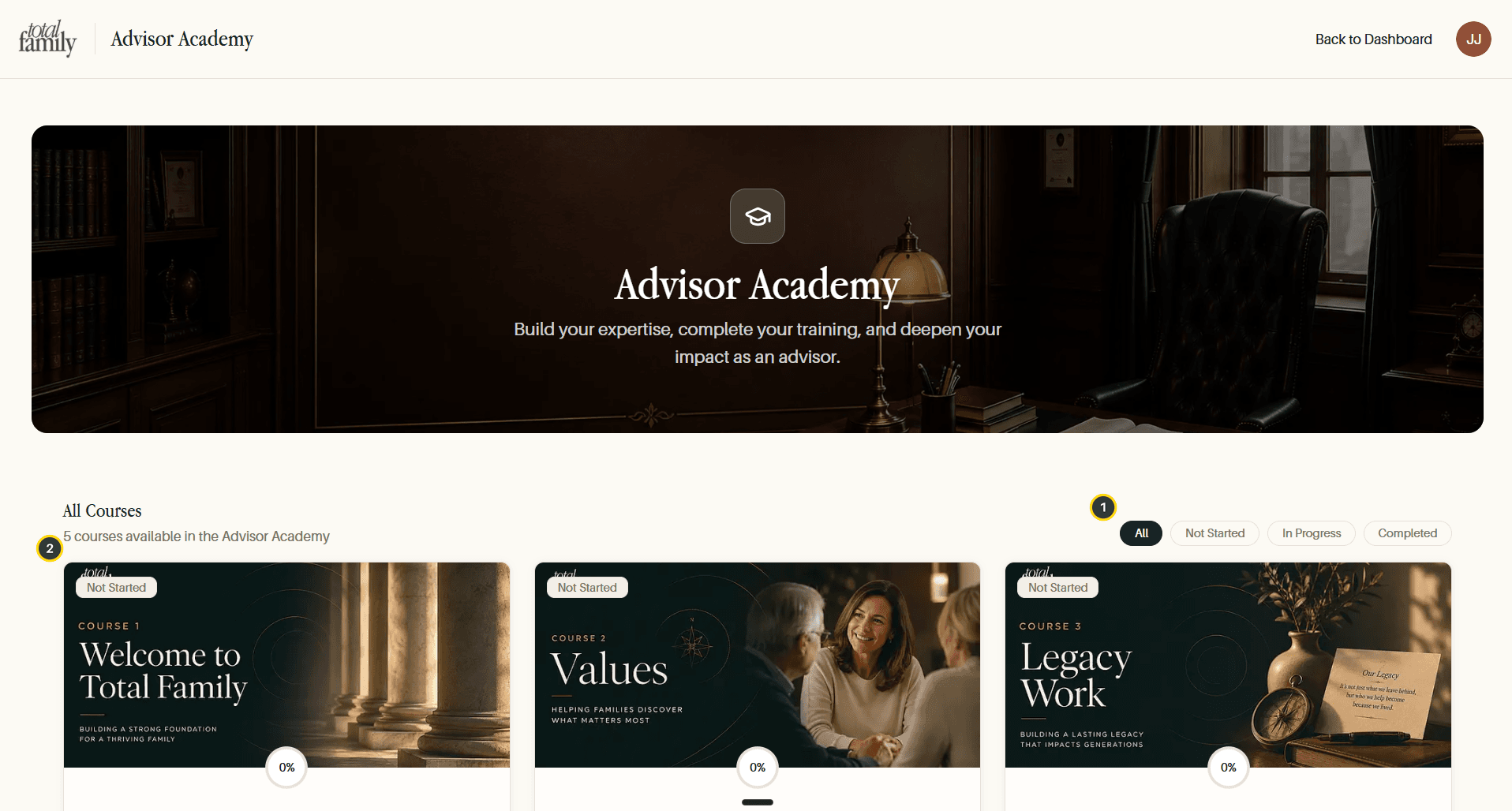
The Advisor Library alongside it covers how to introduce this work in a meeting and how to handle the questions that come up. Resource Libraries covers both.
Choose the First Households Carefully
Do not start with your most complex client. Start with two or three where:
- there is a next generation already in the picture,
- the relationship is warm enough that a values conversation is not a surprise,
- and someone in the family will actually push it along.
Legacy work spreads by referral, and your first families are the ones who will describe it to everyone else. It is worth them being the right ones.
Send the Invitation
Families, then Invite Family.
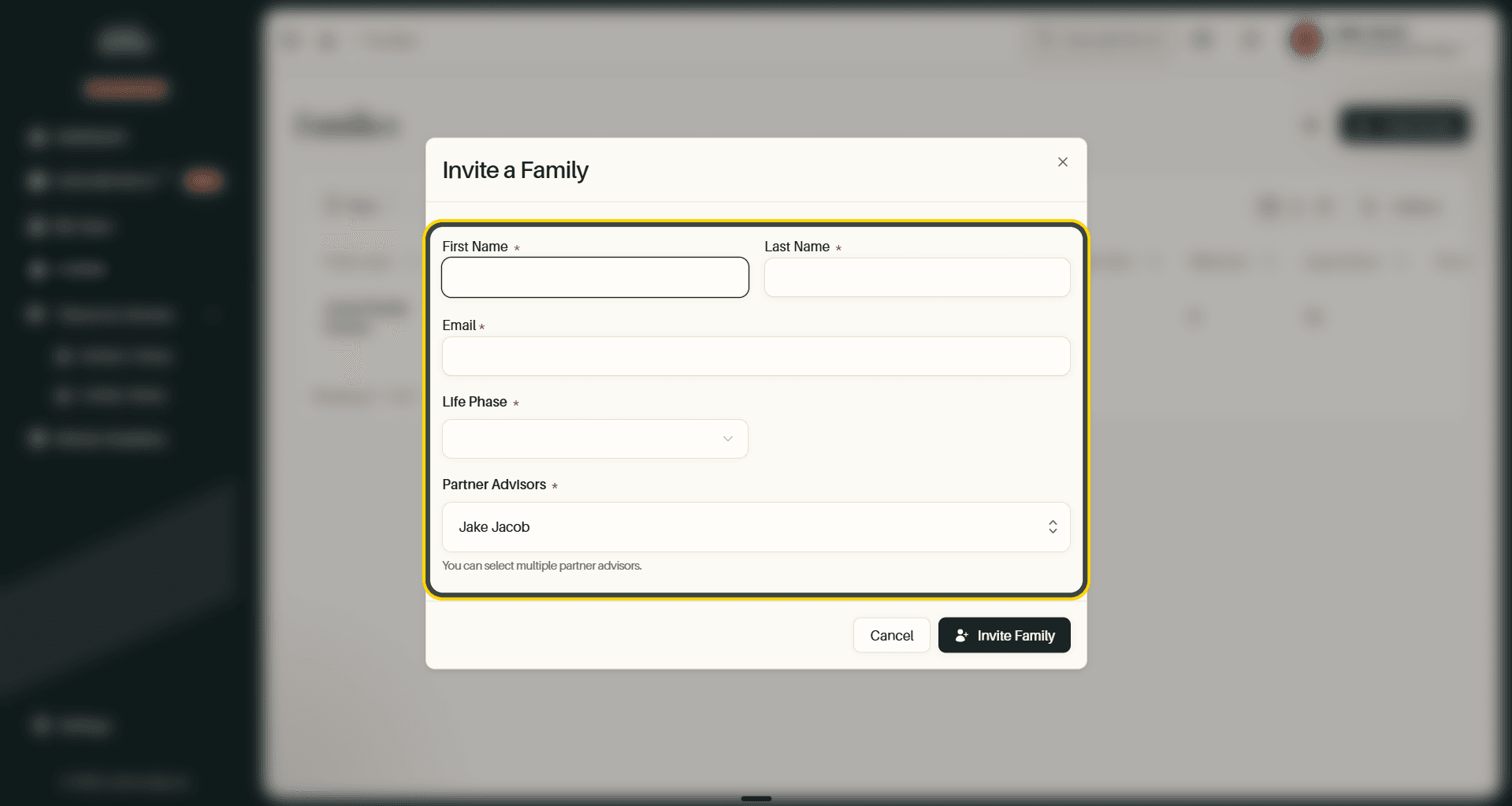
- First Name, Last Name, and Email of the head of household.
- Life Phase, the stage the family is in, which tailors what they see.
- Partner Advisors, who at your firm is responsible. You can pick more than one, which is worth doing when a household is covered by a team.
Total Family confirms the name and address before sending. Families covers the table and its filters.
Tell Them It Is Coming
An unexpected invitation from software they have never heard of gets ignored. A two-line message beforehand, saying what it is and that you will walk through it together, changes the response rate more than anything in the product.
Track Who Has Actually Started
Your Families table is the real picture: who has joined, who has finished a Personal Vision, who has a Family Vision, and how many milestones and letters each household has.
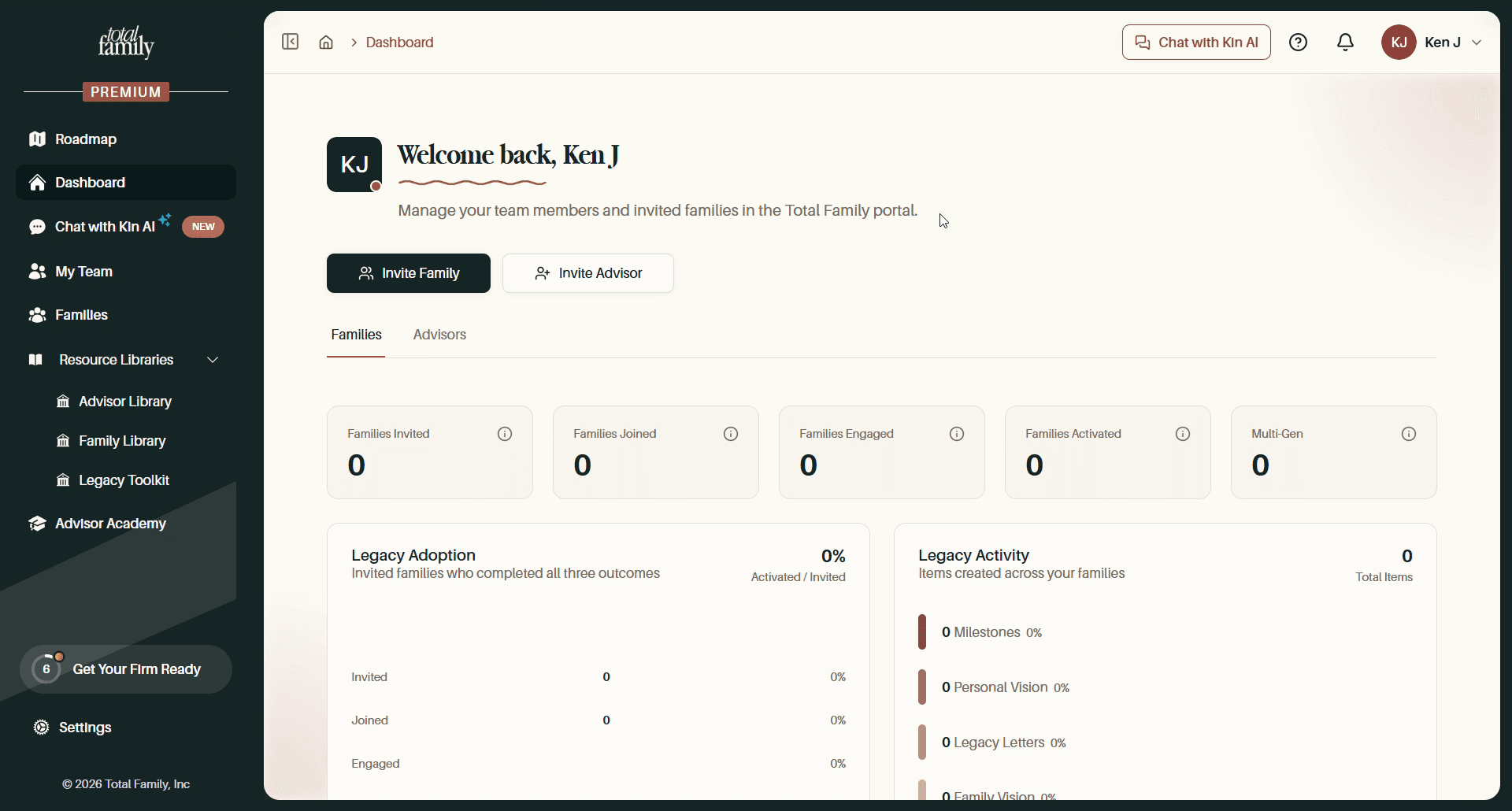
Look for households that joined and then stopped. That is almost always a prompt for a conversation rather than a reminder email. Partner Dashboard covers the counts and what each opens.
Then Make It Routine
The firms that get value out of this treat it as part of the annual review rather than a one-off campaign: the vision gets revisited, new milestones get added, and the next generation gets brought in as they come of age.
Next
Plans and the Trial covers what happens when the 30 days end, and what your families keep either way.