
Your First Week
The order to work through things in, from sign-in to your first vision.
Total Family is not a product you finish in one sitting. The setup takes about an hour, the vision work takes an evening or two, and the rest accumulates over years.
Here is a sensible order.
Day One: About Twenty Minutes
1. Log In and Set Up Your Family Profile. Sign in with Google or an email code, choose the Family experience, and fill in your details.
2. Complete the Initial Assessment. A short set of questions about what brought you here and how your family is doing. Your answers shape what Total Family suggests next, so answer them honestly rather than aspirationally.
3. Meet your dashboard. Where you land afterwards, and your home screen from then on. It carries your progress, what to do next, and running counts of what your family has created.
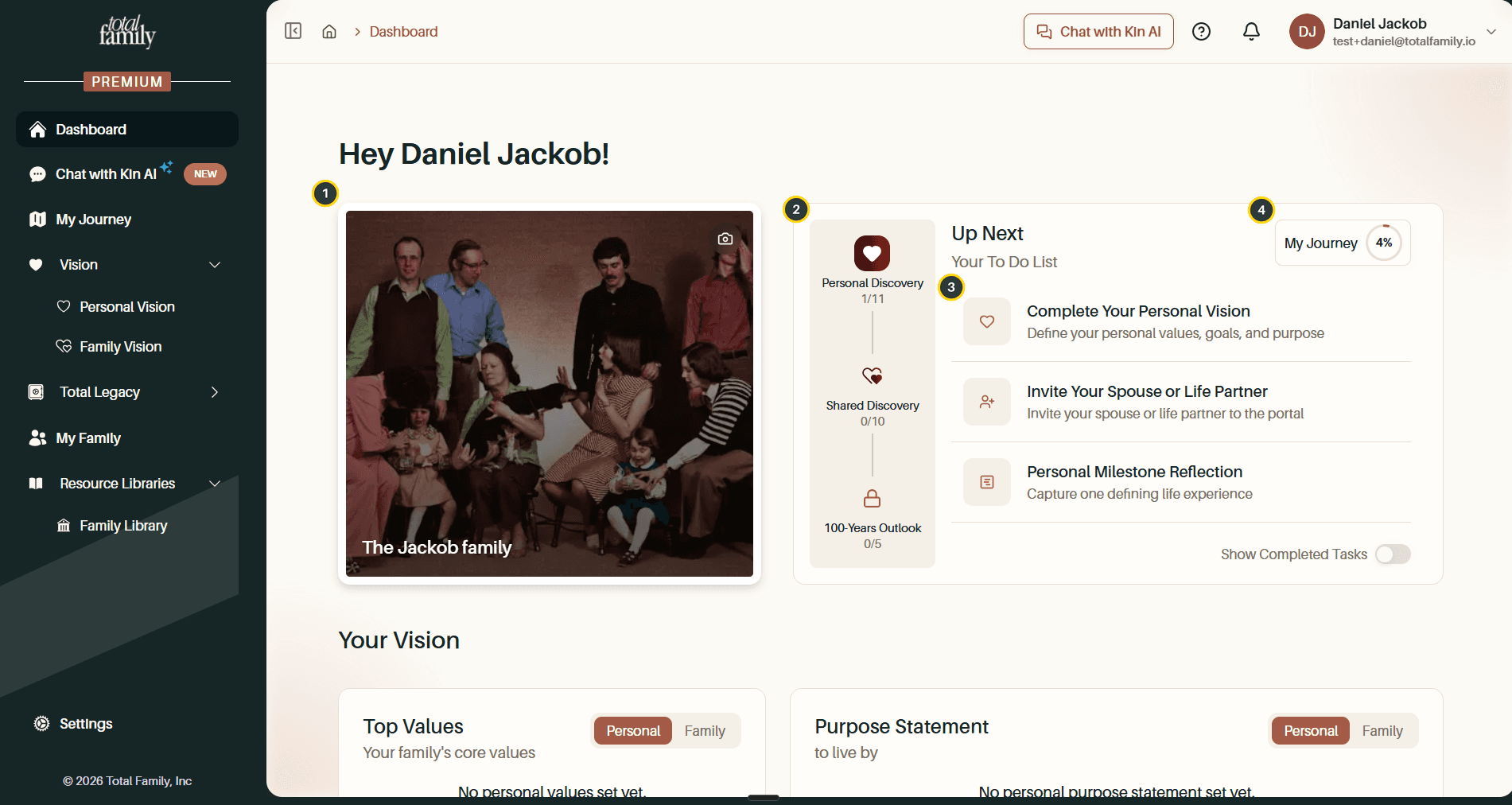
4. Create Your Family. Name the household and invite your spouse or life partner. Free, and worth doing before the vision work rather than after.
Later That Week: Set Aside an Evening
Your Personal Vision is the first real piece of work, and the one everything else hangs off. Three parts: your five core values, a purpose statement, and the roles you hold today. Give it twenty uninterrupted minutes rather than doing it between meetings.
This is where Total Family asks you to upgrade to Premium if you have not already. Free vs Premium covers what that buys.
When You Can Get Everyone Together
Your Family Vision is the shared one, and it is genuinely better done in the same room. Same three-part shape as the personal one, except the third pillar is your family's priorities rather than your roles.
Do not schedule this for the same evening as your Personal Vision. Coming to it having already thought about your own values makes the conversation much shorter.
From Then On
The rest is not a checklist. Add to it when there is something to add.
- Legacy Letters: letters to your family, written with AI help or uploaded from something you already have. You choose who reads each one, and when.
- Milestones: the moments worth remembering, laid out on a timeline.
- Quotes: the things your family says often enough to become family sayings.
- Vision Albums: your own photographs on your dashboard and vision boards.
Worth Doing Once, Then Forgetting
Two settings that matter more than the time they take:
- Legacy Contact: who inherits your account, what they can see, and the note you leave them.
- Guest Sharing: read-only access for an advisor or a grandparent, limited to exactly what you switch on.
When You Are Stuck
Chat with Kin is the assistant built into Total Family. It answers from the Resource Library and cites where each answer came from, so you can check it.
For anything it cannot answer, Support covers the common problems and how to reach the team.
You are not behind. There is no schedule.