v1.21
What's new in Total Family 1.21.
Version 1.21 moves Kin out of its own page and in beside whatever you are doing, and gives Total Family a Help Centre and a status page of its own.
For Families
New Features
A Help Centre for Every Question
Every guide, product update, and answer now lives in one place, at help.totalfamily.io.
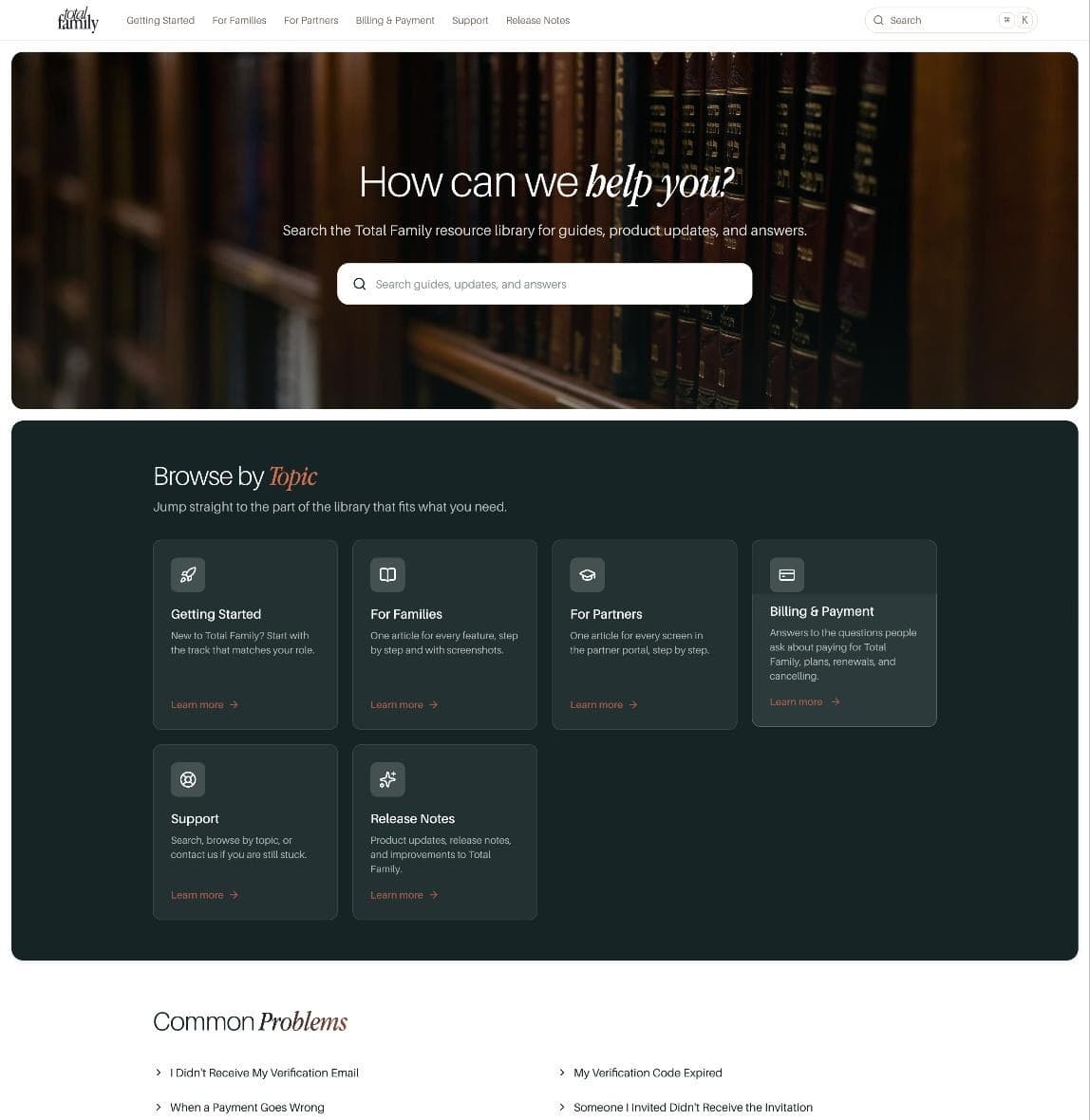
One search bar covers the lot. You can also browse by topic: Getting Started, For Families, Billing & Payment, Support, and Release Notes. For Families holds an article for every feature, step by step and with screenshots.
Common Problems collects what people ask most, a verification email that never arrived, a code that expired, an invitation nobody received. If none of it helps, you can contact support from the Help Centre itself.
A Status Page for the Service
You can now check whether Total Family is up, at status.totalfamily.io.
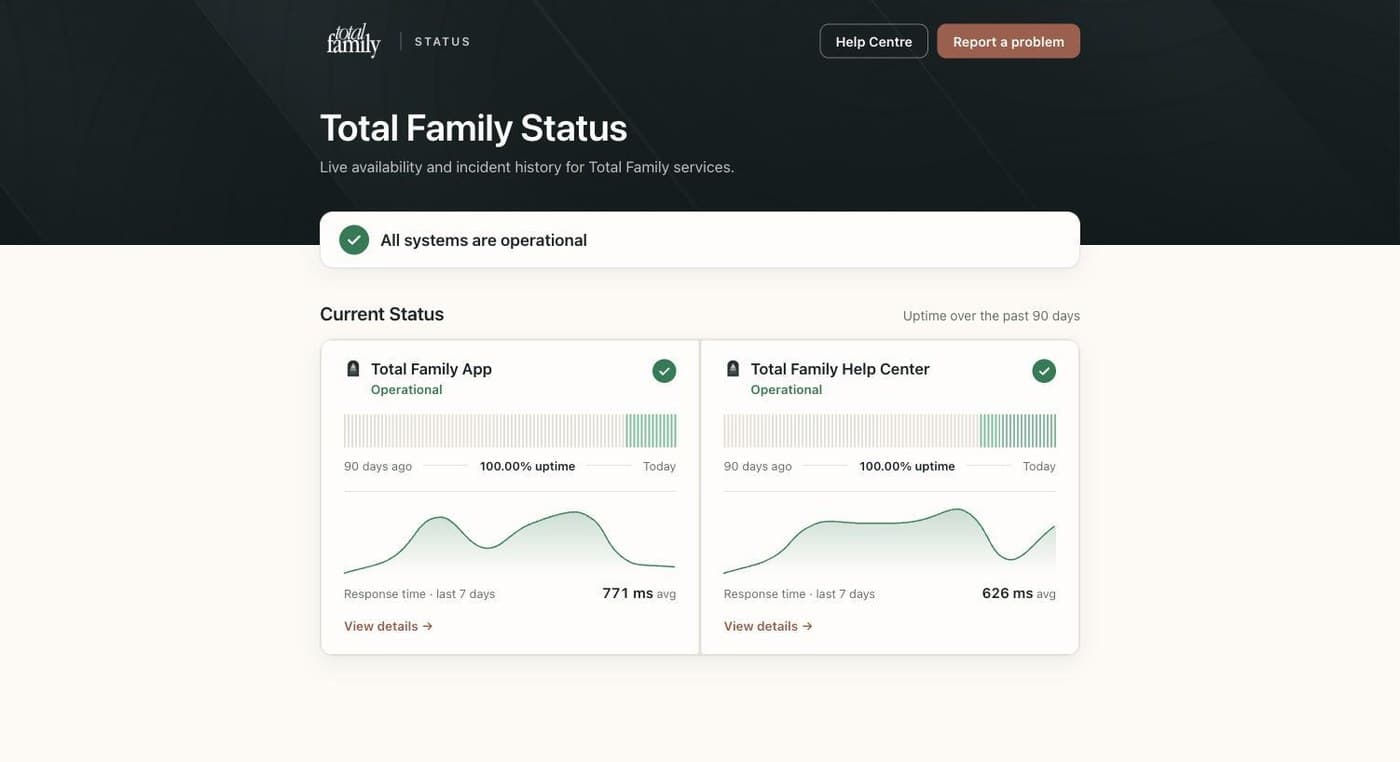
One headline tells you whether everything is operational. Below it, the app and the Help Centre each carry 90 days of uptime and response times for the last seven days. The app check covers signing in, the database, storage, payments, email, AI, and courses, so a problem with any of them shows up here rather than leaving you guessing.
There is a Report a problem button if what you are seeing is not on the page.
Kin Opens Beside the Page You Are On
Kin no longer takes you away from what you are doing. Chat with Kin AI in the top bar slides it in beside the screen you are on, and everything stays where it was.
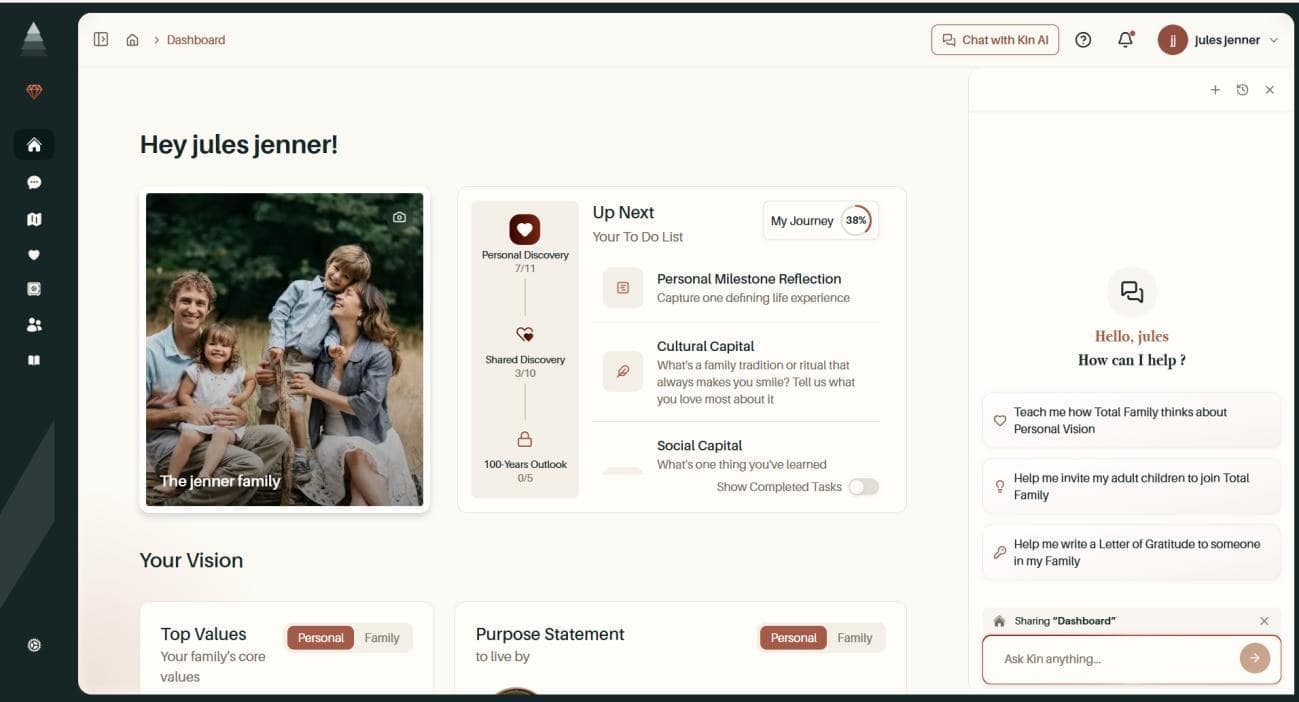
Kin knows which screen you asked from. A chip above the message box names it, so on your dashboard it reads Sharing "Dashboard". You can remove the chip with one click if you would rather ask something unrelated, and put it back with Add this page.
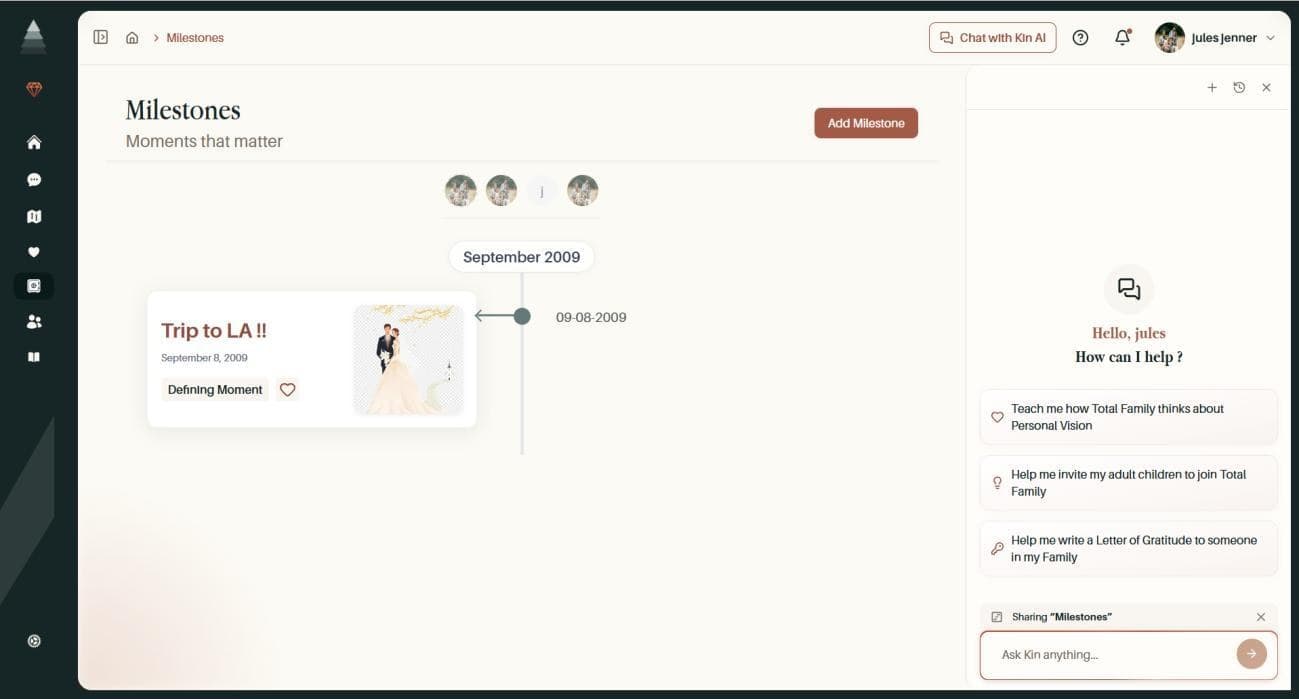
Starter prompts, your conversation history, and renaming or deleting a conversation are all inside the panel. Ask Kin where to find something and it points you at the right place in the app rather than describing it.
On privacy: Kin records which screen it read, never the words on it.
Chat with Kin covers the whole thing.
Improvements
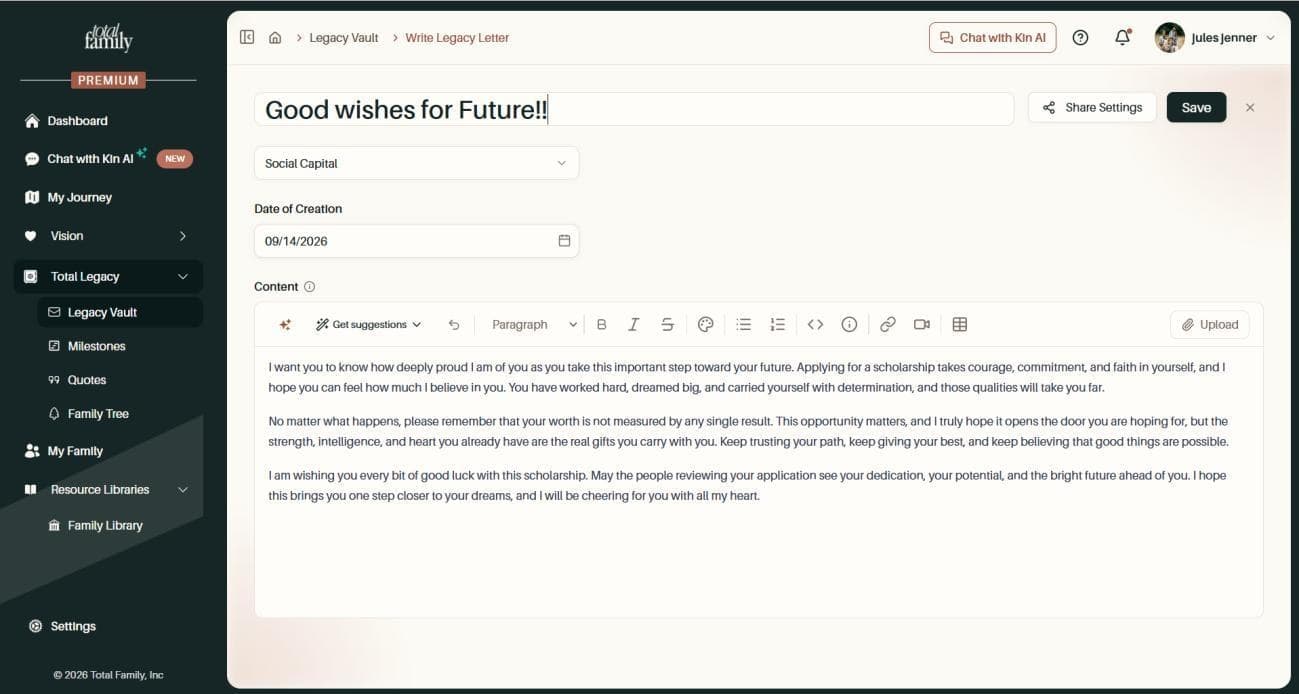
- The Upload button moved out of the formatting tools. In the Legacy Letter editor it now sits at the right-hand end of the toolbar, so it reads as its own action rather than another formatting button
Bug Fixes
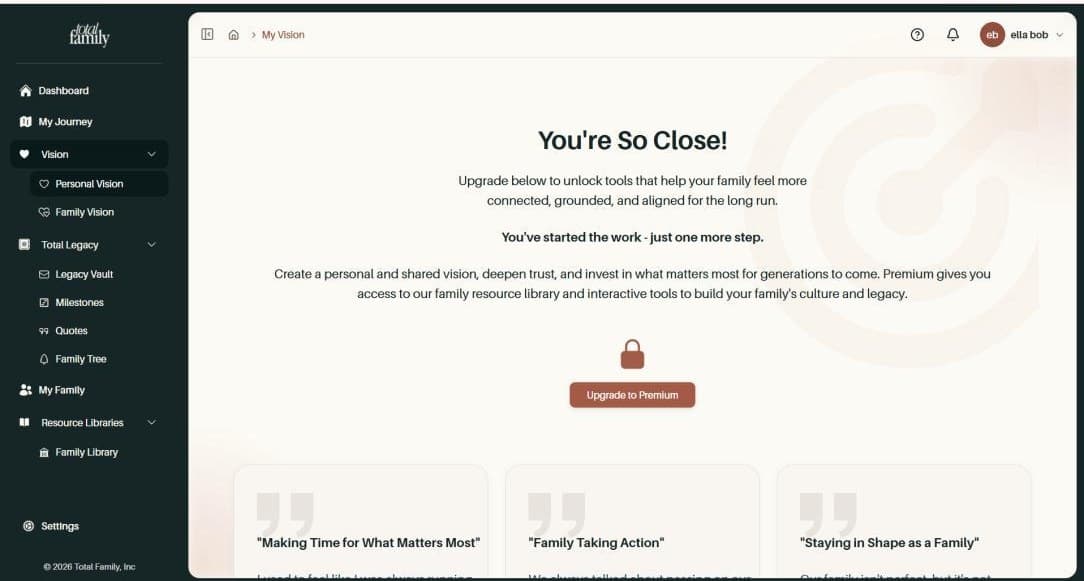
- The upgrade wall no longer traps you. On a free account, selecting Upgrade to Premium or any sidebar link from the upgrade wall changed the address but left the wall on screen, so the only way out was a refresh. You can now move straight to the plans page or anywhere else in the sidebar
-
Signing up again works after an account was removed. If your family account had been deleted, signing up again with the same address stopped with an error. You can now re-register with that address and pick up your existing profile
-
A missing family member shows a proper page. Opening a link to a family member or a pet who is no longer there used to show an error. You now get a readable not-found page with a way back to your dashboard

For Partners
New Features
A Help Centre for Every Question
Every guide, product update, and answer now lives in one place, at help.totalfamily.io.
One search bar covers the lot, and you can browse by topic instead: Getting Started, For Partners, Billing & Payment, Support, and Release Notes. For Partners holds an article for every screen in the partner portal.
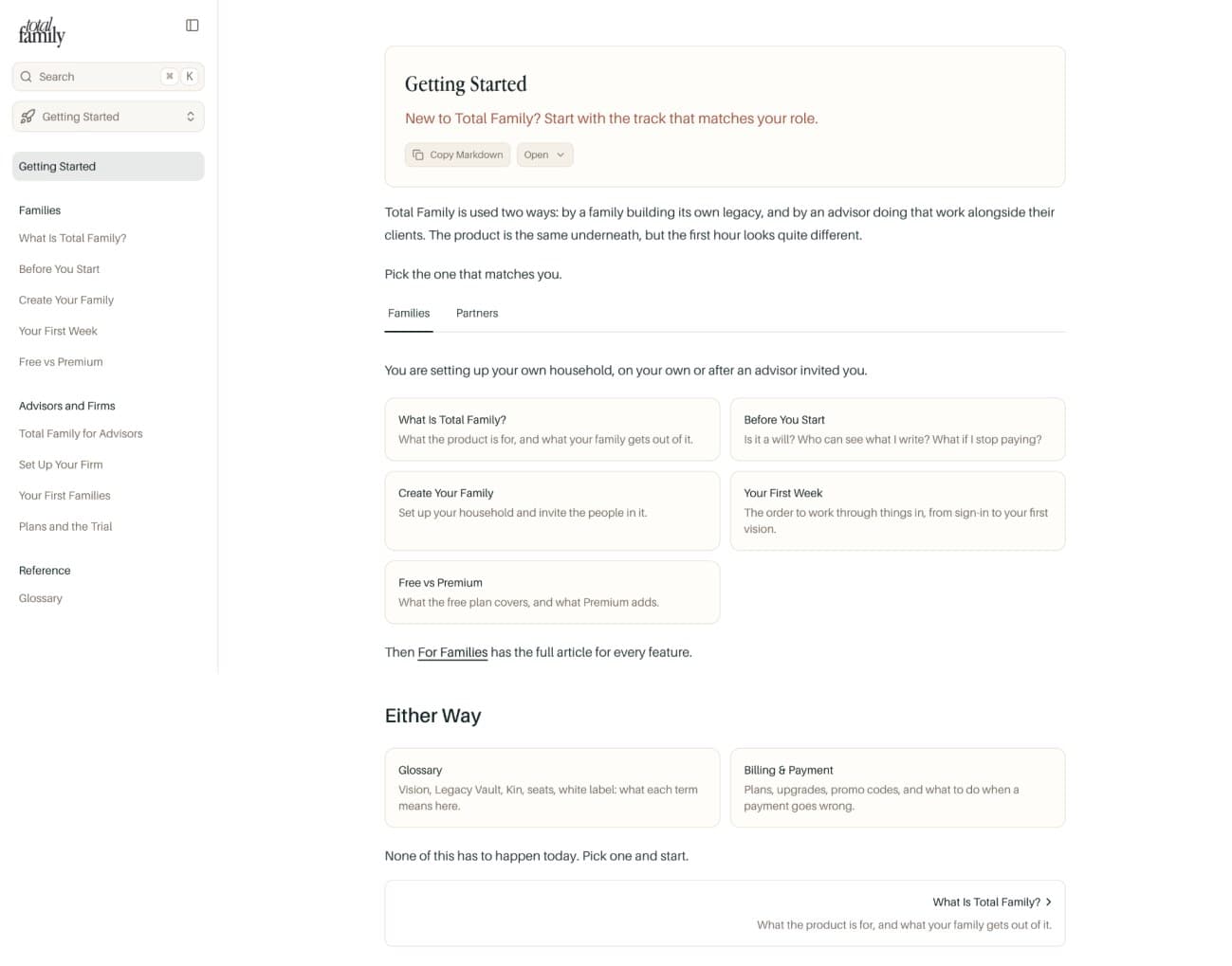
Getting Started splits into two tracks so you can follow the partner one rather than reading round the family material. If none of it helps, you can contact support from the Help Centre itself.
Kin's Sources Name the Library They Came From
Kin cites where each answer came from, and those citations now name the specific library rather than a generic label, so you can tell an Advisor Library article from a Family Library one without opening it.
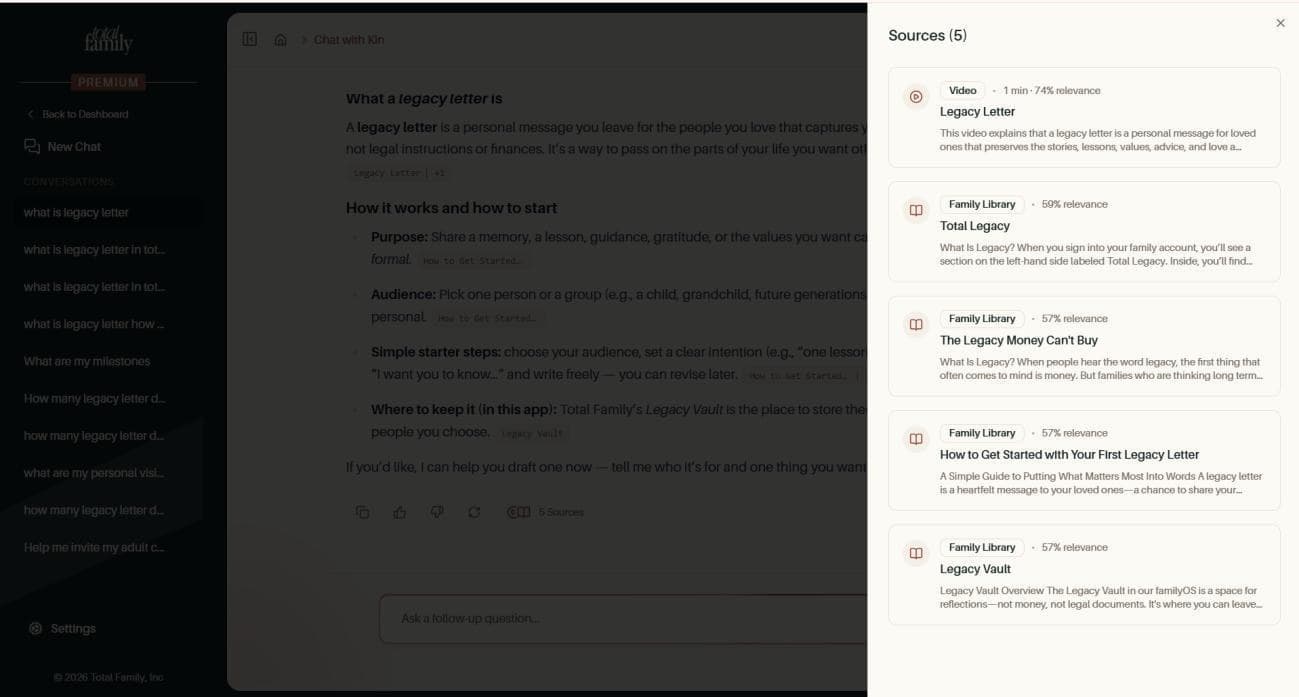
Three other things changed in how Kin answers:
- Everyday how-to questions get a direct answer in the chat, rather than being pointed somewhere else to find it
- Ask where something is and Kin maps what you said, "family" or "share feedback", onto the screen you actually want
- Your drafts survive. An open conversation or a part-written editor draft no longer loses its place when the AI model is updated in the background
Chat with Kin covers how this works in the partner portal.
Improvements
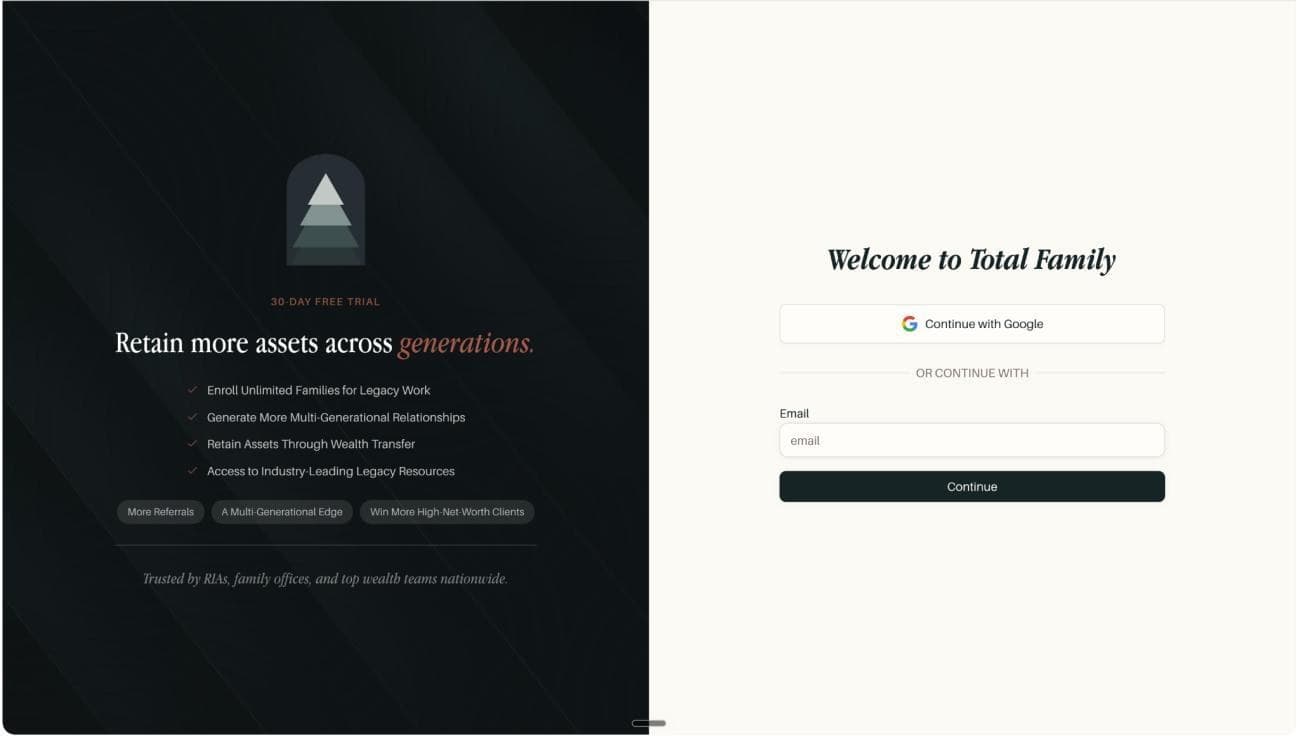
- A clearer free trial sign-in panel. The advisor sign-in now leads with what advisors are actually there for, retain more assets across generations, and the benefits read as outcomes: enrol unlimited families for legacy work, generate more multi-generational relationships, retain assets through wealth transfer, and access industry-leading legacy resources
Bug Fixes
- Enterprise firms stay on Enterprise. Changing the number of advisor seats, or a routine renewal, used to quietly move an Enterprise firm down to Premium. Your tier now survives seat changes, renewals, and checkouts, and the seat count still updates correctly