
v1.23
What's new in Total Family 1.23.
Version 1.23 gives partner firms a dashboard and a guided roadmap, and lets Kin answer from the Help Center for everyone.
For Families
New Features
Kin Answers From the Help Center
Ask Kin how to do something in the app, such as sharing a Legacy Letter or changing a setting, and it now reads the Help Center article written for your role and answers from it.
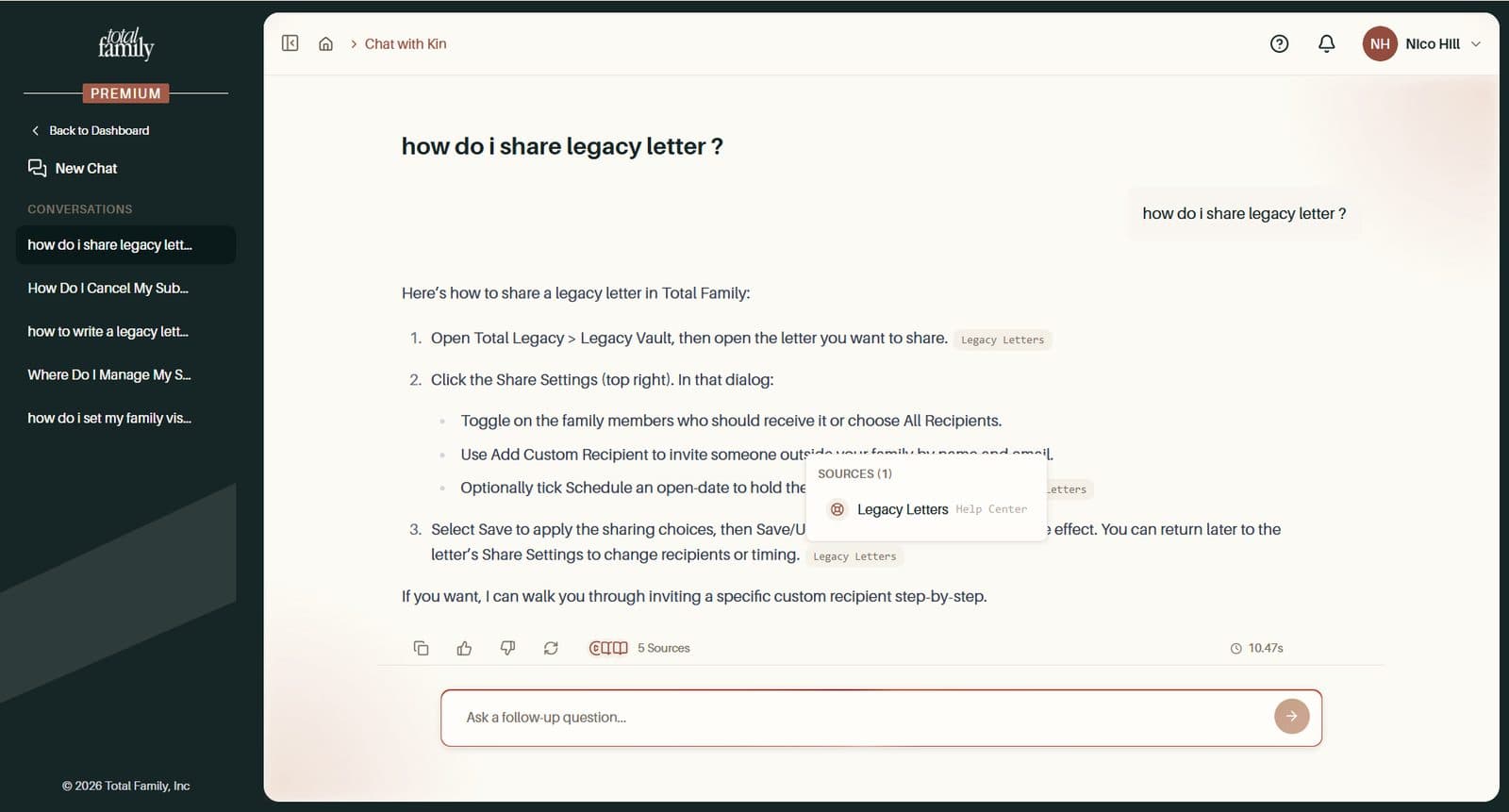
The source shows as Help Center with its own icon, so you can open the full article if you want more. Sources no longer show a confusing "0% relevance".
Demo Videos Play Inside the Chat
When Kin answers from one of our walkthrough videos, the video now sits just below the answer, ready to play without leaving the chat. A link opens it in the Resource Library too.
Improvements
- Stay signed in for up to 30 days. You used to be signed out after two days away. Now your session stays open for up to 30 days of inactivity
- Feedback and Help, one window each. Give Feedback, and the coming-soon buttons on Family Tree and Milestones, all open the same Share Your Thoughts window, which goes straight to our product team. The Help panel is now available to everyone who is signed in
- Kin, Help, and Quickstart open one at a time. Opening one closes the other, so the page never gets crowded
Bug Fixes
- Invitations no longer stay on Invited. If you were invited while you already had an account, you stayed marked as Invited after signing in. You now become Active as soon as you sign in, and stuck invitations have been corrected
- Invite emails match whatever the capitals. Accepting a guest, Legacy Contact, or family invitation failed if your email was capitalised differently, which mobile keyboards often do. Email matching now ignores case
- Vision images save again. Changing your vision image, or editing a completed vision, could fail with an error. Both now save
- The sidebar highlights only the page you are on, and names with only a last name no longer show a stray space
For Partners
New Features
A Dashboard for Your Firm
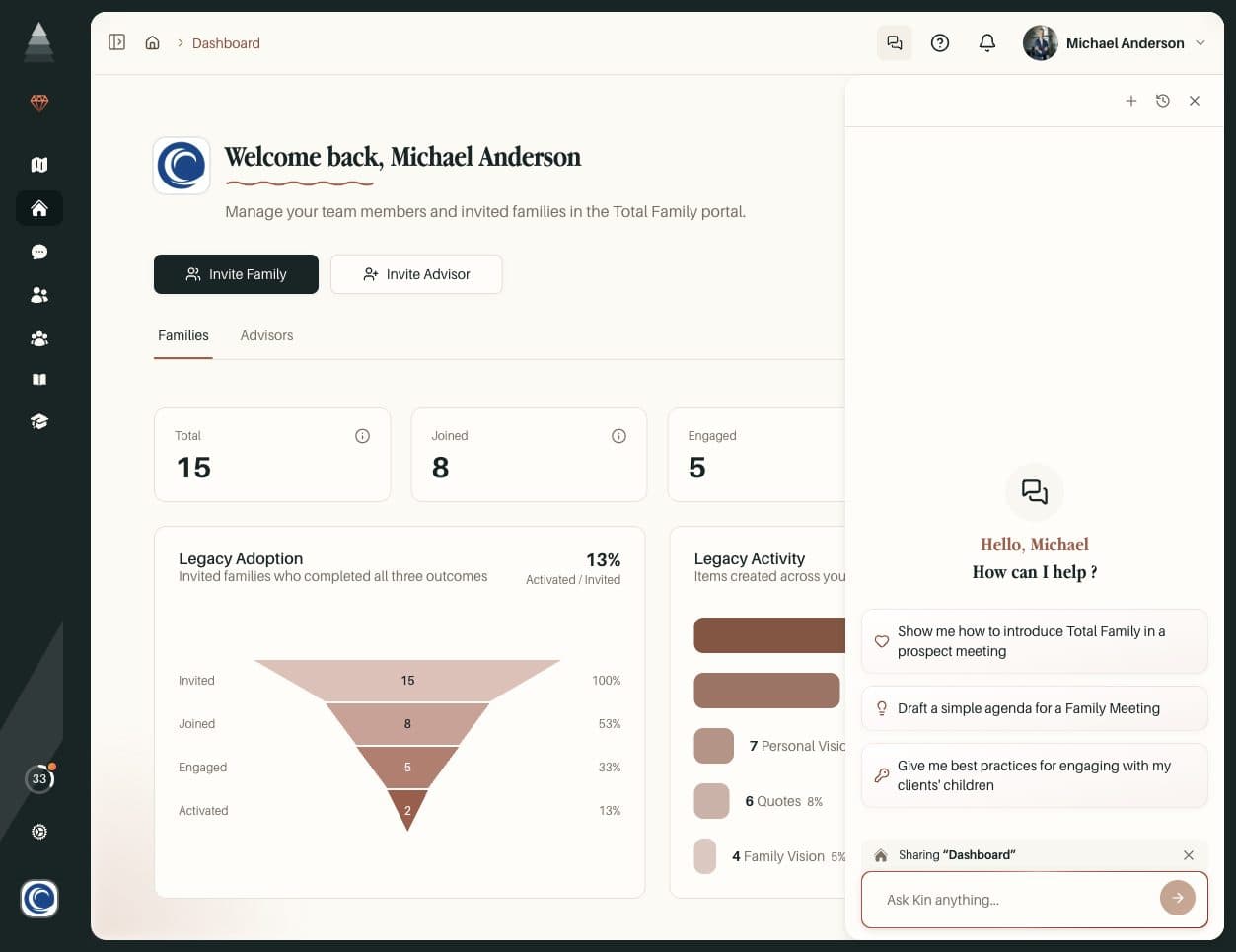
Partner admins and advisors now land on a dashboard that follows your families from the first invitation to full activation.
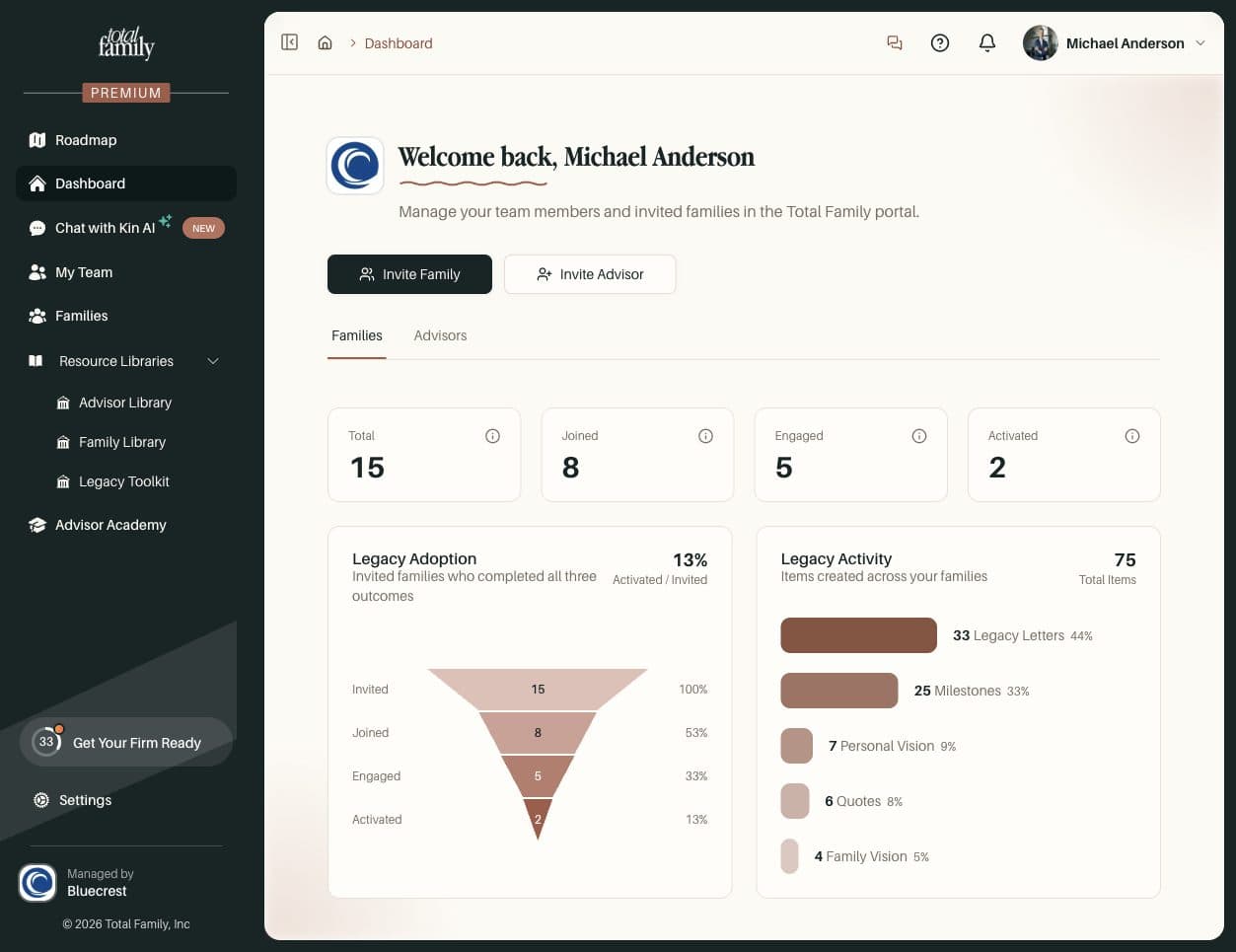
- Invite Family is always at hand, and admins also get Invite Advisor
- Family tiles show Total, Joined, Engaged, and Activated, each with a tooltip explaining what it means
- Legacy Adoption shows how families move from Invited to Activated
- Legacy Activity counts the Milestones, Personal Visions, Legacy Letters, Family Visions, and Quotes your families have created
A family counts as Engaged once they have signed in and completed a task beyond the initial assessment.
Admins also get an Advisors tab: how many advisors are invited, joined, and activated, who is in progress or not started, and your firm's adoption rate.
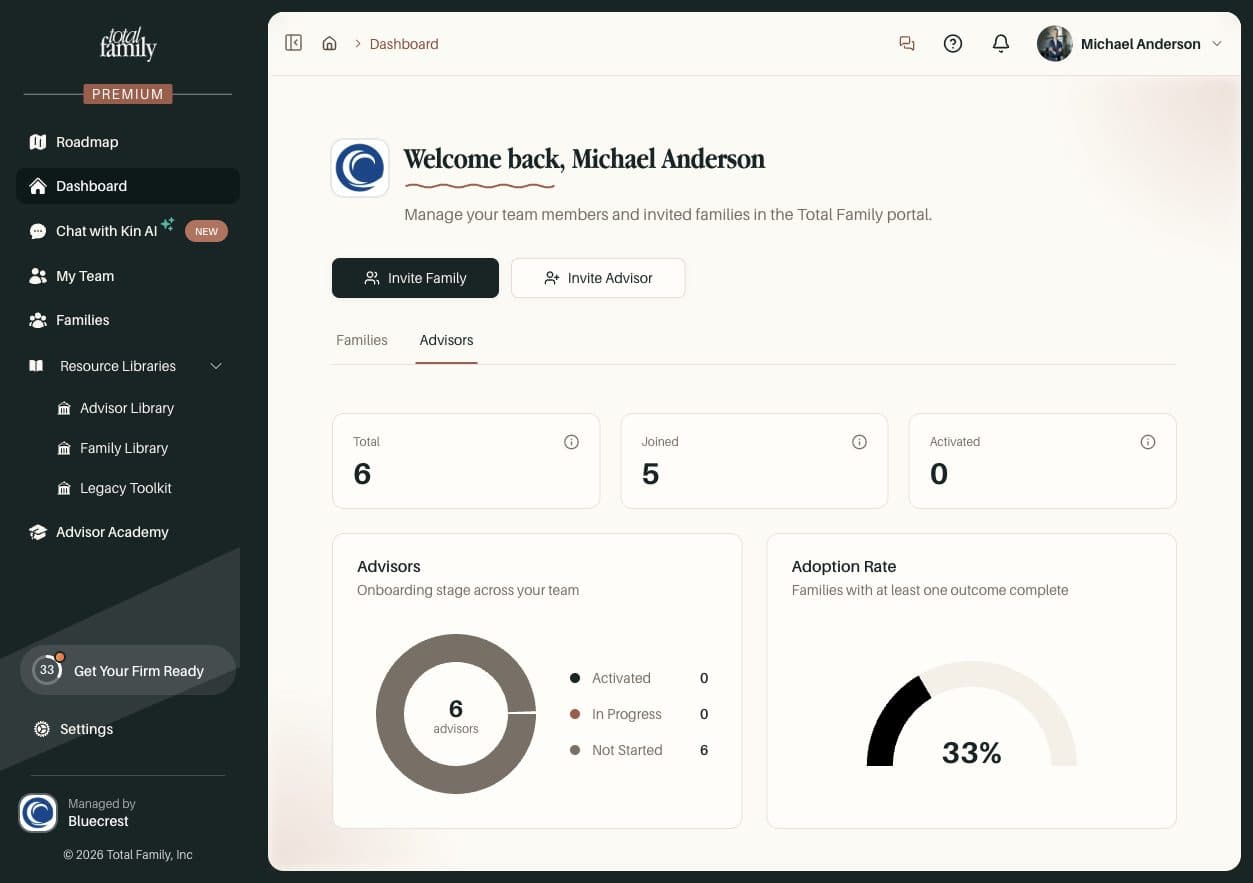
Partner Dashboard covers each tile.
A Guided Tour of Your Roadmap
The first time you open your roadmap, a short tour walks you through it: choosing your Legacy Ready Date, then Firm Readiness, Advisor Activation, and Family Activation. Admins see the firm setup steps, and advisors see the steps that are theirs.
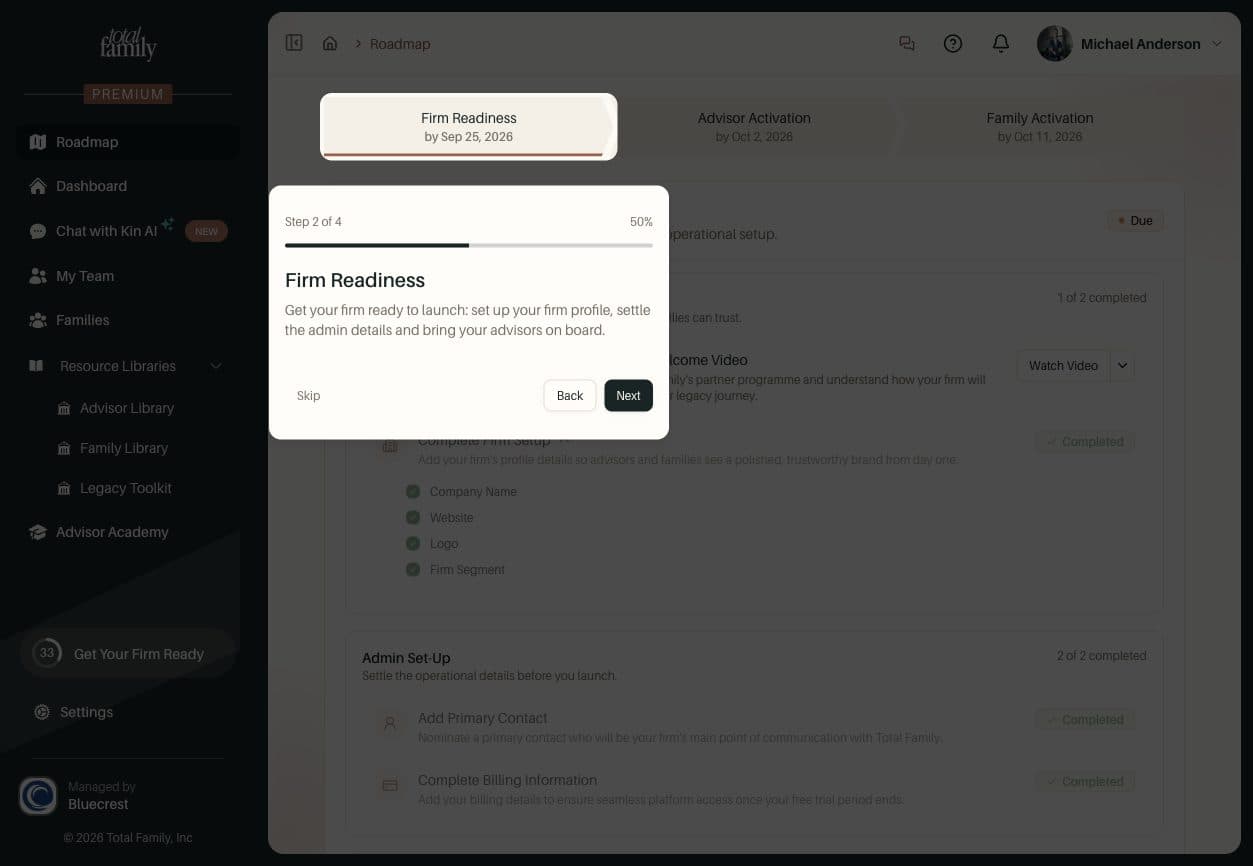
You can skip it, and replay it any time from Roadmap Overview in Getting Started.
Activation Shown in My Team and Families
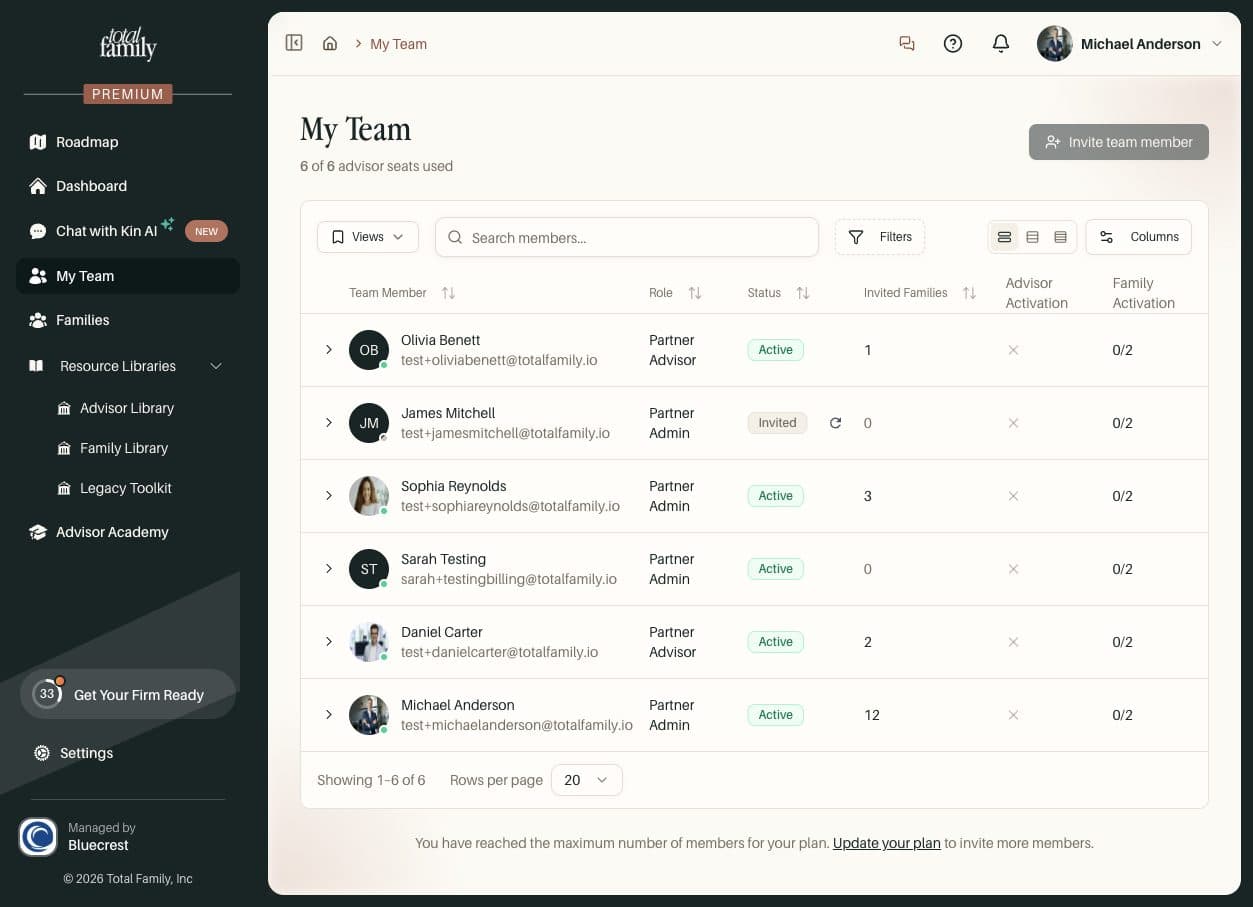
- My Team shows each advisor's Advisor Activation and Family Activation
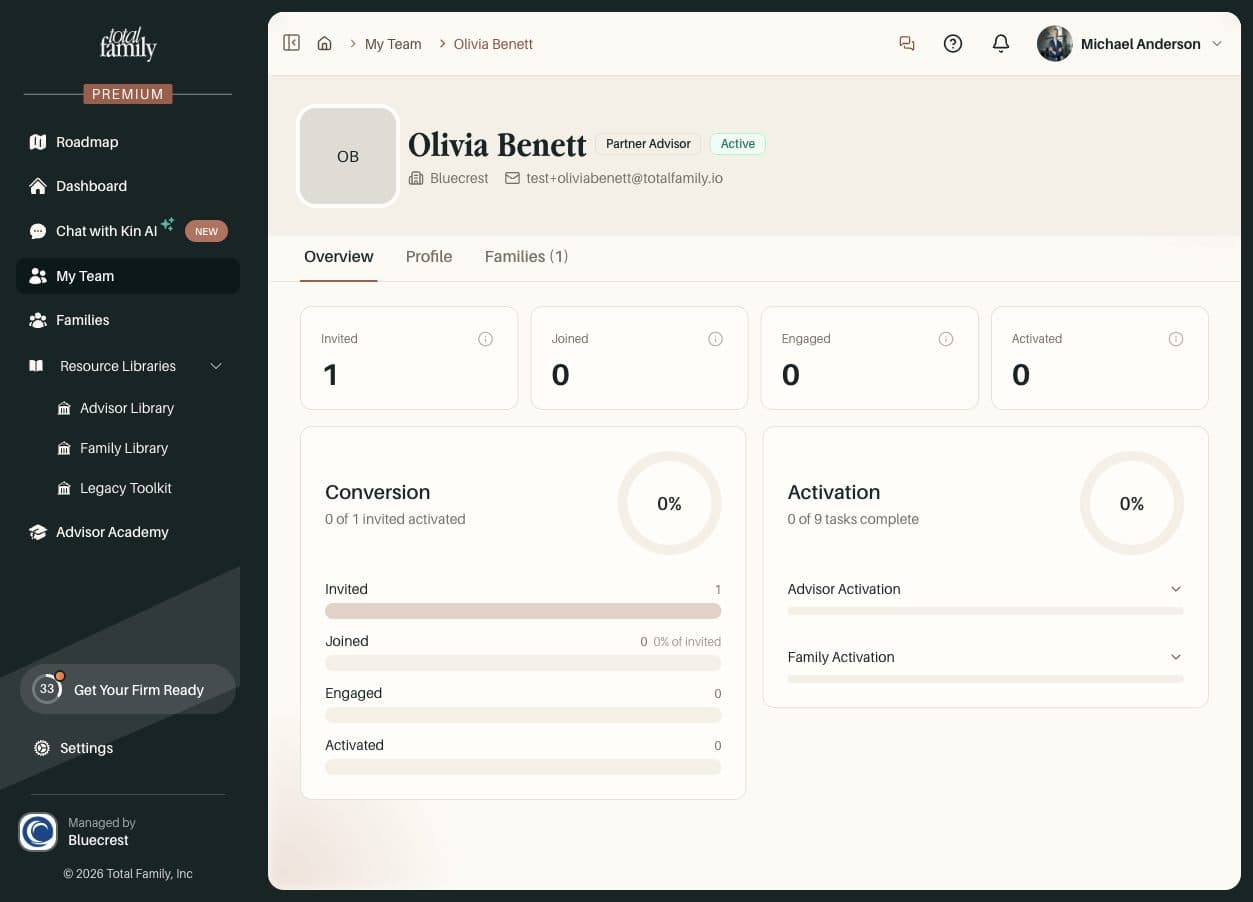
- Opening an advisor shows an Overview with their family numbers, how many of their invited families have activated, and their progress by phase
- Families adds Family Activated and Last Activity columns, so you can see who needs a nudge
Kin Plays Demo Videos and Answers From the Help Center
When Kin answers from one of our product demos, the video now sits just below the answer, ready to play in the chat, with a link to open it in the Resource Library.
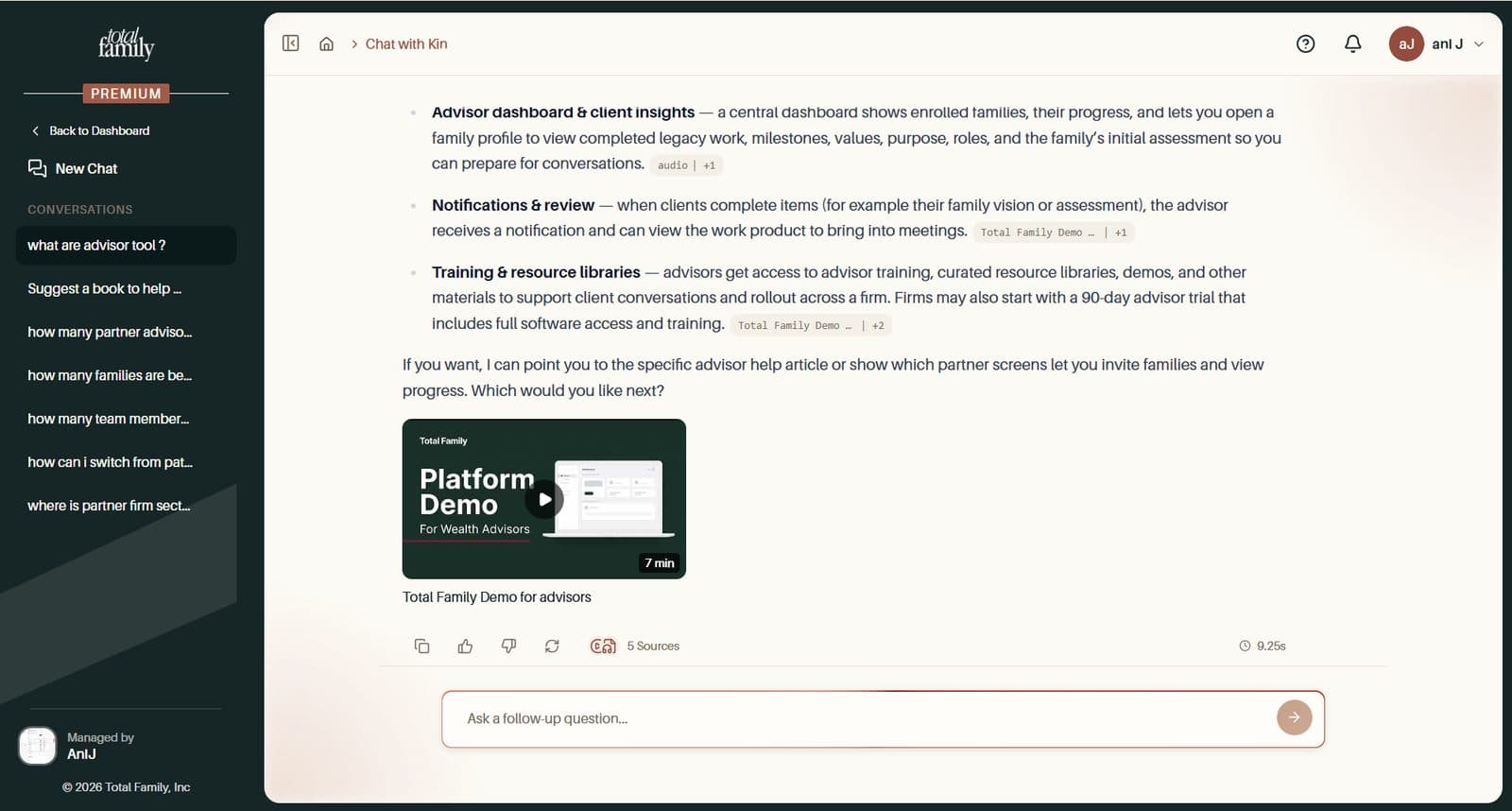
Ask Kin how to do something in the app, such as billing or settings, and it reads the Help Center article written for your role and cites it as Help Center.
Improvements
A Smoother Roadmap
The roadmap now has its own page: Firm Roadmap for admins and Get Started for advisors. Once it is complete, the sidebar item changes from Roadmap to Journey.
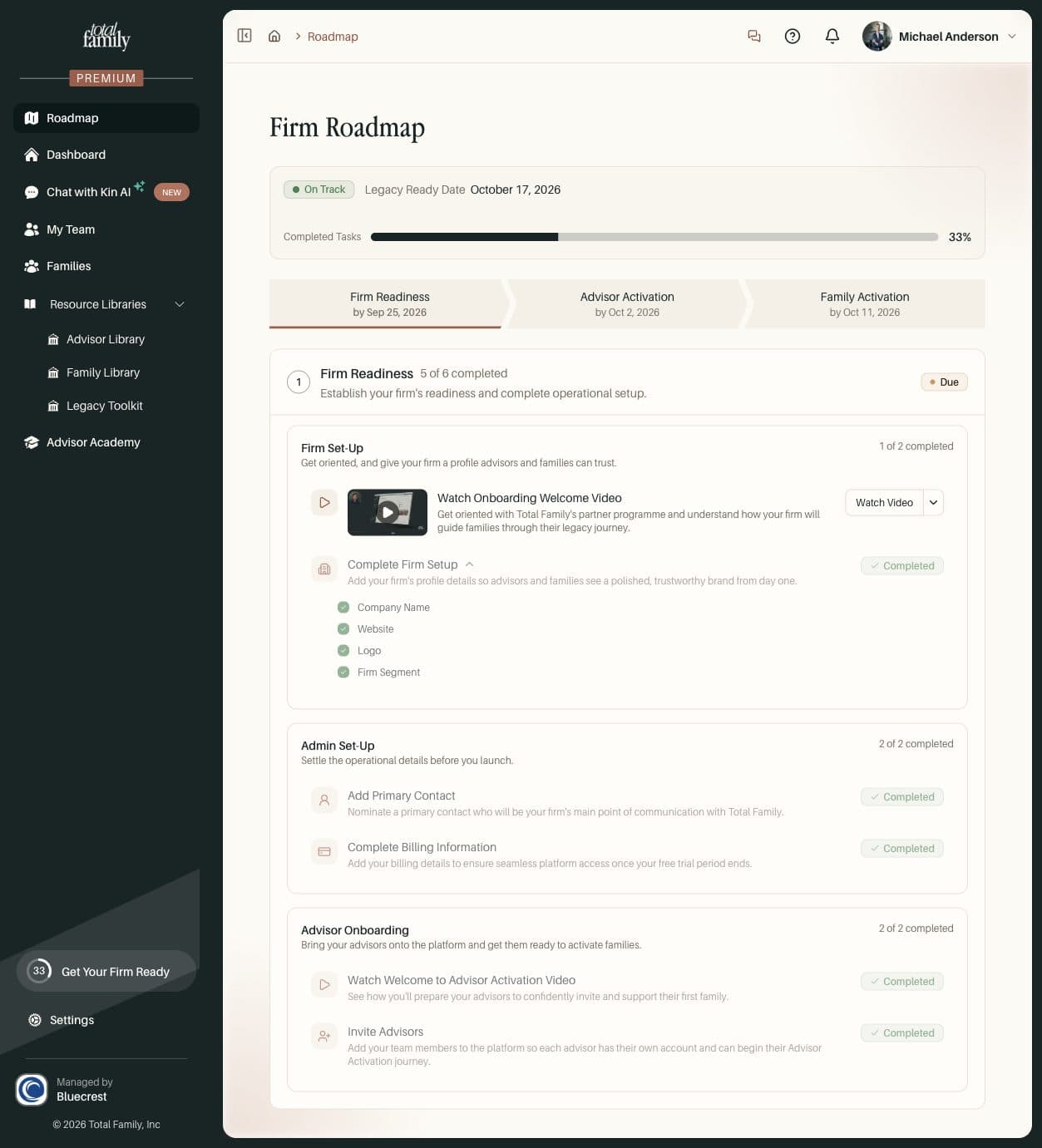
- Pick your Legacy Ready Date on the page with a date picker
- Each phase has its own status, Complete, On Track, or Off Track, based on that phase's end date
- Explore Jones Family replaces Complete Your Quickstart and opens a guided tour of our demo family
- Review Legacy Toolkit is a new task, with a button to try it in Kin
- A family counts as activated once they have a Personal Vision, a first Milestone, and a first Legacy Letter
- Inviting an advisor or family brings you back to where you started
Firm Roadmap walks through each phase.
More Improvements
- A 30-day trial journey by email. Advisors on a free trial get a welcome email, then a note on days 7, 14, 21, and 29, each pointing to the next step: inviting a family, trying Legacy Letters, checking the dashboard, and choosing a plan. These replace the old countdown reminders
- A warmer free trial welcome. On a phone, advisors arriving from a trial link see You're unlocking a 30-day free trial! with a link to the benefits. The button reads Start a Free Trial
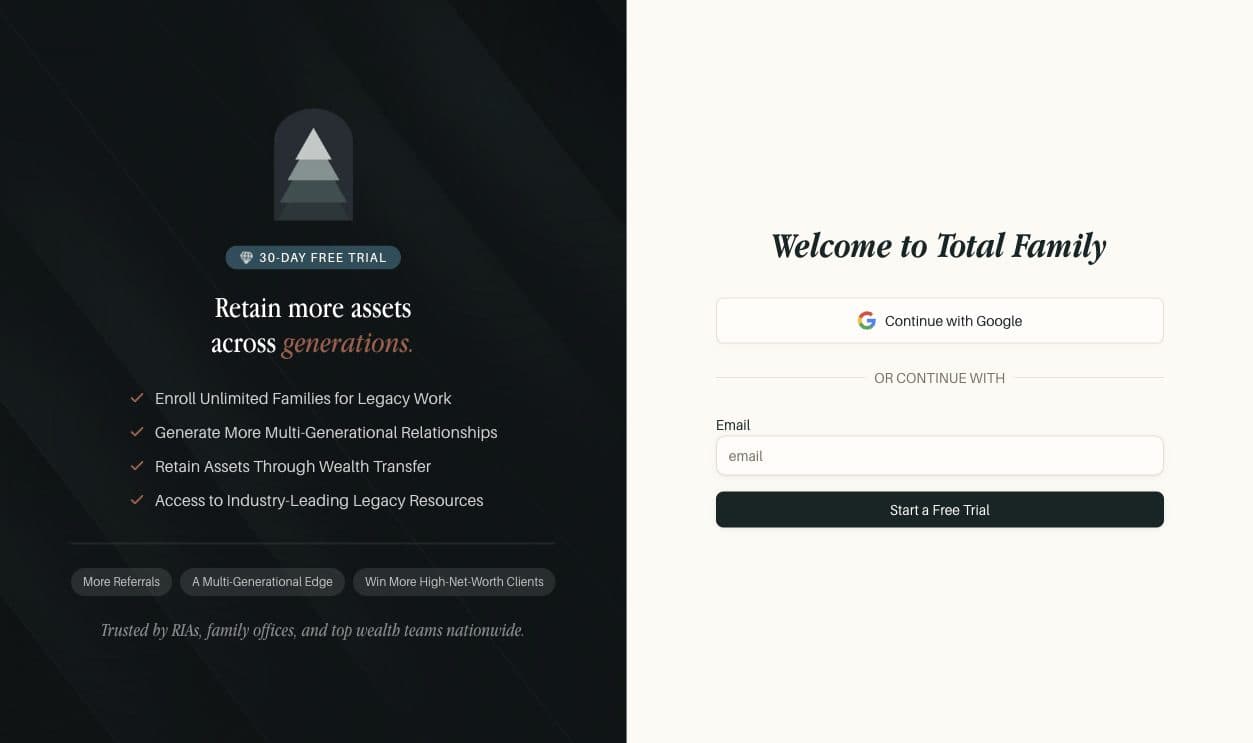
- Partner signup links apply your pricing. Advisors who sign up through a growth partner's link are credited to that partner, and the negotiated discount is applied at checkout with no promo code
- Library links keep working. When an article or category in the Resource Library is renamed, the old link now redirects to the new one, so links you have shared or bookmarked do not break
- Kin, Help, and Quickstart open one at a time. Opening one closes the other. They sit beside the page on wider screens and slide over it on smaller ones
- Feedback in one place. Give Feedback opens the Share Your Thoughts window, which goes straight to our product team
- Stay signed in for up to 30 days, up from two days
Bug Fixes
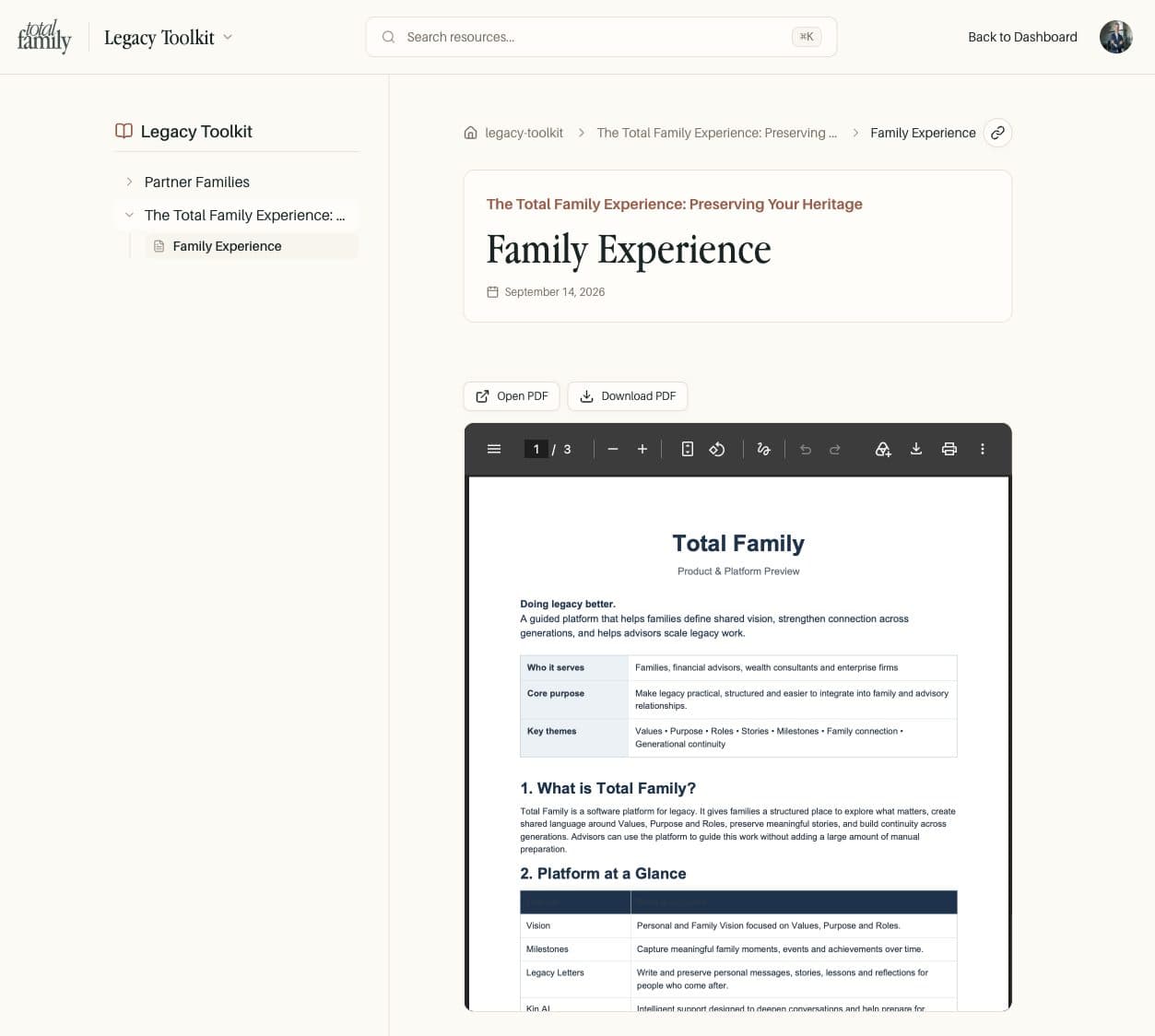
- Documents always open. Some browsers block embedded previews and showed "This content is blocked". Open and Download buttons now sit above every PDF and Word preview, including the Legacy Toolkit
- Invitations no longer stay on Invited. Advisors and families who already had an account stayed marked as Invited after signing in. They now become Active as soon as they sign in, and stuck invitations have been corrected
- Partner emails carry the right branding. Emails sent on behalf of Enterprise firms now always show your logo and name, and Premium branding follows your current subscription
- Invoices keep your firm name. Updating the billing contact replaced your firm's legal name with the contact's name on invoices and receipts. Your firm name now stays, and invoices go to the new contact
- The sidebar highlights only the page you are on, and names with only a last name no longer show a stray space