
Family Dashboard
An overview of your whole portal: your journey, your tasks, your vision, and your legacy in one place.
The Dashboard is where you land after upgrading to Premium, and it is the home screen of your portal from then on. Rather than holding content of its own, it summarises everything else: how far through your journey you are, what to do next, the vision you have defined, and the milestones, letters, and quotes you have collected.
What the Dashboard Is For
Think of it as the page you check to find out where things stand. Every section is a window onto a feature that lives elsewhere, so you can see at a glance what is done, what is outstanding, and where to pick up. Selecting any section takes you to the full feature.
The Top of the Dashboard
The dashboard opens with a greeting and the state of your journey.
Four things sit across the top:
- Your family photo: the picture and name that represent your family. Use the camera icon to change it.
- Journey progress: the three stages of the Total Family journey, each with a count of how many steps you have finished: Personal Discovery, Shared Discovery, and 100-Years Outlook. A padlock means the stage has not opened yet.
- Up Next: your to-do list, showing the next actions waiting on you, such as completing your Personal Vision or inviting your spouse. Turn on Show Completed Tasks to see what you have already finished.
- My Journey: your overall completion across the whole programme, as a single percentage.
Vision, Legacy, and Shortcuts
Scroll down and the dashboard mirrors the vision work you have done, tallies what your family has created, and offers shortcuts to the rest of the portal.
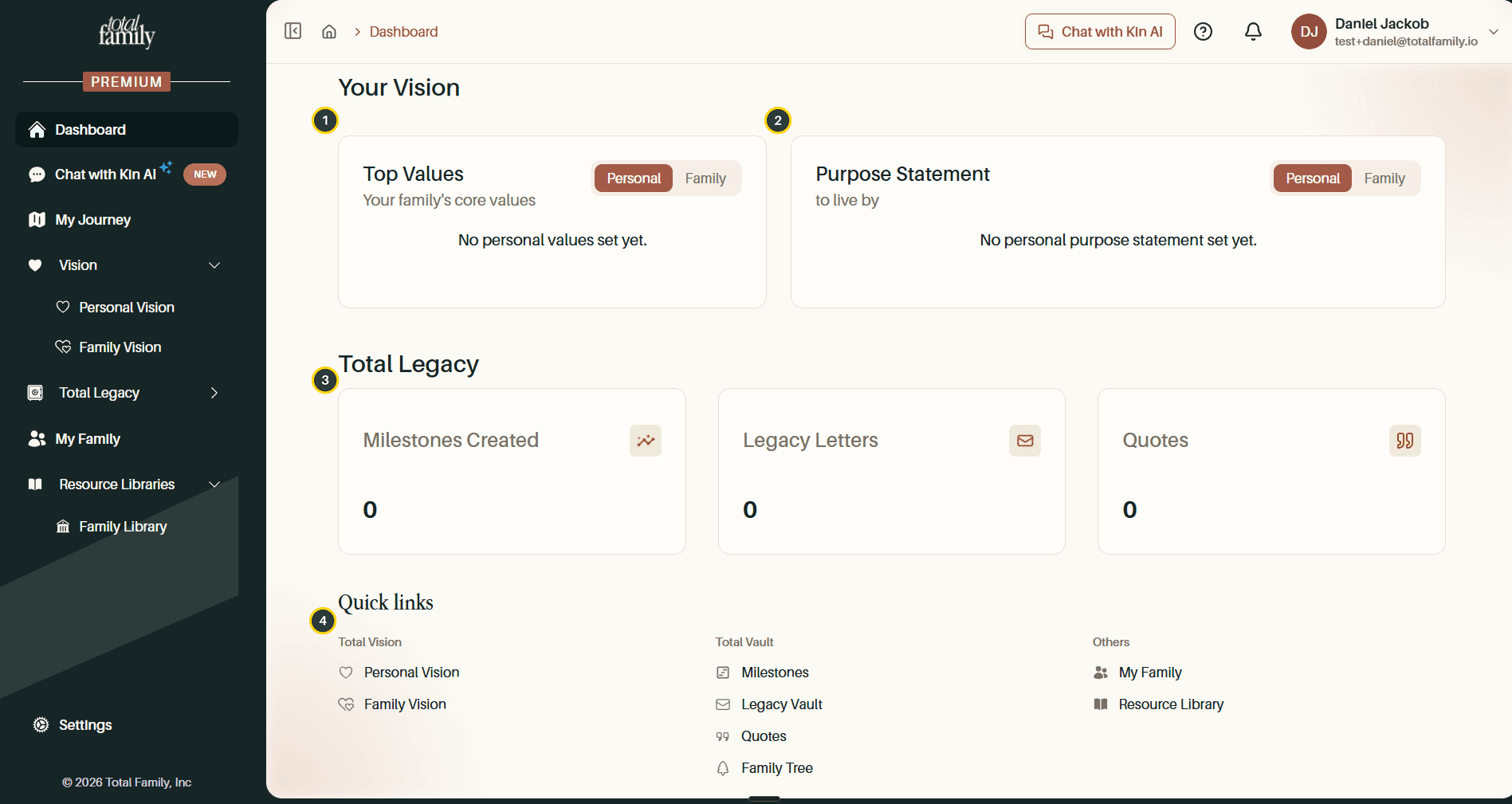
- Top Values: the core values you have chosen. Use the Personal / Family toggle to switch between your own values and your family's shared set.
- Purpose Statement: the statement you are living by, with the same Personal and Family toggle.
- Total Legacy: running counts of the Milestones, Legacy Letters, and Quotes your family has created. Each card links through to the full feature.
- Quick links: shortcuts to the places you visit most, grouped into Total Vision (Personal Vision, Family Vision), Total Vault (Milestones, Legacy Vault, Quotes, Family Tree), and Others (My Family, Resource Library).
Top Values and Purpose Statement are filled in from Personal Vision and Family Vision; the dashboard only displays them.
Why Sections Look Empty
On a new account most of the dashboard reads as empty: "No personal values set yet", counters at zero, a low journey percentage. That is expected. The dashboard reflects work done elsewhere, so each section fills in as you complete the matching feature. Start with the items in Up Next and the rest follows.