
Living Vision
Export, edit, and track the history of your vision after it is created.
Your vision is meant to change. A diagnosis, a move, a new grandchild: any of them can make last year's wording read wrong.
Once it is saved, the ⋮ menu in the top right of the vision page gives you everything you need to keep it current: download a copy, change what it says, or look back at how it has evolved.
This works identically on Personal Vision and Family Vision. The screenshots below are from Family Vision, but you will find the same menu in the same place on your personal vision page.
Open the Vision Menu
On your Personal Vision or Family Vision page, select the ⋮ icon in the top right.
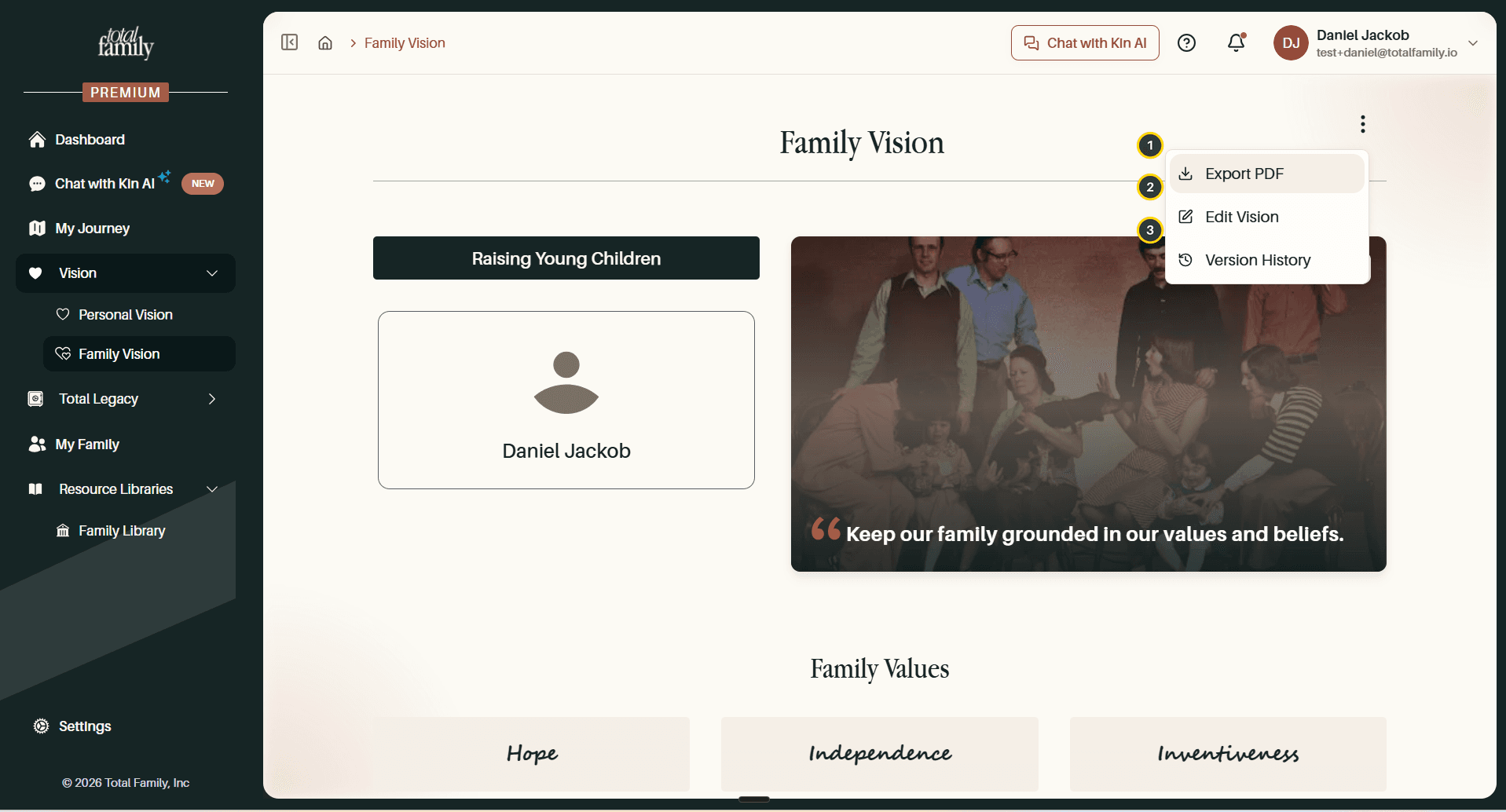
- Export PDF: download your vision as a designed, shareable document.
- Edit Vision: change part of your vision, or start it over.
- Version History: see every version that has been saved.
Export PDF
Selecting Export PDF opens a preview first, so you can check the document before saving anything. The exported design is quite different from the on-screen board: your vision is laid out as embroidered patches on denim, with your purpose statement, values, and both priority lists.
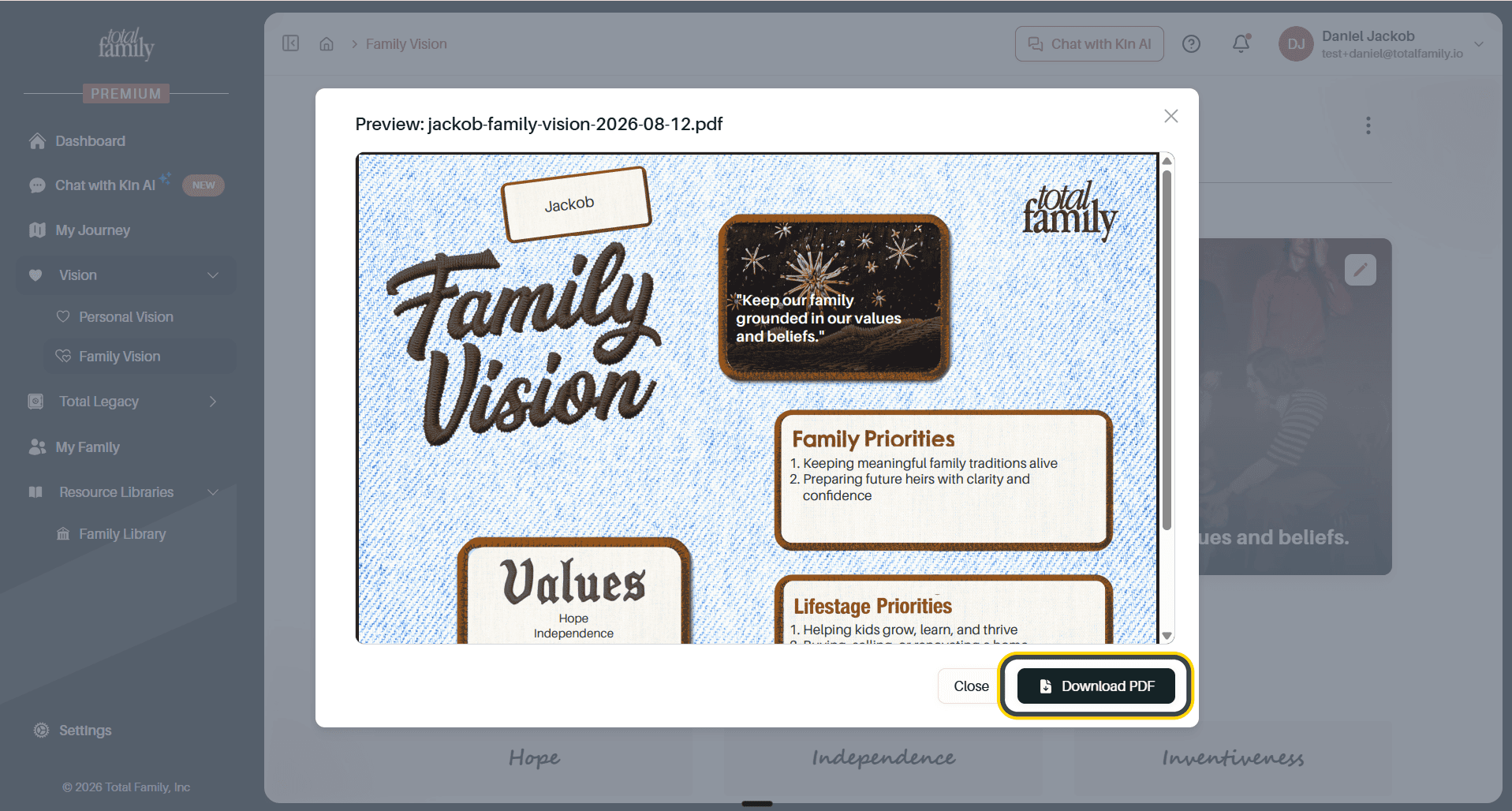
Scroll inside the preview to see the whole document. Then either:
- Download PDF: save it to your device
- Close: go back without downloading
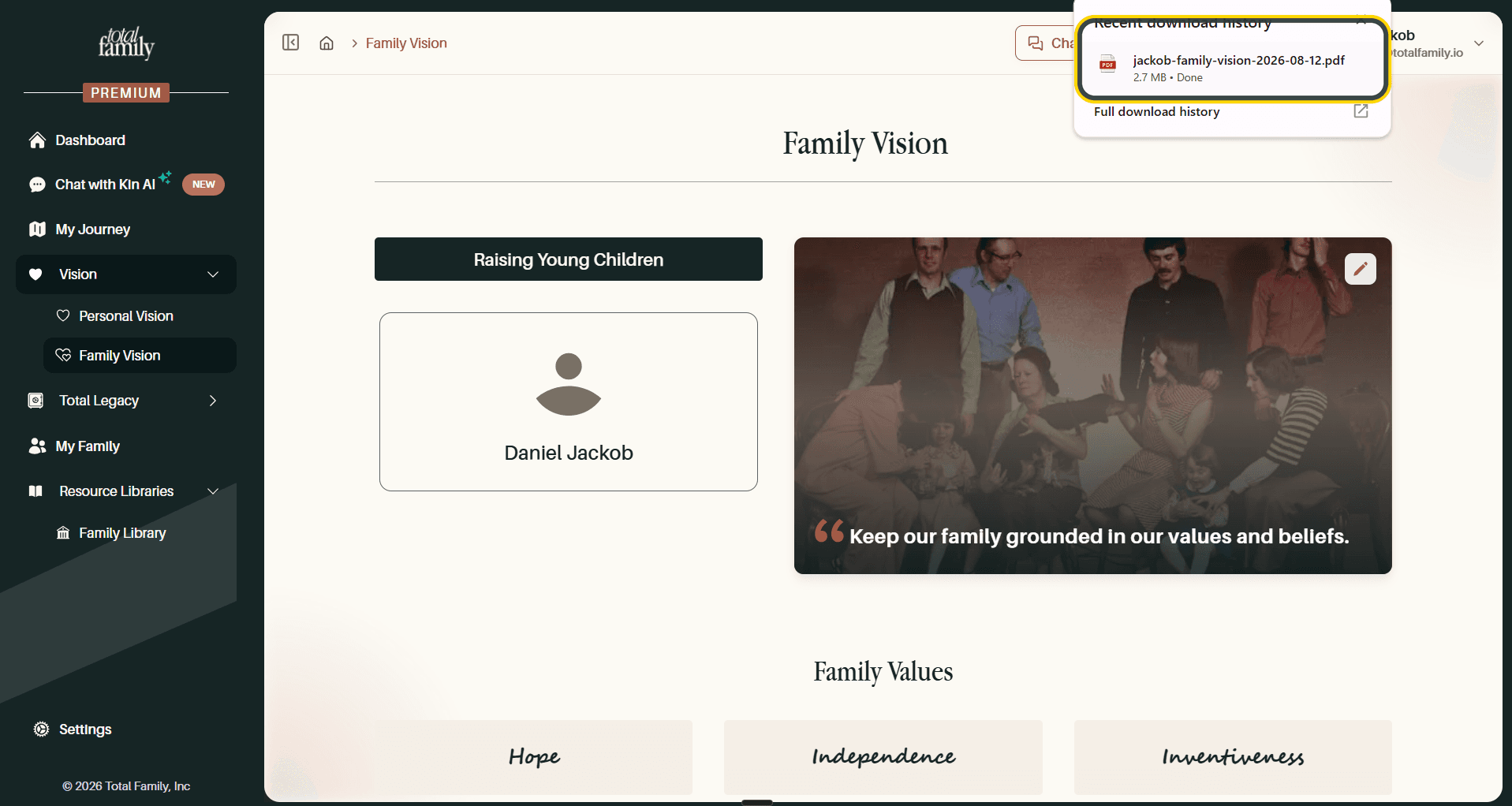
The file is named after your family and the date, for example
jackob-family-vision-2026-08-12.pdf, so repeated exports do not overwrite each other.
Tip The PDF is a good thing to bring to a meeting with an advisor or planner, or to print and put somewhere your family will see it.
Edit Vision
Selecting Edit Vision asks how much you want to change.
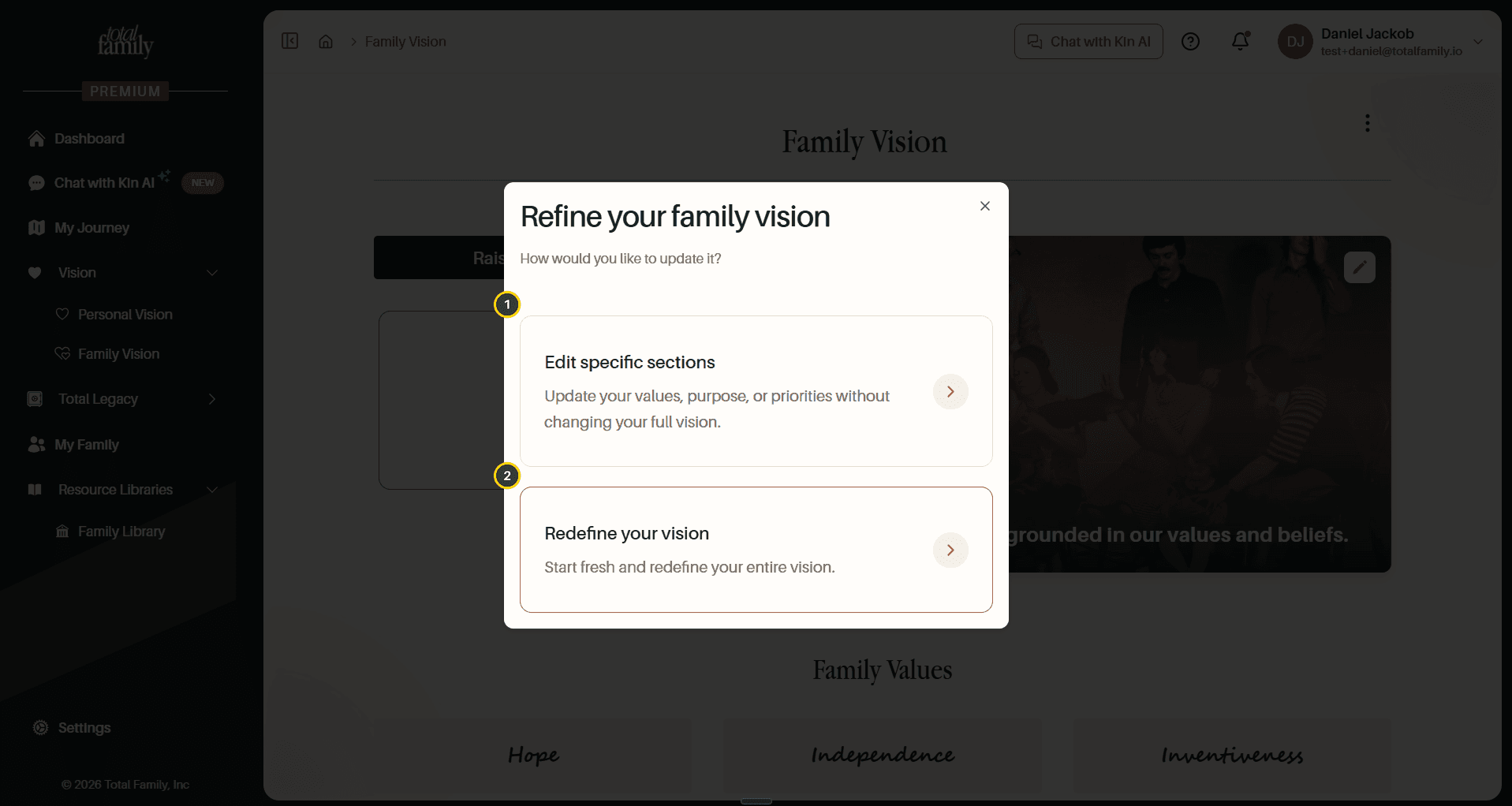
- Edit specific sections: update your values, purpose, or priorities without touching the rest.
- Redefine your vision: start fresh and go through the whole process again.
Edit Specific Sections
This puts the page into Edit Mode. An edit control appears beside each part of your vision, and you select the one you want to change.
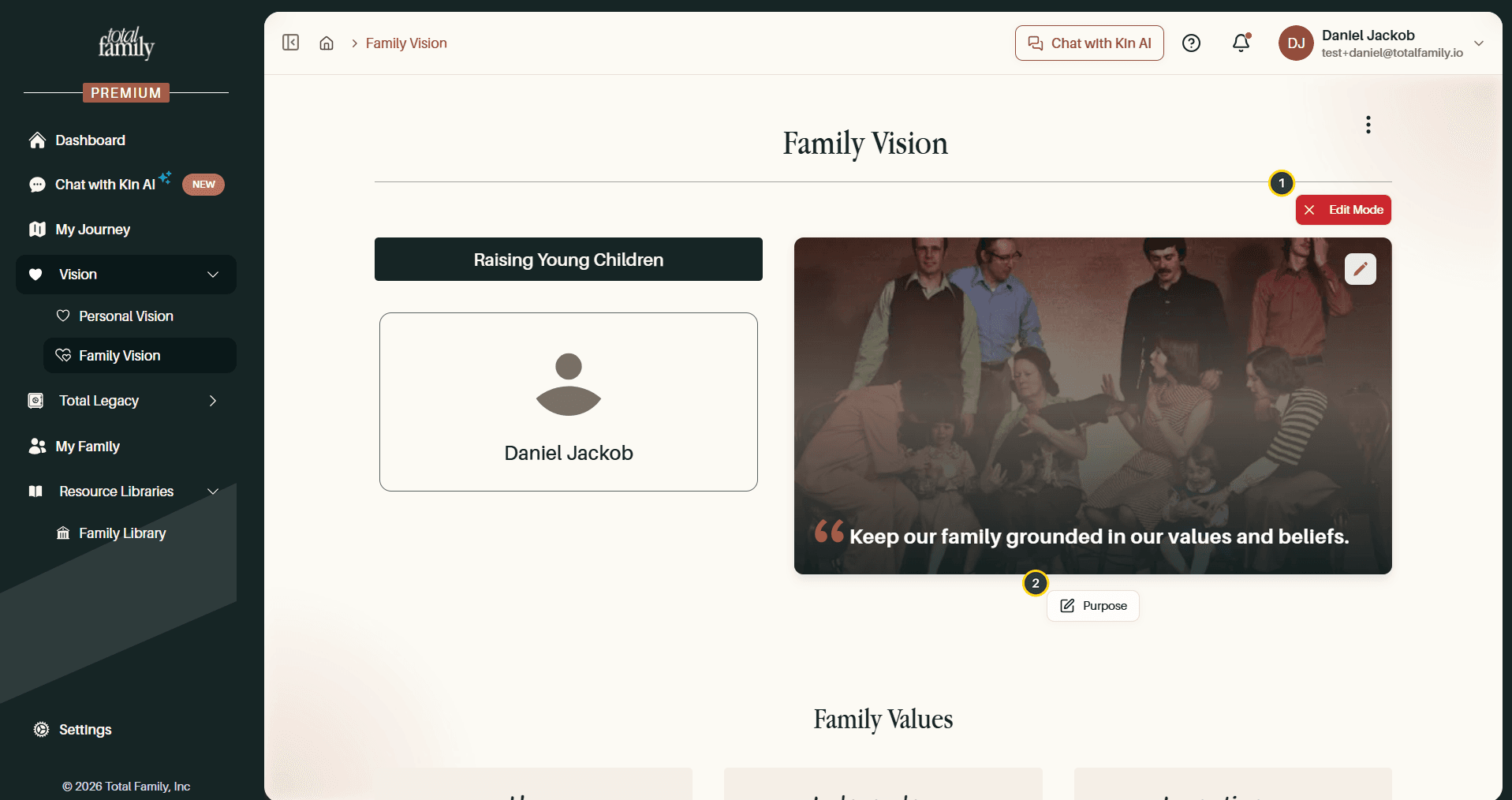
- Edit Mode: shows you are editing. Select the ✕ to leave without changing anything.
- Section buttons: one appears for each editable part, such as Purpose. Selecting one takes you to that step, where you make your change and save.
Saving returns you to the vision page with the update in place, and adds a new entry to your version history.
Redefine Your Vision
This restarts the full flow: values, purpose, and then roles (personal) or priorities (family). Your existing vision is kept in version history, so redefining does not erase what you had before.
Note Redefining is the longer path. If you only want to change a few values or reword your purpose statement, Edit specific sections gets you there in far less time.
Version History
Selecting Version History opens a panel listing every saved version, newest first.
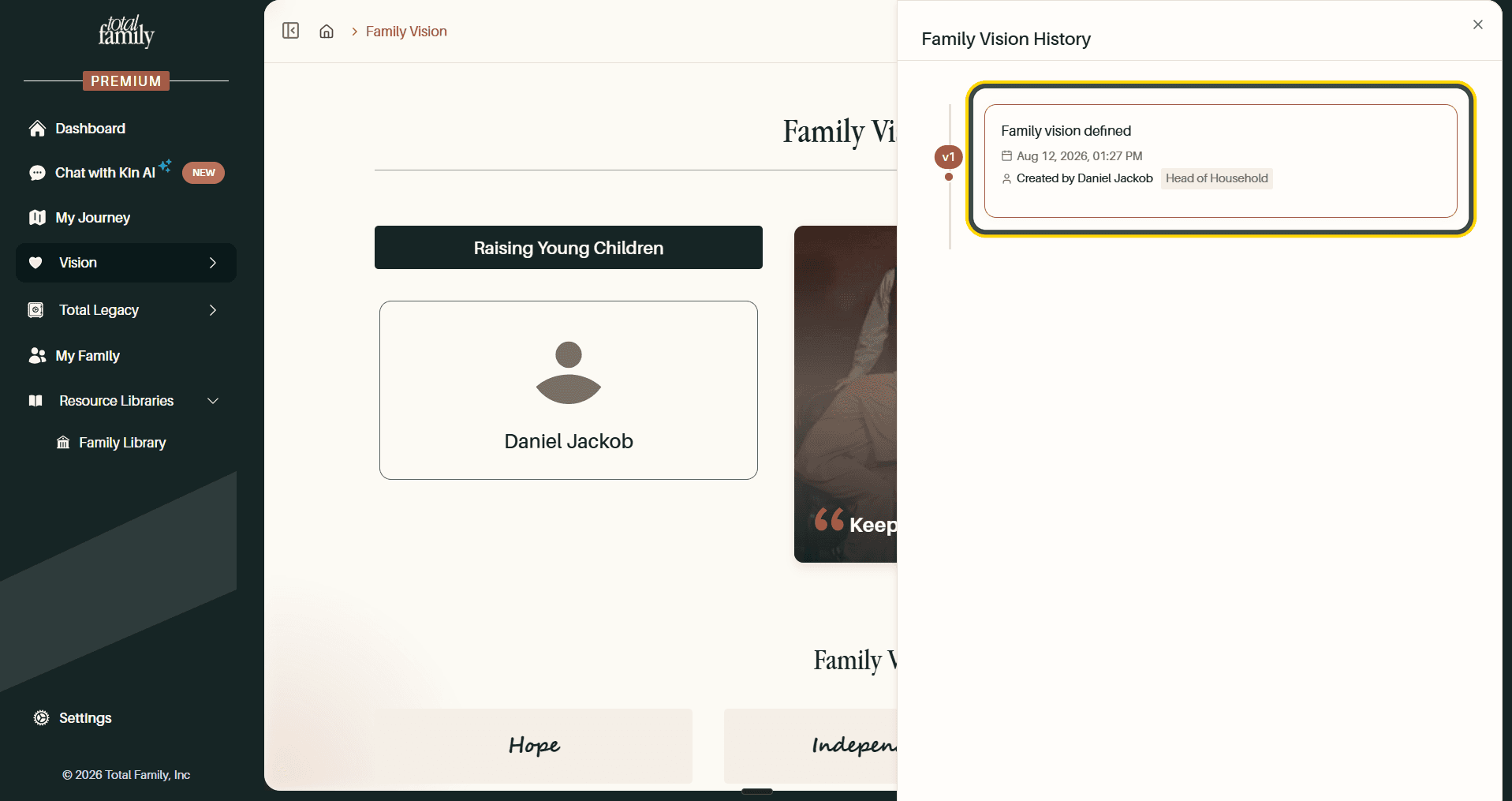
Each entry records:
- The version number:
v1,v2, and so on - What changed: for example "Family Vision defined"
- When it was saved: date and time
- Who saved it: with their family role, such as Head of Household
On a newly created vision you will see a single v1 entry. Entries accumulate as you and
your family make changes, so the panel doubles as a record of who shaped the vision and when.
Who Can Make Changes
Version history records the role of whoever saved each version, so it is always clear who changed what. For a Family Vision, treat edits the way you treated creating it. A shared vision that one person quietly rewrites is no longer shared. Talk it through first, then save.